How to autotune your voice free, right in your browser.
Pitch-correct detected segments of a dry solo vocal toward a selected key and scale. The render runs in your browser, and the selected file is not uploaded to AudioWrench.
What "autotune" actually does
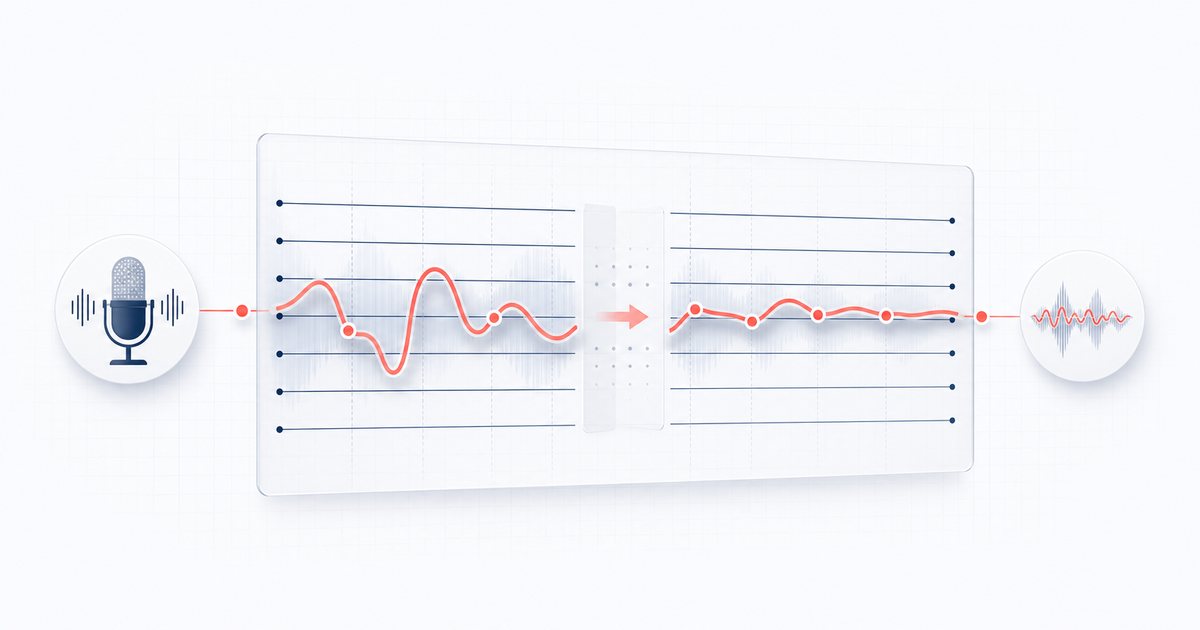
Autotune is pitch correction. AudioWrench analyzes a short frame inside each vocal segment. When it finds a stable pitch, it calculates the nearest note in the selected scale and applies the chosen fraction of that move, capped at four semitones. Unpitched or uncertain segments pass through.
AudioWrench Vocal Pitch Correction works best on a dry solo voice. Auto mode provides a compact correction surface and automatic key suggestions; Graph mode exposes detected note regions for note-by-note target, pitch-shape and timing edits; Live runs an experimental local AudioWorklet microphone monitor; and Harmony renders up to four independent voices. Full-file HQ renders can apply broad spectral-envelope formant compensation before local WAV or MP3 export.
How to autotune your voice free, step by step
- Open the tool. Head to the Vocal Pitch Correction page. Processing runs on your device, and there is no sign-up.
- Record or upload a vocal (Step 1). Click Record from microphone to sing straight into the tool, then click Stop recording when you are done. Or drop a vocal file onto the dropzone — MP3, WAV, OGG, M4A and more all work. A dry solo voice with no backing music gives the cleanest result.
- Set or suggest the key and scale (Step 2). Pick the root note and scale, or ask the local detector for a Major/Minor starting point from a stable dry vocal. Verify the suggestion against the instrumental; Song Key Finder remains the better choice for the backing track.
- Choose the retune strength. Lower values apply part of each calculated pitch move; 100% applies the full move, still capped at four semitones.
- Tune it (Step 3). Click Tune it. Progress is shown while the tool analyzes and corrects segments; Cancel render stops the job without creating an output.
- Preview. Play the Tuned result and compare it with the Original. Change the key, scale, or strength and render again if needed.
- Download. Use the download buttons to save your tuned take. The file is generated on your machine and saved straight to your downloads folder.
🎤 Try Vocal Pitch Correction →
Choosing lighter or full correction
The single most useful habit is to record dry. Turn off any reverb or effects on your mic, sing into a quiet room, and keep music out of the recording. Pitch detection works on what it can hear, and a clean signal is far easier to track than a voice buried in a beat.
The strength setting is a direct multiplier on the calculated pitch move. A lower setting applies only part of the move; 100% applies the full move, capped at four semitones. The result still depends on successful pitch detection in each segment, so listen against the original instead of assuming one setting fits every take. Chromatic permits every semitone; Major and Minor restrict targets to the chosen song scale.
Why do it in your browser?
Your voice is personal, so AudioWrench processes the take on your device through browser audio APIs instead of uploading it for correction. There is no account or watermark. Instead of one arbitrary file-size cap, the tool estimates decoded PCM copies, algorithm overhead and the current device's available memory before accepting a job; long or high-channel files can still be refused safely when the planned render would be unstable.
FAQ
Can I correct my vocal pitch without an account?
Do I need to know the key of the song to autotune?
What does 100% retune strength do?
Is my voice recording uploaded anywhere?
Sources and review notes
The article’s segment size, correction range and crossfade description come from the current AudioWrench implementation; Web Audio defines the browser primitives used for decoding and rendering.
- W3C Web Audio API 1.0 — Normative browser audio graph, buffer and offline-rendering behavior.
- AudioWrench review methodology — How implementation claims and functional evidence are separated.