Free Online Autotune for Vocal Pitch Correction.
Correct a solo vocal to your song’s key, compare the original and tuned voice, then save a WAV or MP3. No account or audio upload. Start with your own recording or try the synthetic demo.
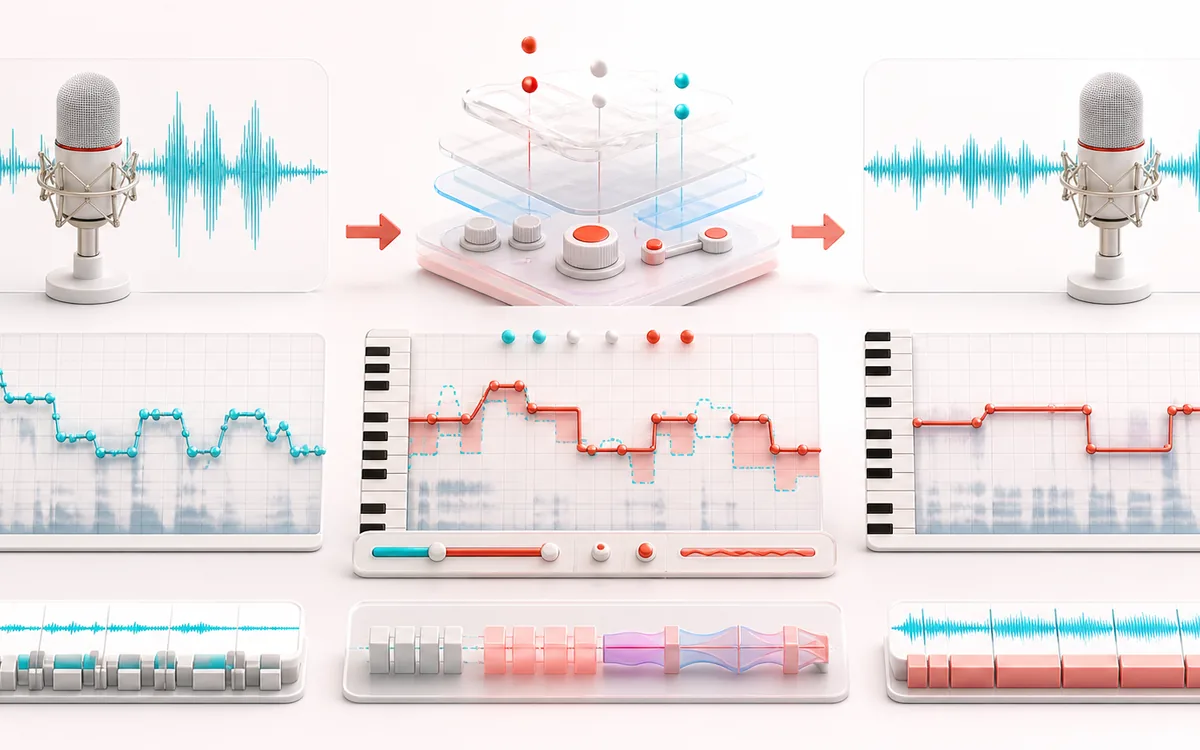
VOCAL PITCH MAP
Pitch Correction Grid
Choose which notes the vocal should land on. Compare detected pitch with the notes allowed by your song’s key. A wrong key can pull a well-sung phrase onto the wrong notes; more correction will not fix that.
Open the full signal breakdownBest source, processing logic, limits and three-pass listening check
- Raw vocal melody
Start with the right material
Dry solo vocals with stable pitched phrases, a known song key and enough level to separate voiced notes from breaths and background noise.
- Snap notes to key
Understand the transformation
Confidence and level gates classify voiced analysis hops. Auto renders bounded exact-frame correction, Graph applies editable note-object targets and timing, Live uses a conservative AudioWorklet microphone monitor, and Harmony mixes up to four independently shifted, leveled and panned voices.
- Tuned vocal
Verify the usable result
Shared-playhead Source/Tuned audition, an editable pitch map, optional live monitoring, four-voice Harmony, WAV/MP3 export, before-to-target note and cents data plus a processing receipt with exact output dimensions.
Where this workflow stops
Backing music, polyphonic material, heavy reverb, growls and unstable fundamentals can confuse any monophonic tracker. Live is an experimental headphone monitor with browser and hardware latency; HQ formant guard compensates a broad spectral envelope but is not physical throat modelling.
Make the final decision by ear
- Confirm the key against the backing track; a vocal-only suggestion is a starting point, not proof.
- Switch between Source and Tuned across a complete phrase, including slides and sustained notes.
- If the result warbles, reduce Amount or try Gentle repair before changing individual notes in Graph.
- Input
- Microphone or browser-decodable audio such as WAV, MP3, OGG and M4A; accepted size is planned from decoded PCM memory, not a fixed compressed-file cap.
- Output
- Exact input frames, sample rate and channels; tuned preview plus 16-bit WAV or 320 kbps MP3.
- Best source
- One dry monophonic voice. Full mixes, chords, doubled vocals and heavy reverb confuse single-pitch tracking.
- Memory guard
- Additional decoded-PCM work is refused above about 256 MiB on mobile or 512 MiB on larger viewports.
How to auto-tune a voice online for free
- Choose Open a vocal or record to load a file or record a take. No recording ready? Try the synthetic demo to explore without sharing a file.
- Set Song key and Scale to match your music. C major is the default, not a detected result. If you do not know the key, open Advanced for a key suggestion and check it against your backing track.
- Start with Natural for gentle correction or Hard tune for faster note snapping. Presets change the correction controls, not the song key.
- Compare Source and Tuned. The automatic audition covers up to ten seconds; press Tune full voice to process the whole recording. Low-confidence frames stay unchanged.
- Open Output to save WAV or MP3. Use Graph only when you want to edit individual note regions.
Natural correction or a hard-tuned effect?
Natural uses slower Retune, less than full Amount, Flex and Humanize to leave more room for expression. Hard tune requests the full move with zero Retune delay and no Flex or Humanize. These are starting points, not guarantees: the selected scale still determines the target notes.
If the wrong notes are being selected, check the key before increasing Amount. If pitch jumps unpredictably, use an isolated vocal without backing music or heavy reverb. For occasional wrong notes, inspect the detected regions in Graph instead of forcing stronger correction across the whole take.
How the pitch correction works
The engine mixes a temporary analysis signal to mono, examines roughly 85 ms frames at 48 kHz every 45 ms, and estimates one fundamental with a bounded YIN cumulative-mean normalized difference function. A frame must clear both minimum voiced level and confidence. The nearest permitted scale note becomes the target; strength scales that move, retune smoothing slows abrupt changes, and the selected correction range can reject it. Accepted consecutive frames become note regions, shifted locally with overlapping WSOLA grains and 12 ms region-edge crossfades. The result is written into a buffer with the input's exact frame count, sample rate and channels.
Limits and browser support
This is conventional monophonic browser DSP, not AI. It includes manual note-object editing, vocal-derived key suggestions, live monitoring, MIDI targets, broad spectral-envelope formant compensation and four fixed-interval harmony lanes. It is still not a DAW plug-in with host automation, ARA transfer, a proprietary throat model or guaranteed sub-3 ms latency. A chord, full mix, doubled vocal or overlapping speakers do not present one unambiguous fundamental, so estimates can be wrong or skipped. Microphone, MIDI and recording workflows require browser permission and compatible APIs.
Auto-Tune: quick answer and technical limits
Quick answer: A local vocal pitch-correction tool that uses bounded YIN/CMNDF tracking to move confident monophonic regions toward a selected key and scale.
- Best for
- Dry solo vocals with stable pitched phrases, a known song key and enough level to separate voiced notes from breaths and background noise.
- How it works
- Confidence and level gates classify voiced analysis hops. Auto renders bounded exact-frame correction, Graph applies editable note-object targets and timing, Live uses a conservative AudioWorklet microphone monitor, and Harmony mixes up to four independently shifted, leveled and panned voices.
- What you get
- Shared-playhead Source/Tuned audition, an editable pitch map, optional live monitoring, four-voice Harmony, WAV/MP3 export, before-to-target note and cents data plus a processing receipt with exact output dimensions.
Know before you use it: Backing music, polyphonic material, heavy reverb, growls and unstable fundamentals can confuse any monophonic tracker. Live is an experimental headphone monitor with browser and hardware latency; HQ formant guard compensates a broad spectral envelope but is not physical throat modelling.
Public browser workflow evidence
Question: Can the tool analyse an intentionally off-pitch monophonic fixture, correct it to C major and export a readable WAV?
Observed result: 42 of 45 analysed segments were corrected to C major and the exported 333,272-byte WAV passed the file check.
Evidence boundary: This fixture tests one short synthetic monophonic voice. It is not an accuracy score for every singer, key or recording condition.
Network observation: No audio-payload or cross-origin requests were observed during this published workflow.
Privacy: Selected audio is processed in this browser and is not uploaded to AudioWrench. Normal page assets can still be requested as described in the privacy notice. Privacy details →