Dynamic EQ Online
Tame boom, bite or harshness only when that frequency region becomes active. Shape four independent bands, inspect the response, and export the exact processed timeline.
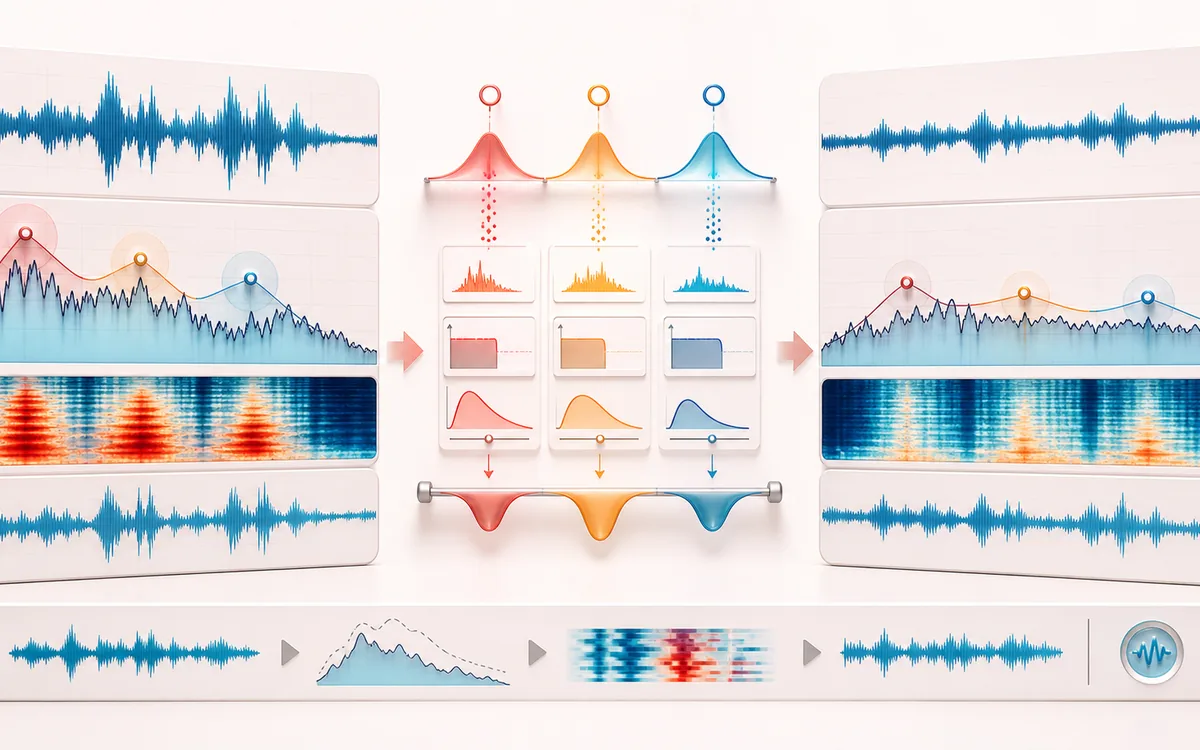
DYNAMICS MAP
Reactive EQ Map
Follow the level decision, not just the waveform. The important story is how the detector reacts, where gain starts moving and whether the result stays controlled without flattening the performance.
Open the full signal breakdownBest source, processing logic, limits and three-pass listening check
- Problem frequencies
Start with the right material
Taming intermittent resonances, controlling boom only on loud notes, softening occasional harshness and adding frequency-selective upward or downward movement.
- Trigger dynamic bands
Understand the transformation
Each editable band filters a detector signal, follows its level with attack and release timing, resolves a bounded gain range from threshold and ratio, and applies that movement around the chosen frequency and Q.
- Controlled spectrum
Verify the usable result
Original, processed and Difference monitoring with response, spectrum and per-band activity views plus an exact-duration WAV or MP3 render.
Where this workflow stops
Dynamic EQ needs listening and source-specific tuning. Narrow or fast settings can ring or distort, and it is not an automatic resonance finder, static 10-band EQ or three-way crossover compressor.
Make the final decision by ear
- Compare at matched loudness so “louder” is not mistaken for “better”.
- Inspect the loudest transient and the quietest useful detail.
- Leave enough headroom for the next processing or delivery stage.
- Four bands
- Editable low shelf, bell and high shelf regions with frequency, Q, static gain and signed dynamic range.
- Independent dynamics
- Each filtered region drives its own threshold, ratio, attack and release envelope instead of one full-band detector.
- Output
- Original decoded frame count and rate, synchronized Difference audition, response/spectrum console and local WAV or MP3.
How to use dynamic EQ online
- Load audio or generate the local multi-band dynamics demo.
- Select Low, Body, Presence or Air; then choose the shape, frequency, Q and static gain.
- Set threshold, ratio, timing and signed Range. Negative range cuts; positive range boosts when the detector crosses threshold.
- Use band Bypass or Solo to diagnose the region, render locally, compare three signals and export WAV or MP3.
Dynamic EQ versus static EQ and multiband compression
A static equalizer applies the same response across the whole recording. Dynamic EQ keeps each band's static gain, then moves that band only as its frequency-filtered envelope crosses the threshold. This is useful when a resonance appears on some notes or syllables but not others.
A multiband compressor divides the spectrum into broad non-overlapping crossover regions. These dynamic EQ bands are independently positioned and may be narrow, wide or shelf-shaped. They can overlap, so aggressive settings can interact; use Solo and Difference rather than assuming more bands are always better.
Limits before you export
- The detector follows filtered sample amplitude; it does not identify instruments, notes, phonemes or mix intent.
- Narrow Q, fast timing and deep range can ring, pump or reshape transients.
- Positive ranges and overlapping static boosts can clip; output is bounded before export.
- MP3 is a new lossy encode and may include normal codec padding. WAV preserves the exact decoded frame count.
Privacy: selected audio is decoded, processed and encoded in this browser and is not uploaded to AudioWrench. Normal page resources can still be requested according to the privacy notice.
Dynamic EQ: quick answer and technical limits
Quick answer: A parametric equalizer whose selected bands change gain only when energy around their own frequency crosses a threshold.
- Best for
- Taming intermittent resonances, controlling boom only on loud notes, softening occasional harshness and adding frequency-selective upward or downward movement.
- How it works
- Each editable band filters a detector signal, follows its level with attack and release timing, resolves a bounded gain range from threshold and ratio, and applies that movement around the chosen frequency and Q.
- What you get
- Original, processed and Difference monitoring with response, spectrum and per-band activity views plus an exact-duration WAV or MP3 render.
Know before you use it: Dynamic EQ needs listening and source-specific tuning. Narrow or fast settings can ring or distort, and it is not an automatic resonance finder, static 10-band EQ or three-way crossover compressor.
Privacy: Selected audio is processed in this browser and is not uploaded to AudioWrench. Normal page assets can still be requested as described in the privacy notice. Privacy details →