Time-coded degradation evidence
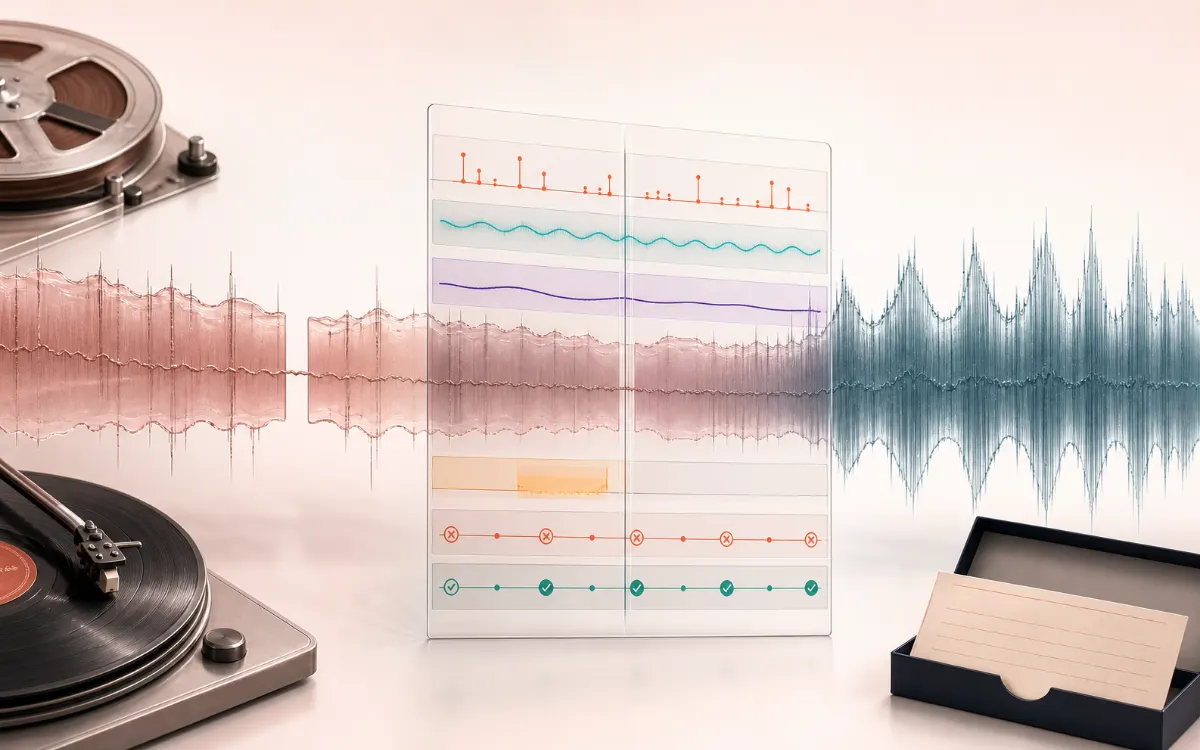
Clicks, short clipping runs and dropouts sit on the same timeline as full-file DC, hum-family and high-frequency noise measurements.
Complete restoration workflow · local processing
Turn a vinyl, cassette, reel or field transfer into an explainable restoration. Map common defects, review every time-coded repair, compare Source / Restored / Difference and keep the untouched recording.
Presets tune detector bias. Nothing is repaired until you review the recipe.
Waveform evidence plus aligned defect lanes.
The canvas is supplementary. After analysis, the adjacent marker list contains the same time, type, severity and confidence information for keyboard and screen-reader review.
Keep safe candidates, ignore musical transients and render one aligned result.
Choose evidence from the review queue.
| Metric | Source | Restored |
|---|---|---|
| RMS | — | — |
| Peak | — | — |
| Maximum DC | — | — |
| Detected markers | — | — |
RESTORATION MAP
Separate the damaged event from healthy context. A repair is safest when the affected span is narrow, the surrounding signal is trustworthy and the difference audition contains mostly the defect.
Reviewing a complete old recording when clicks, clipping, short dropouts, DC offset, mains hum, rumble and high-frequency noise need one coordinated workflow rather than unrelated passes.
The studio measures global and time-coded evidence, applies only accepted short-region interpolation, then runs bounded DC, hum, rumble, hiss and output-protection stages while retaining Source, Restored and Difference audition.
An exact-frame lossless WAV restoration master, optional MP3 listening copy, Difference WAV and JSON, CSV and standalone HTML evidence packaged locally.
Interpolation cannot recover unknowable missing samples, aggressive reduction can erase wanted detail and the workflow does not equal specialist spectral restoration, mechanical alignment or archival engineering. Keep the raw transfer and listen to every Difference.
Quick answer: AudioWrench scans an old recording for common measurable defects, puts time-coded candidates on one map and applies only the repair markers and bounded global stages you keep. It preserves duration and provides Source, Restored and Difference audio; it does not claim to reconstruct an unknowable original.
Clicks, short clipping runs and dropouts sit on the same timeline as full-file DC, hum-family and high-frequency noise measurements.
Fast drums and consonants can resemble defects. Confidence is evidence for listening, never permission to destroy a transient silently.
Vinyl, cassette, reel and field presets choose detector bias and conservative starting strengths while every stage remains visible.
The aligned Difference monitor makes hum attenuation and interpolated samples audible instead of hiding the transformation behind a score.
Short repairs replace samples in place. The restoration keeps channel count, sample rate and frame count and never overwrites your file.
Export lossless WAV, a listening MP3 and JSON, CSV and standalone HTML evidence in a package you can keep beside the raw transfer.
Use the highest-quality browser-decodable capture available. Keep that raw file separately before any repair.
The preset changes detector sensitivity and starting strengths; it does not process audio or claim to know the recording history.
Jump to severe sections first, compare detector confidence and ignore any musical transient incorrectly marked as damage.
DC correction runs before short-region interpolation, then hum, rumble, conservative hiss attenuation and output protection.
Confirm that removed energy sounds like damage, keep the lossless master and document every setting and accepted marker.
| DC offset | Measures the arithmetic mean of each decoded channel. The correction subtracts that mean; it does not alter timing or infer missing audio. |
|---|---|
| Clicks and crackle | Finds unusually abrupt impulses that return toward local context. Accepted short regions are replaced by a smooth interpolation between surrounding samples. |
| Clipping | Looks for short near-flat runs close to full scale. Only bounded regions are interpolated; severe or long distortion needs a specialist spectral repair. |
| Dropouts | Finds short near-silent runs surrounded by active audio. The local repair bridges endpoints and cannot recreate the content that was never captured. |
| Mains hum | Compares 50 and 60 Hz harmonic families with nearby frequency evidence. Strong suggestions use narrow mixed notches rather than a broad tonal cut. |
| Hiss and rumble | Reports high-frequency energy as a candidate, then offers bounded high-band attenuation and a simple subsonic high-pass. Both require listening. |
Biases the map toward short impulsive damage and subsonic rumble while keeping high-frequency attenuation gentle.
Starts with stronger hum and hiss controls and keeps dropout review visible. It cannot correct a badly aligned tape deck after capture.
Uses conservative broadband settings for transfers where preserving transients and room character matters more than silence.
Raises rumble and mains-hum attention for portable recorders, VHS audio and imperfect location power.
Start with Vinyl, increase click sensitivity carefully and review every transient. Wide groove noise often needs a specialist spectral tool.
Use the Studio as an evidence map and receipt. Mechanical alignment, azimuth, cleaning and specialist transfer decisions belong before DSP.
Interpolation estimates a plausible bridge. It cannot know the waveform removed by clipping, dropout, scratches or damaged tape.
Reliable speed repair needs a stable tonal reference and strong coverage. Use the focused Wow & Flutter Corrector when the recording provides suitable evidence.
Surface noise can be part of the document, and aggressive noise reduction can erase ambience, consonants and cymbal detail. Difference listening is mandatory.
Keep an untouched raw transfer before processing. AudioWrench keeps repair decisions visible and provides Difference audition so you can hear what changed. For difficult spectral damage, unstable pitch, long dropouts, mechanical transfer problems or valuable masters, use a specialist restoration service.
Quick answer: A complete local restoration desk that maps common vinyl, cassette and tape-transfer defects, keeps every repair decision visible and exports an aligned result with an open archival receipt.
Know before you use it: Interpolation cannot recover unknowable missing samples, aggressive reduction can erase wanted detail and the workflow does not equal specialist spectral restoration, mechanical alignment or archival engineering. Keep the raw transfer and listen to every Difference.
Privacy: Selected audio is processed in this browser and is not uploaded to AudioWrench. Normal page assets can still be requested as described in the privacy notice. Privacy details →
No. Audio is decoded, analyzed, restored, auditioned and encoded locally in the current browser tab. Normal page assets can still be requested.
No. Click, clipping and dropout repairs interpolate missing or damaged samples; hum and noise stages attenuate measured energy. Difference audition shows what changed.
Use specialist help for difficult spectral damage, unstable pitch, long dropouts, mechanical transfer problems or valuable masters that need archival handling.
It maps time-coded impulse, flat-top clipping and short dropout candidates, plus full-file DC, hum-family and high-frequency noise evidence.
Fast musical transients can resemble clicks. The studio protects the source, exposes confidence and lets you ignore any candidate before rendering.
Keep the untouched transfer and export a lossless WAV restoration master plus the JSON, CSV or HTML receipt. MP3 is best treated as a listening copy.