Tempo Map Generator Online
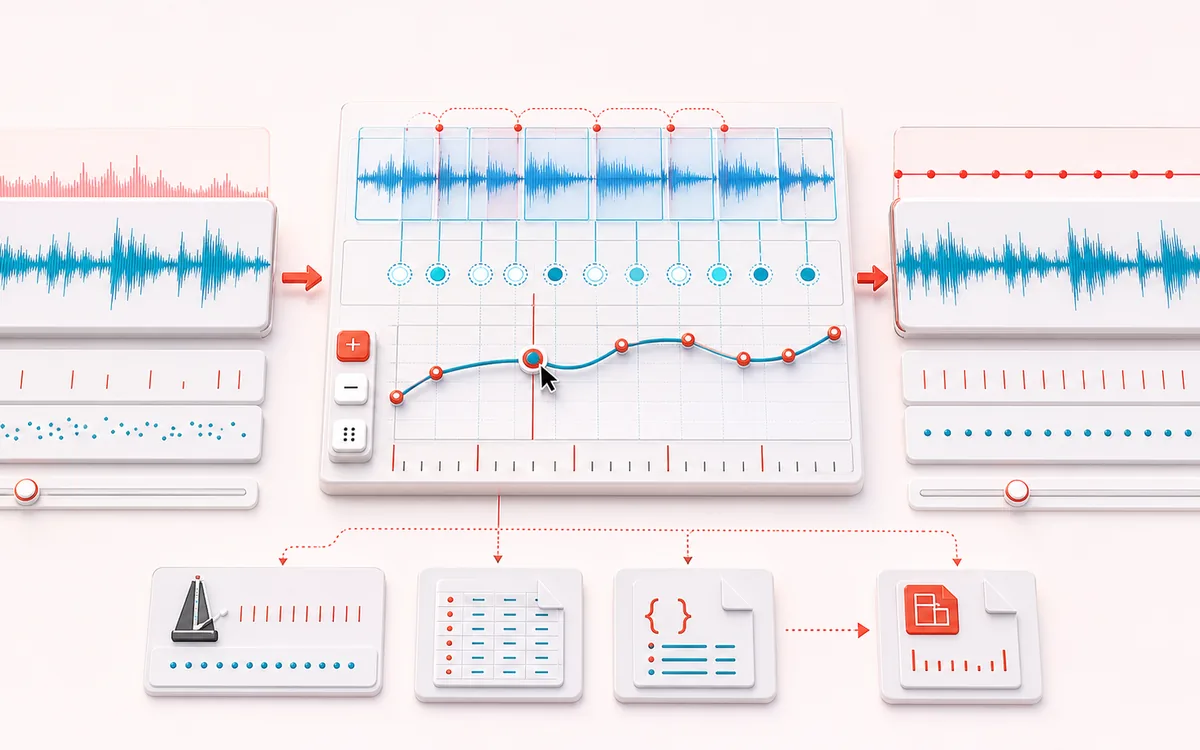
Follow accelerando, rubato and tempo drift across a full recording. Analyze consecutive beat windows, correct time, bar and BPM markers, audition the mapped click and export a DAW-ready tempo map.
MUSICAL GRID MAP
Changing Tempo Rail
Connect detected or generated events to a musical grid. Pitch, rhythm and harmony become useful only when event timing, confidence and editable musical labels stay visible together.
Open the full signal breakdownBest source, processing logic, limits and three-pass listening check
- Live performance
Start with the right material
Mapping live drums, rehearsal takes, rubato performances and older recordings before aligning a DAW grid or programming synchronized parts.
- Track beat intervals
Understand the transformation
Bounded onset detection resolves beat candidates across consecutive windows; smoothing and manual marker controls turn their intervals into an ordered tempo curve with explicit time, beat and BPM values.
- MIDI tempo map
Verify the usable result
A visible tempo timeline, click comparison, CSV and JSON marker data plus a Standard MIDI File containing multiple tempo meta events for DAW import.
Where this workflow stops
Syncopation, missing downbeats, dense mixes and weak attacks can produce octave or phase errors. The user must confirm musical meter, first beat and marker placement before relying on the exported map.
Make the final decision by ear
- Confirm tempo, downbeat and key before trusting labels.
- Review low-confidence events by ear and correct them manually.
- Import the result into its target instrument or DAW before committing.
- Changing tempo
- Consecutive onset windows become a time-aligned BPM curve instead of one global average.
- Manual correction
- Edit marker time, musical bar and BPM after listening to difficult or syncopated passages.
- DAW tempo events
- Export exact CSV/JSON or format-0 MIDI containing multiple Set Tempo events and EOT.
How to generate a tempo map from audio
- Load a performance or generate the local 100 to 128 BPM demo.
- Choose the BPM range, sensitivity, window size, smoothing and beats per bar.
- Analyze consecutive windows, inspect the curve and edit marker time, bar or BPM.
- Click the timeline to seek, audition the mapped click and export CSV, JSON or MIDI.
A curve, not one BPM number
A global BPM detector reduces a recording to one number. Tempo Map Generator keeps multiple positions across the performance, so a conductor-led passage, live band drift, accelerando or hard tempo switch can become editable markers.
The analysis starts from audible attacks. It measures intervals in successive windows, folds likely subdivisions into the selected BPM range, then applies bounded smoothing. Sparse, legato or strongly syncopated material may need manual correction.
Not a groove template
Groove Template Extractor captures small early and late offsets inside a repeating beat pattern. This tool follows the larger beat-rate trajectory across the recording. Its MIDI export contains tempo metadata, not drum notes or source audio.
Privacy: selected audio is decoded, analyzed and auditioned on this device. It is not uploaded to AudioWrench.
Tempo Map Generator: quick answer and technical limits
Quick answer: A changing-tempo analyzer that converts detected beat timing into editable BPM markers instead of reducing an entire performance to one average tempo.
- Best for
- Mapping live drums, rehearsal takes, rubato performances and older recordings before aligning a DAW grid or programming synchronized parts.
- How it works
- Bounded onset detection resolves beat candidates across consecutive windows; smoothing and manual marker controls turn their intervals into an ordered tempo curve with explicit time, beat and BPM values.
- What you get
- A visible tempo timeline, click comparison, CSV and JSON marker data plus a Standard MIDI File containing multiple tempo meta events for DAW import.
Know before you use it: Syncopation, missing downbeats, dense mixes and weak attacks can produce octave or phase errors. The user must confirm musical meter, first beat and marker placement before relying on the exported map.
Privacy: Selected audio is processed in this browser and is not uploaded to AudioWrench. Normal page assets can still be requested as described in the privacy notice. Privacy details →