Groove Template Extractor Online
Capture the feel of a drum loop, not just its BPM. Detect hits, measure early/late timing and velocity against a musical grid, edit the cycle and export a reusable groove template.
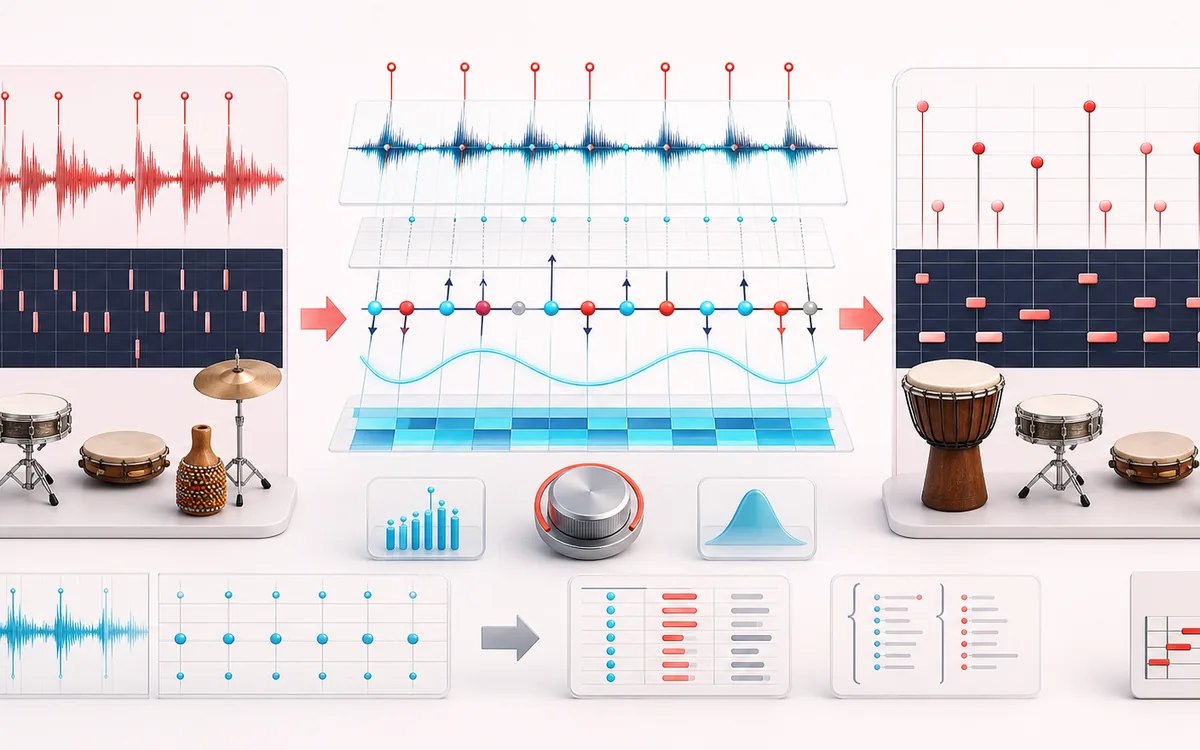
MUSICAL GRID MAP
Groove Offset Grid
Connect detected or generated events to a musical grid. Pitch, rhythm and harmony become useful only when event timing, confidence and editable musical labels stay visible together.
Open the full signal breakdownBest source, processing logic, limits and three-pass listening check
- Percussion performance
Start with the right material
Capturing swing, push-and-pull timing and accent shape from a drum loop or percussion performance for reuse in a sampler, sequencer or DAW.
- Measure beat deviations
Understand the transformation
Bounded onset detection finds candidate attacks, a chosen BPM and subdivision resolve nearest grid ticks, and enabled events become signed timing offsets plus normalized velocity values across the selected cycle.
- MIDI groove template
Verify the usable result
An editable waveform and grid view, straight-versus-grooved audition, CSV and JSON event data plus a reparsable Standard MIDI File carrying the extracted timing and velocities.
Where this workflow stops
Onset detection cannot reliably separate simultaneous instruments or infer drummer intent. Wrong BPM, phase or subdivision choices produce misleading offsets, and this exports a performance template rather than isolated drum samples.
Make the final decision by ear
- Confirm tempo, downbeat and key before trusting labels.
- Review low-confidence events by ear and correct them manually.
- Import the result into its target instrument or DAW before committing.
- Audio → groove
- Transient times and strengths become signed grid offsets and reusable velocities.
- Cycle aggregation
- Repeated positions across the chosen bars are averaged into one editable template cycle.
- DAW-ready data
- Exact CSV/JSON plus format-0 MIDI with tempo, PPQ, note velocities, timing offsets and EOT.
How to extract a groove template from audio
- Load a percussive loop or generate the known swing demo.
- Estimate or enter BPM, choose 1/8, 1/16 or 1/32 and the bars per cycle.
- Tune sensitivity/minimum gap, extract, then edit offset milliseconds and velocities.
- Compare straight and grooved clicks and export CSV, JSON or MIDI.
Feel beyond BPM
A BPM detector answers how fast the loop is. Groove Template Extractor measures how each hit departs from that straight tempo grid. Positive offsets are late, negative offsets are early, and velocity retains the relative strength of the detected hit.
Cycle aggregation combines repeated measurements at the same position within one or more bars. The resulting compact template can be nudged before export without changing the source audio.
Not a slicer or MIDI randomizer
Transient Slicer creates separate audio regions. MIDI Humanizer modifies existing MIDI events. This tool starts from audio performance, derives deterministic timing and velocity data, and exports a reusable groove cycle.
Privacy: the loop is decoded, analyzed and auditioned on this device and is not uploaded to AudioWrench.
Groove Template Extractor: quick answer and technical limits
Quick answer: An audio-to-groove workflow that detects percussive attacks and records how their timing and strength depart from a straight musical grid.
- Best for
- Capturing swing, push-and-pull timing and accent shape from a drum loop or percussion performance for reuse in a sampler, sequencer or DAW.
- How it works
- Bounded onset detection finds candidate attacks, a chosen BPM and subdivision resolve nearest grid ticks, and enabled events become signed timing offsets plus normalized velocity values across the selected cycle.
- What you get
- An editable waveform and grid view, straight-versus-grooved audition, CSV and JSON event data plus a reparsable Standard MIDI File carrying the extracted timing and velocities.
Know before you use it: Onset detection cannot reliably separate simultaneous instruments or infer drummer intent. Wrong BPM, phase or subdivision choices produce misleading offsets, and this exports a performance template rather than isolated drum samples.
Privacy: Selected audio is processed in this browser and is not uploaded to AudioWrench. Normal page assets can still be requested as described in the privacy notice. Privacy details →