Audio Sync Drift Corrector
Align two separate recordings of the same event. Recover their starting offset, measure recorder-clock drift across multiple sync anchors, edit the map and render a corrected secondary track locally.
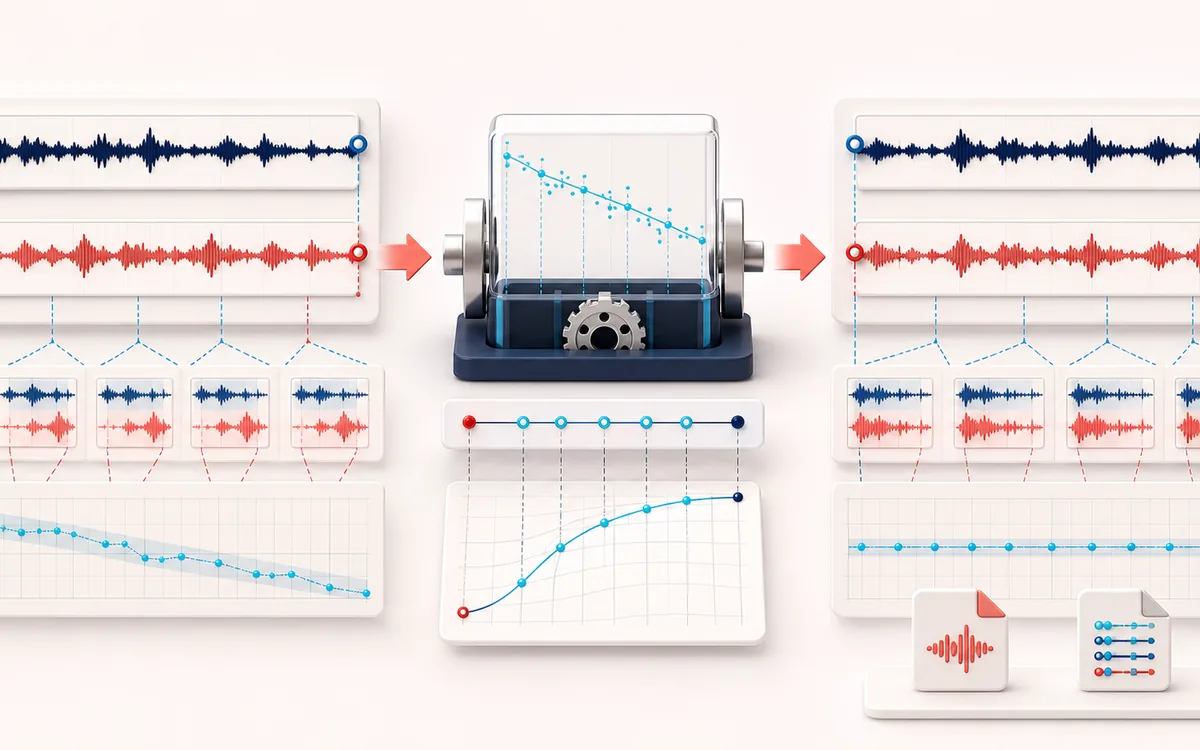
TIMELINE MAP
Recorder Drift Timeline
Turn one long waveform into deliberate boundaries. The visual emphasizes the selection, transition and resulting edit so that timing decisions remain obvious before anything is rendered.
Open the full signal breakdownBest source, processing logic, limits and three-pass listening check
- Primary and secondary
Start with the right material
Camera audio, field recorders and long interviews where two devices begin at different times and gradually move out of sync because their clocks run at slightly different rates.
- Align offset and clock
Understand the transformation
Multiple bounded matching windows estimate local offsets; a confidence-weighted line resolves start offset and drift in parts per million before editable anchors drive interpolated time mapping.
- Synchronized secondary
Verify the usable result
Anchor timeline, offset and drift metrics, synchronized audition, corrected secondary WAV and CSV or JSON alignment map.
Where this workflow stops
Both recordings need enough shared, recognizable sound. Unrelated takes, long missing regions, nonlinear transport changes and severe noise can produce weak or incorrect matches that require manual anchors or a dedicated editor.
Make the final decision by ear
- Zoom into every boundary and listen across it, not only inside it.
- Leave intentional handles when another editor will continue the work.
- Verify exact duration and ordering after the final render.
- Two independent recordings
- Load a camera, field recorder or phone capture as reference and a separate file whose clock needs alignment.
- More than one clap
- Several correlation windows reveal whether offset changes over time; a weighted line reports drift in ppm and milliseconds per minute.
- Predictable delivery
- Manual anchors and map overrides remain inspectable before an aligned WAV is written at the exact reference length and sample rate.
How to correct audio sync drift between two recordings
- Load the reference timeline and a separate drifting recording of the same event.
- Choose a correlation window, anchor count and possible starting-offset range, then find the sync map.
- Review anchor confidence, residual error and ppm; edit questionable offsets and refit or enter a manual map.
- Render the aligned secondary, compare the combined preview and overlapping Difference, then export WAV, CSV or JSON.
Offset alignment plus recorder-clock correction
A start offset answers where the second recorder begins. Clock drift answers why files that match near the start slowly separate later. AudioWrench samples multiple shared moments, fits a linear offset trend and resamples the secondary onto the reference clock. It does not assume one clap solves an hour-long recording.
Not Stereo Phase Aligner
Stereo Phase Aligner accepts one stereo file and applies one fixed inter-channel sample delay, polarity or channel repair. This tool accepts two separate recordings, estimates changing offset across their timelines and corrects a linear clock-rate mismatch. It does not perform frequency-dependent phase repair or treat two microphones as a stereo pair.
Limits of correlation-based sync
The recordings must share recognizable content. Different edits, long silence, automatic noise suppression, clipping, mostly steady tones, distant ambience or unrelated sources can create weak or false anchors. Linear drift cannot model dropouts, recorder pauses, variable-speed edits or clocks that change rate unpredictably; those need manual piecewise alignment in a DAW.
Privacy: both recordings are decoded, correlated, resampled and exported in this browser. They are not uploaded to AudioWrench.
Audio Sync Drift Corrector: quick answer and technical limits
Quick answer: A two-recorder alignment desk that estimates initial offset plus linear clock drift from repeated correlation anchors and renders the secondary recording onto the reference timeline.
- Best for
- Camera audio, field recorders and long interviews where two devices begin at different times and gradually move out of sync because their clocks run at slightly different rates.
- How it works
- Multiple bounded matching windows estimate local offsets; a confidence-weighted line resolves start offset and drift in parts per million before editable anchors drive interpolated time mapping.
- What you get
- Anchor timeline, offset and drift metrics, synchronized audition, corrected secondary WAV and CSV or JSON alignment map.
Know before you use it: Both recordings need enough shared, recognizable sound. Unrelated takes, long missing regions, nonlinear transport changes and severe noise can produce weak or incorrect matches that require manual anchors or a dedicated editor.
Privacy: Selected audio is processed in this browser and is not uploaded to AudioWrench. Normal page assets can still be requested as described in the privacy notice. Privacy details →