Online DJ Transition Maker
Turn Track A and Track B into a deliberate bar-aligned transition with cue control, transparent BPM sync, selectable energy curves and a DJ-style low-end handoff.
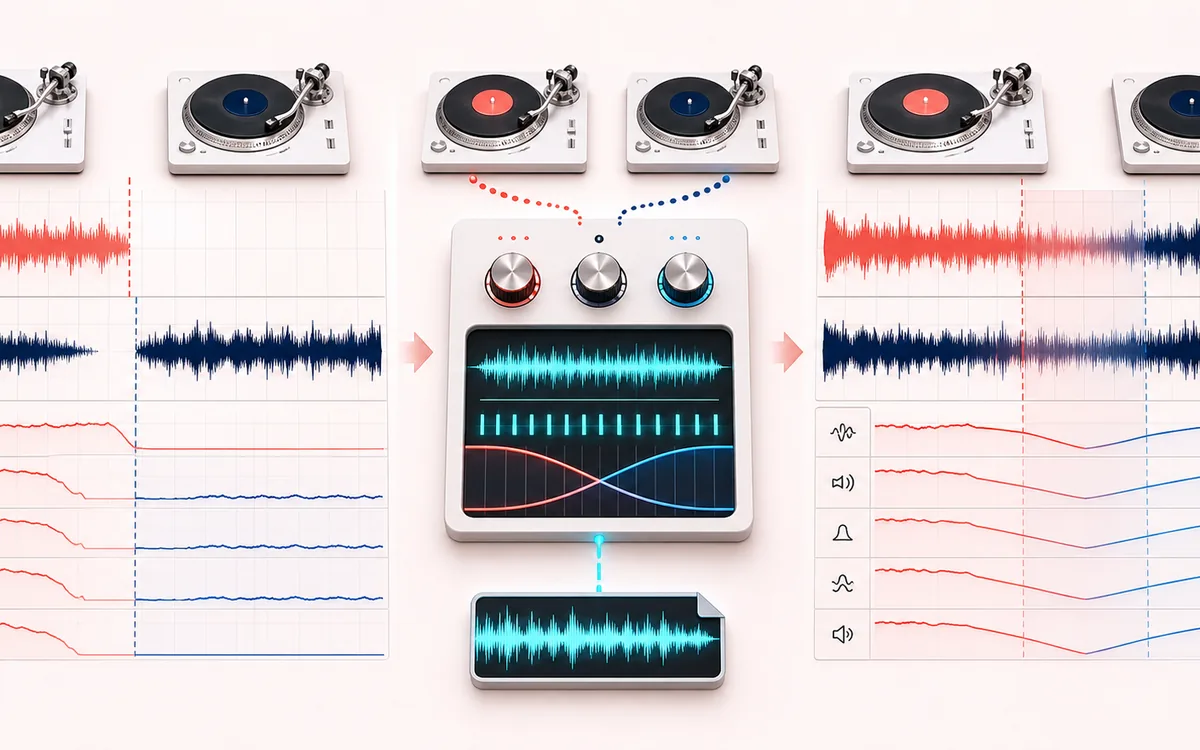
TIMELINE MAP
Two-Deck Transition
Turn one long waveform into deliberate boundaries. The visual emphasizes the selection, transition and resulting edit so that timing decisions remain obvious before anything is rendered.
Open the full signal breakdownBest source, processing logic, limits and three-pass listening check
- Outgoing and incoming tracks
Start with the right material
Building a clean mix handoff for a DJ set, workout sequence, party playlist, radio bed or preview when a generic file join and time-only crossfade are not enough.
- Sync and crossfade
Understand the transformation
Both sources are decoded locally; optional sync resamples the incoming deck to the outgoing BPM, selected cue and bar counts define the overlap, and separate amplitude plus bass-handoff envelopes resolve the finite render.
- Mixed transition
Verify the usable result
Deck A, transition and Deck B audition with visible beat and energy guides plus an exact-boundary WAV or MP3 transition render.
Where this workflow stops
Simple resample sync changes incoming pitch and does not provide phase-vocoder quality, harmonic key matching or stem-aware mixing. Automatic BPM estimates and beat offsets require listening and manual correction.
Make the final decision by ear
- Zoom into every boundary and listen across it, not only inside it.
- Leave intentional handles when another editor will continue the work.
- Verify exact duration and ordering after the final render.
- Musical timing
- 4, 8 or 16 bar overlap calculated at Deck A BPM, with cue beats and beat-grid offsets for both sources.
- Mix design
- Linear, equal-power or S-curve energy plus deck gain and a crossover-aware bass handoff.
- Output
- A-only outro context, exact transition, B-only intro context; finite stereo WAV or local MP3.
How to build a DJ transition online
- Load Track A and Track B, or start with the rhythmic demo decks. Enter BPM manually or run the lightweight local estimate.
- Choose cue beats and beat-grid offsets, then set a 4, 8 or 16 bar transition measured at Deck A BPM.
- Use No sync to preserve B speed or Sync by resampling to align B beats while accepting the displayed pitch/speed change.
- Shape the curve, deck gains, bass handoff and crossover, inspect both waveforms, render and audition before WAV or MP3 export.
A DJ transition, not a generic join
Audio Joiner sequences files and optionally overlaps them for a chosen number of seconds. DJ Transition Maker instead measures the transition in bars, locates each deck by cue beat and beat-grid offset, can tempo-align B, previews both decks, and moves low-frequency ownership around a crossover.
Tempo Changer changes one track. Mashup and DJ Studio workflows layer larger arrangements. This tool is intentionally focused on producing one controlled A-to-B transition with a reproducible boundary and exact export length.
Sync and bass-handoff limits
- Sync by resampling changes both speed and pitch. It is transparent about the ratio and is not pitch-preserving time stretch.
- The BPM estimate is a lightweight onset autocorrelation hint. Enter the known BPM for final bar alignment, especially with ambient or halftime material.
- Bass handoff uses a lightweight crossover split and shaped low-band ownership; it is not stem separation and cannot isolate a kick from a full mix.
- Source positions outside an available track are rendered as silence, so choose cue beats that leave enough outro and intro material.
Privacy: both files are decoded, analyzed, mixed and encoded in this browser. They are not uploaded to AudioWrench.
DJ Transition Maker: quick answer and technical limits
Quick answer: A two-deck editor that creates a bar-length transition between Track A and Track B with explicit BPM, beat offset, crossfade curve and low-frequency handoff controls.
- Best for
- Building a clean mix handoff for a DJ set, workout sequence, party playlist, radio bed or preview when a generic file join and time-only crossfade are not enough.
- How it works
- Both sources are decoded locally; optional sync resamples the incoming deck to the outgoing BPM, selected cue and bar counts define the overlap, and separate amplitude plus bass-handoff envelopes resolve the finite render.
- What you get
- Deck A, transition and Deck B audition with visible beat and energy guides plus an exact-boundary WAV or MP3 transition render.
Know before you use it: Simple resample sync changes incoming pitch and does not provide phase-vocoder quality, harmonic key matching or stem-aware mixing. Automatic BPM estimates and beat offsets require listening and manual correction.
Privacy: Selected audio is processed in this browser and is not uploaded to AudioWrench. Normal page assets can still be requested as described in the privacy notice. Privacy details →