SFZ Sampler Builder Online
Turn loose samples into a playable instrument. Detect roots, edit key and velocity zones, hear the mapping on a keyboard and export a real SFZ package with WAV files.
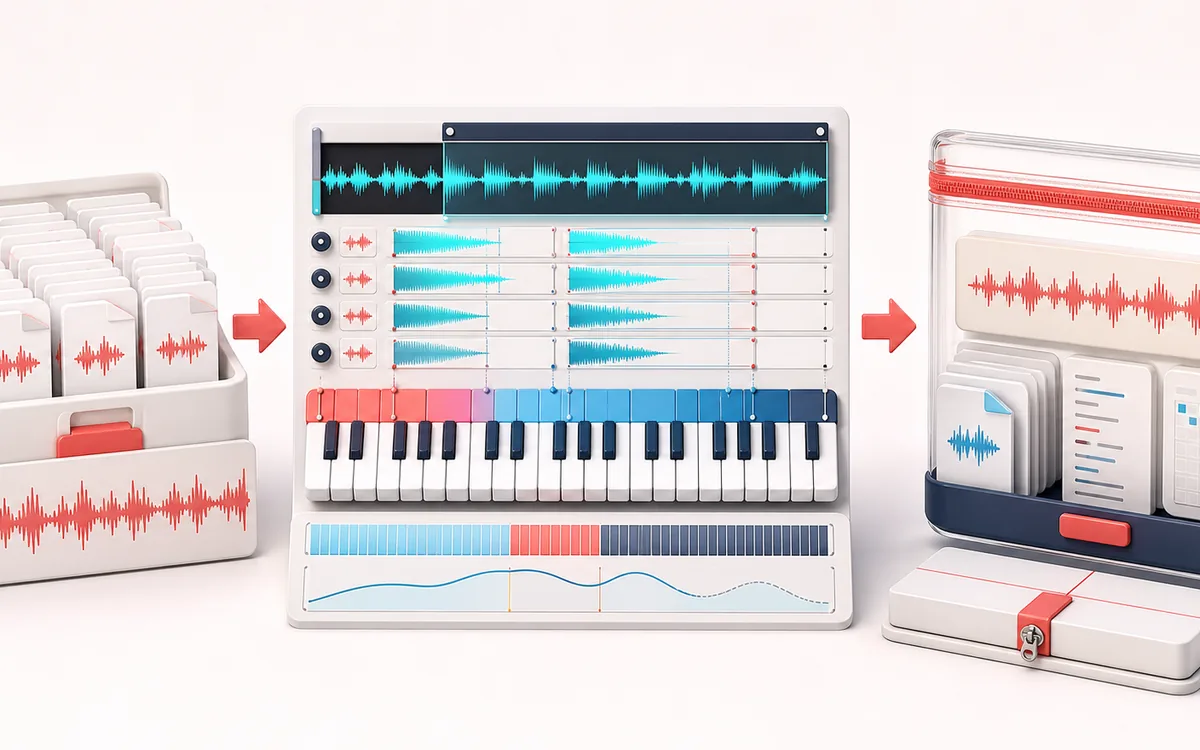
MUSICAL GRID MAP
Sampler Keymap View
Follow accepted samples into editable key and velocity regions. Root labels, covered keys and collisions guide the current map; a bounded browser audition is separate from verification in a destination sampler.
Open the full signal breakdownBest source, processing logic, limits and three-pass listening check
- Local sample set
Start with the right material
Building a lightweight sampler instrument from chromatic multisamples, one-shots, field recordings or a few pitched sources without installing a desktop editor.
- Map keys and velocities
Understand the transformation
Filename note labels seed root-key suggestions, editable key and velocity boundaries resolve every region, and local keyboard audition transposes decoded PCM from the chosen root while coverage feedback exposes gaps and overlaps.
- Portable SFZ pack
Verify the usable result
A valid text SFZ definition plus source WAV files and a JSON mapping manifest in one local ZIP package.
Where this workflow stops
Pitch estimation and filename parsing are starting points, not musical ground truth. The browser preview does not emulate every SFZ opcode or guarantee identical playback in every sampler, so the exported instrument still needs testing in its target engine.
Make the final decision by ear
- Check original sample pitch against root MIDI numbers.
- Test low/high key boundaries at several audition velocities, then inspect overlaps.
- Extract the whole ZIP and verify paths, tuning and loops in the receiving sampler.
- Smart roots
- Filename note tokens take priority, followed by bounded pitch estimation and editable fallback notes.
- Playable mapping
- Inspect coverage and collisions, set audition velocity and play mapped samples over a responsive keyboard.
- Complete delivery
- Export one valid SFZ or a ZIP with finite PCM WAV files and a machine-readable region manifest.
How to build an SFZ sampler instrument
- Choose local individual samples or the C3/E3/G3 demo. Each new selection is accepted together after memory checks; failed or cancelled work cannot restore an old package.
- Filename roots take priority over bounded pitched or labelled manual fallback. This editor uses C4 = MIDI 60; inspect roots before relying on neighboring ranges.
- Correct key/velocity bounds, tune, gain and loop mode. Coverage depends on audition velocity; the browser plays the last matching row for at most 0.9 seconds. Stop or Escape retires audio.
- Valid edits regenerate the current package. Download the complete ZIP with SFZ, PCM16 WAV files and JSON; keep samples/ beside the SFZ. Standalone SFZ is text only; verify extended tuning and loops in the destination engine.
A playable instrument, not only a sample folder
Sample Pack Builder cleans and names independent files. SFZ Sampler Builder adds the musical mapping layer: every WAV receives a root pitch and bounded key/velocity region that a compatible sampler can play chromatically. The visible coverage lane exposes empty keys and overlaps before export.
Detection and compatibility limits
- Filename tokens such as C3, Eb4 or F#2 take priority. Percussion, chords and noisy attacks may need a manual root.
- Pitch fallback uses a short bounded autocorrelation window, not studio-grade polyphonic detection.
- Common region opcodes are combined with
default_path=samples/. Extended tuning and loop behavior require checking in the destination engine. - WAV files are decoded PCM16 copies; compressed metadata and proprietary loop chunks are not preserved.
Build a multisample instrument you can move as one folder
Load separate pitched notes or one-shots, or generate C3, E3 and G3 locally. The limit is 48 samples, 240 MB selected per load, five minutes per item and a device-specific decoded/package memory plan. A new selection is accepted together; if any file fails, previously accepted samples remain but no partial addition or old package is offered.
Set roots before expanding ranges
This editor uses C4 = MIDI 60 and C3 = MIDI 48. Other instruments can label octaves differently, so compare MIDI numbers, not only note names. The root is the untransposed sample pitch; low/high key fields define where it responds. Auto-map uses filename notes first, then a bounded pitch estimate or labelled manual fallback. Re-running it replaces suggested roots and key ranges, so inspect your edits afterward. See the SFZ mapping basics and root-key reference.
Check velocity gaps, overlaps and tuning
Low/high velocity bounds are inclusive from 1 to 127 here. Change audition velocity and read the coverage summary: the same key can be mapped at one velocity and silent at another. For two alternative samples, try ranges 1–63 and 64–127. Overlap is not automatically an error, but this browser auditions the last matching row only; a destination sampler may layer matching regions. See velocity selection.
Tune is in cents. The editor allows −1200 to +1200, but the documented SFZ 1 tune range is −100 to +100; wider values need engine-specific verification. Prefer choosing the correct root for large pitch differences. Gain and velocity affect the audition level, so begin quietly. See the tune reference and engine notes.
Use the keyboard as a bounded check, not a sampler certification
Play one current region at a time, for at most 0.9 seconds. Stop audition, Cancel / stop, Escape, a source change or map edit retires that voice, including a delayed audio start. The browser uses a short fixed envelope. Continuous-loop preview uses a simple 10 ms start offset and near-end bound, not embedded loop points; one-shot and no-loop share the bounded browser check. Test loop modes, long sustains, layering and releases in your actual engine.
Export the samples, not just their instructions
Valid edits regenerate the current package after a short delay; downloads always wait for your click. The ZIP includes the SFZ at its root, PCM16 WAVs inside samples/, and a JSON region manifest retaining original names, roots, key/velocity bounds, tuning, gain and dimensions. Extract the whole folder and keep relative paths intact. A standalone .sfz is text only: it does not contain audio.
Load the extracted SFZ in your intended engine, check low/high key and velocity boundaries, and compare each referenced WAV with the manifest. If nothing plays, check the folder structure and default_path support before assuming missing audio. A download receipt confirms an offered file, not an OS save. Cancel keeps accepted samples for Build retry; Clear set drops this session without deleting disk files. Use Sample Pack Builder first if the source files need edge cleanup and naming.
SFZ Sampler Builder: quick answer and technical limits
Quick answer: A browser-based instrument authoring desk that maps several local samples across MIDI key and velocity zones and packages those mappings as a playable SFZ definition.
- Best for
- Building a lightweight sampler instrument from chromatic multisamples, one-shots, field recordings or a few pitched sources without installing a desktop editor.
- How it works
- A whole local selection is accepted together after decoding and memory checks. Filename roots take priority over bounded pitched/manual fallback; editable key, velocity, tune, gain and loop fields determine the current map. The coverage count uses audition velocity; the browser plays only the last matching region for at most 0.9 seconds.
- What you get
- A current text SFZ definition plus decoded PCM16 WAV copies in samples/ and an original-name JSON region manifest in one STORE ZIP. Valid map edits regenerate the package; downloads remain explicit and source changes retire old audio, package and receipts.
Know before you use it: Pitch suggestions are not musical ground truth. This browser check is monophonic and does not emulate a destination SFZ engine, release triggers or embedded loop points. Extended tuning and default_path support must be checked in that engine. A standalone SFZ download does not include its referenced WAVs; use the ZIP and keep its folder structure.
Privacy: Selected audio is processed in this browser and is not uploaded to AudioWrench. Normal page assets can still be requested as described in the privacy notice. Privacy details →