Free Online Soundboard Maker.
Build up to 19 instant sound pads — record or upload clips, trim and rename them, then trigger them by click or keyboard.
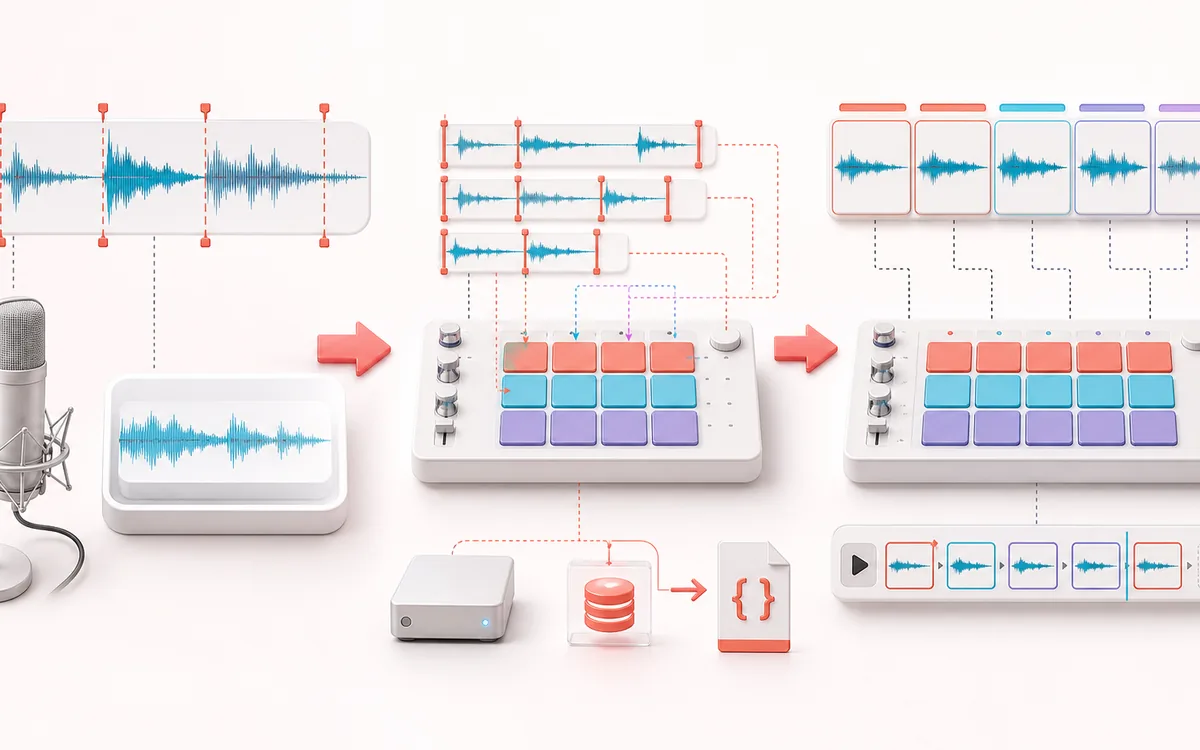
TIMELINE MAP
Trigger Pad Board
Turn one long waveform into deliberate boundaries. The visual emphasizes the selection, transition and resulting edit so that timing decisions remain obvious before anything is rendered.
Open the full signal breakdownBest source, processing logic, limits and three-pass listening check
- Recorded or uploaded clips
Start with the right material
Streams, tabletop sessions, classroom cues, podcasts and recurring effects.
- Trim and assign pads
Understand the transformation
Clips and pad settings are stored locally as a versioned browser database; board backup uses a JSON export.
- Playable soundboard
Verify the usable result
A reusable on-device board with keyboard/touch triggers and portable configuration backup.
Where this workflow stops
Storage capacity depends on the browser and device. Clearing site data removes the local board unless a backup was exported.
Make the final decision by ear
- Zoom into every boundary and listen across it, not only inside it.
- Leave intentional handles when another editor will continue the work.
- Verify exact duration and ordering after the final render.
- Board size
- Up to 19 pads mapped to keys 1–9 and Q–P, with click and touch support.
- Input
- Microphone or browser-decodable audio files up to 200 MB each.
- Backup
- Auto-save on this device plus portable .json export and import.
How to build a soundboard online
- Add sounds: press Record a clip to capture from the mic, or drop in several audio files at once.
- Turn on Edit mode, then choose a pad to rename it, set trim start and end, and give it a keyboard key.
- Fire your sounds by tapping pads or hitting the assigned keys.
- Your board auto-saves in this browser; export it as a .json file to back it up or carry it to another device.
How it works: each file is decoded into browser memory. Trim points stay non-destructive, playback creates a fresh Web Audio source, and each pad is stored locally as 16-bit WAV data. The board supports exactly 19 keyboard slots: 1–9 and Q–P.
Limits: browser audio-format support and persistent-storage quotas vary by browser and device. Large clips can fill storage even below the 19-pad limit, so keep a .json backup. Microphone capture needs permission; sending browser audio into Discord or a stream requires your own system or virtual-audio routing.
Soundboard: quick answer and technical limits
Quick answer: A customizable 19-pad soundboard for uploading or recording clips, assigning triggers and saving the board in the browser.
- Best for
- Streams, tabletop sessions, classroom cues, podcasts and recurring effects.
- How it works
- Clips and pad settings use a versioned local browser database with Blob audio storage; board backup uses a JSON export.
- What you get
- A reusable on-device board with keyboard/touch triggers and portable configuration backup.
Know before you use it: Storage capacity depends on the browser and device. Clearing site data removes the local board unless a backup was exported.
Public browser workflow evidence
Question: Can the tool load a local pad and export a readable one-pad JSON board backup?
Observed result: The six-second fixture loaded into one pad and the exported one-pad JSON backup passed the structure check.
Evidence boundary: This result covers one pad and one backup export. Storage capacity and playback latency still depend on the browser and device.
Network observation: No audio-payload or cross-origin requests were observed during this published workflow.
Privacy: Selected audio is processed in this browser and is not uploaded to AudioWrench. Normal page assets can still be requested as described in the privacy notice. Privacy details →