Online Sample Pack Builder
Load many separate samples, arrange the crate, batch-trim silence, normalize peaks, add clean fades and deliver consistent WAVs with collision-safe names, JSON/CSV manifests and one local ZIP.
FILE STRUCTURE MAP
Sample Pack Assembly
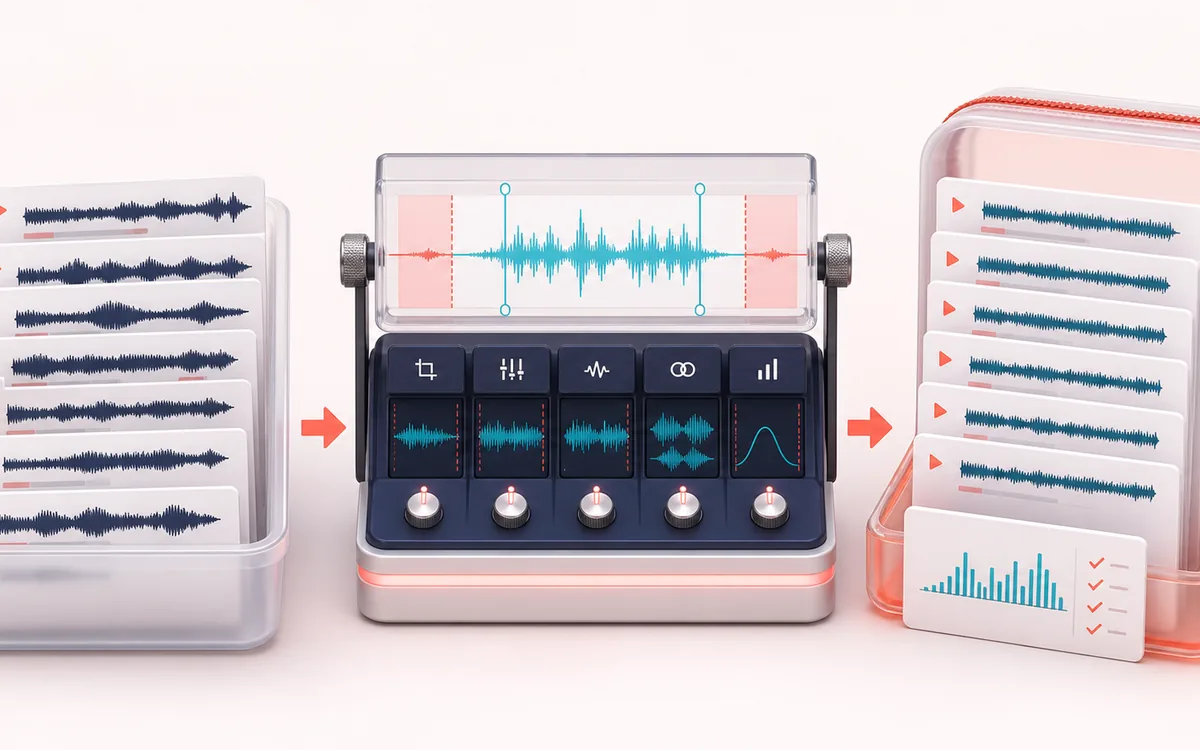
Follow accepted files through one recipe into an ordered crate. Listen to the current edge cleanup, peak and fade changes, then explicitly build full WAVs with matching filenames and delivery manifests.
Open the full signal breakdownBest source, processing logic, limits and three-pass listening check
- Loose sample batch
Start with the right material
Turning loose drum hits, one-shots, field recordings or sound effects into an ordered, consistently rendered pack for a sampler or DAW.
- Trim normalize rename
Understand the transformation
Each selected queue item is decoded independently, bounded silence trim and padding choose its retained range, optional mono conversion and resampling set delivery dimensions, then peak normalization and short edge fades are applied.
- Packaged sample ZIP
Verify the usable result
Previewable processed samples plus individual WAV files or one local ZIP containing unique outputs and a compact JSON or CSV manifest.
Where this workflow stops
Automatic silence thresholds can trim quiet attacks or tails, peak normalization is not loudness matching, and batch decoding can use significant device memory. This prepares separate files rather than slicing one recording.
Make the final decision by ear
- Keep the untouched originals until the exported crate is verified.
- Compare Source, Result and Difference; confirm output dimensions and names in the manifest.
- Test the delivered WAVs in the receiving sampler. Embedded source tags are not preserved.
- Input
- Multiple independent browser-decodable files in an editable, previewable queue.
- Batch recipe
- Silence trim with padding, target peak, fades, channel delivery, sample rate and naming template.
- Delivery
- Individual PCM WAVs or one dependency-free STORE ZIP with CRC-valid WAV, JSON and CSV entries.
How to build a sample pack online
- Choose local independent files or the demo. A new selection is accepted together after memory checks; Cancel keeps previously accepted files.
- Reorder or remove items, review Source, Result and Result-minus-aligned-Source, then choose the current queue order.
- Set edge threshold and padding, peak target, fades, channel/rate delivery, prefix, template and index padding. Preview is bounded; full-file build remains separate.
- Build the current full crate, verify PCM16 WAV dimensions and ordered JSON/CSV manifests, then offer WAVs or one ZIP. Changes retire previous exports; a browser offer is not an OS save.
One recipe across many independent files
Sample Pack Builder starts with separate files and keeps their queue order. Each item is trimmed only at its outside silent edges, then normalized, faded, channel-converted, sample-rate-converted and named. It does not split one recording into regions like Transient Slicer or Audio Splitter, and it does not rewrite embedded metadata.
Predictable trim and naming
The trim threshold is measured against absolute decoded PCM amplitude across all channels. Padding is added inside the available source bounds. Naming templates combine a sanitized prefix, zero-padded queue index and original basename; duplicate results receive deterministic suffixes instead of overwriting another sample.
Limits worth knowing
- Silence trim is amplitude-based. Room tone above the threshold stays; quiet intended tails below it may be removed.
- Peak normalization measures sample peaks, not loudness, LUFS or intersample true peaks.
- Linear sample-rate conversion is not claimed as mastering-grade band-limited resampling.
- Decoded silent inputs remain a short valid silent WAV rather than producing invalid zero-frame audio.
- The crate is limited to 64 files, 12 minutes per item and conservative preflight plus aggregate decoded-memory plans. Encoded file size alone is not a measure of memory; one failed file rejects the whole new selection.
From loose one-shots to an inspectable sample pack
Start with separate files, not a recording you want sliced. Use the three-piece demo to inspect different rates and channel counts without uploading anything. Adding files appends a complete accepted selection; the demo replaces the current crate. Reorder before building: the queue index drives names and both manifests.
Choose the recipe by the attack and tail
Begin near the default −50 dBFS edge threshold with 8 ms padding and 3 ms fades. Listen to quiet attacks and decaying tails before raising the threshold. Padding can restore only audio inside the original file. More fade can soften a transient; it cannot repair a clipped recording. Set the peak target for the receiving sampler, not as a promise of equal perceived loudness.
| Source | Before live review is ready, the accepted original. Once ready, an aligned retained-source window with the same delivery rate and channels as the live Result. |
|---|---|
| Result | A selected window of at most 12 seconds after the recipe, or the full processed item after a full build. The player label distinguishes them. |
| Difference | Live Result minus aligned Source, not the entire removed tail and not a quality score. Conversion is already aligned; normalize/fade changes are easier to inspect. |
| Build sample pack | Processes every full file in current order. A preview does not enable full-file delivery by itself. |
Deliver and verify the crate
Choose one ZIP for reliable batch delivery, especially if the browser blocks multiple individual downloads. It contains PCM16 WAV files plus sample-pack.json and sample-pack.csv. Compare output names, order, frames, sample rates, channels and trim bounds with the manifests. PCM conversion does not preserve compressed-container tags. JSON retains literal source names; CSV prefixes formula-leading text with an apostrophe for spreadsheet safety.
Change your mind without getting an old pack
A new selection, recipe edit, reorder or removal retires the previous package and queued WAV offers. Cancel / stop or Escape also retires pending work and audio, but keeps accepted files for an explicit retry. Clear crate removes this browser session only. Already offered downloads cannot be recalled. A receipt confirms a browser file offer, not that the file reached your disk.
If reading fails, choose supported, fewer or shorter files; no partial new selection is appended. Wait for cancelled physical work to settle before Build. For pitch and velocity mapping after cleanup, continue with SFZ Sampler Builder and load the delivered WAVs.
Privacy: selected samples are decoded, previewed, processed, encoded and packaged on this device. They are not sent to AudioWrench. Normal page assets may still be requested when the page loads.
Sample Pack Builder: quick answer and technical limits
Quick answer: A batch delivery workspace that prepares several separate source samples with consistent silence trim, peak level, edge fades and collision-safe names.
- Best for
- Turning loose drum hits, one-shots, field recordings or sound effects into an ordered, consistently rendered pack for a sampler or DAW.
- How it works
- A whole selection is accepted together after local decoding and memory checks. Queue order and one recipe determine edge trim, padding, channel/rate conversion, peak normalization, fades and filenames. Bounded aligned Source, Result and Result-minus-Source review stays separate from the explicit full-file build.
- What you get
- Current PCM16 WAV files or one STORE ZIP with those exact WAV bytes, ordered JSON and CSV manifests, and an offered-file receipt. Crate or recipe changes retire old exports and not-yet-offered individual downloads.
Know before you use it: Quiet intended tails can be trimmed; sample peak is not LUFS or true peak; rate conversion is linear, not mastering-grade band-limited resampling. CSV prefixes formula-leading text as literal while JSON retains original names. Cancel retains accepted files for retry; Clear removes this session, not files on disk. Browser offers are not OS saves.
Privacy: Selected audio is processed in this browser and is not uploaded to AudioWrench. Normal page assets can still be requested as described in the privacy notice. Privacy details →