DC Offset Remover Online.
Measure each channel's baseline, render constant-bias or changing-bias correction, and verify peak headroom before exporting an exact-length WAV.
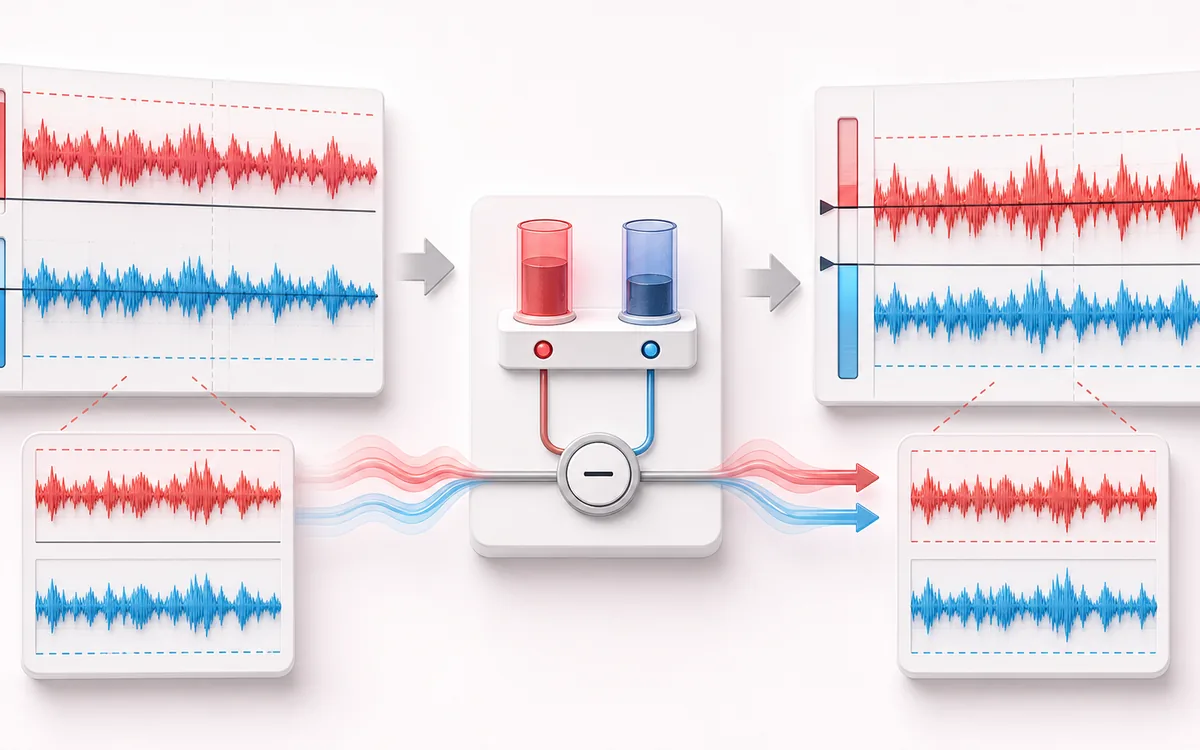
RESTORATION MAP
Waveform Centering View
Separate the damaged event from healthy context. A repair is safest when the affected span is narrow, the surrounding signal is trustworthy and the difference audition contains mostly the defect.
Open the full signal breakdownBest source, processing logic, limits and three-pass listening check
- Biased waveform
Start with the right material
Removing electrical or conversion bias that leaves a waveform displaced above or below zero, reduces symmetric headroom or creates clicks at edits.
- Remove channel mean
Understand the transformation
Subtract Mean removes the measured constant component per channel; DC Blocker applies a user-controlled very-low-frequency high-pass recurrence when the bias can vary slowly over time.
- Centered audio
Verify the usable result
Per-channel before/after bias and peak metrics, waveform and Difference audition, an exact-length WAV and a CSV or JSON diagnostic report.
Where this workflow stops
DC correction cannot restore clipped peaks or identify the source of an electrical fault. A higher blocker cutoff can also alter wanted sub-bass or infrasonic material, so the lowest useful setting should be chosen.
Make the final decision by ear
- Review every detected event near drums, consonants and other sharp attacks.
- Use Difference audition to hear what the repair removes or invents.
- Prefer several small repairs over one aggressive global pass.
- Input
- One mono or multichannel browser-decodable recording, or an explicit deterministic stereo demo with authored +0.180 and −0.120 offsets.
- Correction
- Exact per-channel mean subtraction for constant bias, or a first-order 5–30 Hz DC-blocking high-pass for bias that changes through time.
- Output
- Same frame count, channel count and sample rate; Before/After/Difference audition; 16-bit WAV plus CSV or JSON measurements.
How to remove DC offset from audio
- Load audio. Choose a recording or generate the deterministic local offset demo.
- Choose correction. Use Subtract Mean for a steady file-wide bias or DC Blocker for slowly changing drift.
- Render and inspect. Compare per-channel mean, peak and headroom with the waveform baseline.
- Audition and export. Check Before, After and Difference, then download WAV and the measurement report.
Quick answer: the Audio File Analyzer reports DC offset but does not alter audio. This tool measures the same underlying mean per channel and then renders a real correction, with an exact-length WAV you can use.
Two removal methods for different bias behavior
- Subtract Mean
- Computes the arithmetic mean of every decoded sample in each channel and subtracts that constant. The centered AC waveform is preserved sample-for-sample apart from floating-point rounding. This is the transparent choice for stable bias.
- DC Blocker
- Runs a first-order high-pass recurrence with a controllable 5–30 Hz corner. It follows time-varying bias better, but intentionally changes genuine content near and below the selected cutoff.
- Independent channels
- Means and filter state are separate for every decoded channel; no stereo summing or channel linking is used.
- Exact dimensions
- Both methods return the same decoded number of frames, channels and sample rate. The filter does not add a tail or trim startup samples.
Peak and headroom after centering
Removing a positive offset moves the whole waveform downward; removing a negative offset moves it upward. That usually restores balanced headroom, but it can also push the opposite peak past full scale when the source already sits close to 0 dBFS. The diagnostics desk calculates post-render sample peak before export and shows a clipping warning whenever a floating-point sample exceeds ±1.
WAV is encoded as new 16-bit PCM and values outside ±1 must be clipped during quantization. Lower the level first if the warning appears. This tool does not normalize, limit or conceal that change.
What DC correction cannot fix
- Not a hum remover: mains hum is periodic energy around 50 or 60 Hz and harmonics. Use Hum Remover.
- Not a declipper: centering cannot reconstruct flat-topped samples. Use Audio Declipper.
- Not automatic mastering: output loudness and dynamics are otherwise unchanged, and post-correction peaks still require your judgment.
- Decode boundary: the browser may decode compressed formats at a different internal sample rate; the report describes decoded PCM.
DC Offset Remover: quick answer and technical limits
Quick answer: A local repair workspace that measures each channel mean, recenters biased PCM or applies a gentle DC-blocking filter, and verifies the change before exact-length export.
- Best for
- Removing electrical or conversion bias that leaves a waveform displaced above or below zero, reduces symmetric headroom or creates clicks at edits.
- How it works
- Subtract Mean removes the measured constant component per channel; DC Blocker applies a user-controlled very-low-frequency high-pass recurrence when the bias can vary slowly over time.
- What you get
- Per-channel before/after bias and peak metrics, waveform and Difference audition, an exact-length WAV and a CSV or JSON diagnostic report.
Know before you use it: DC correction cannot restore clipped peaks or identify the source of an electrical fault. A higher blocker cutoff can also alter wanted sub-bass or infrasonic material, so the lowest useful setting should be chosen.
Privacy: Selected audio is processed in this browser and is not uploaded to AudioWrench. Normal page assets can still be requested as described in the privacy notice. Privacy details →