Bit Depth Converter & Dither Online.
Finalize PCM 8, 16 or 24-bit or float32 WAV, seed repeatable dither, and inspect exactly what integer quantization changes.
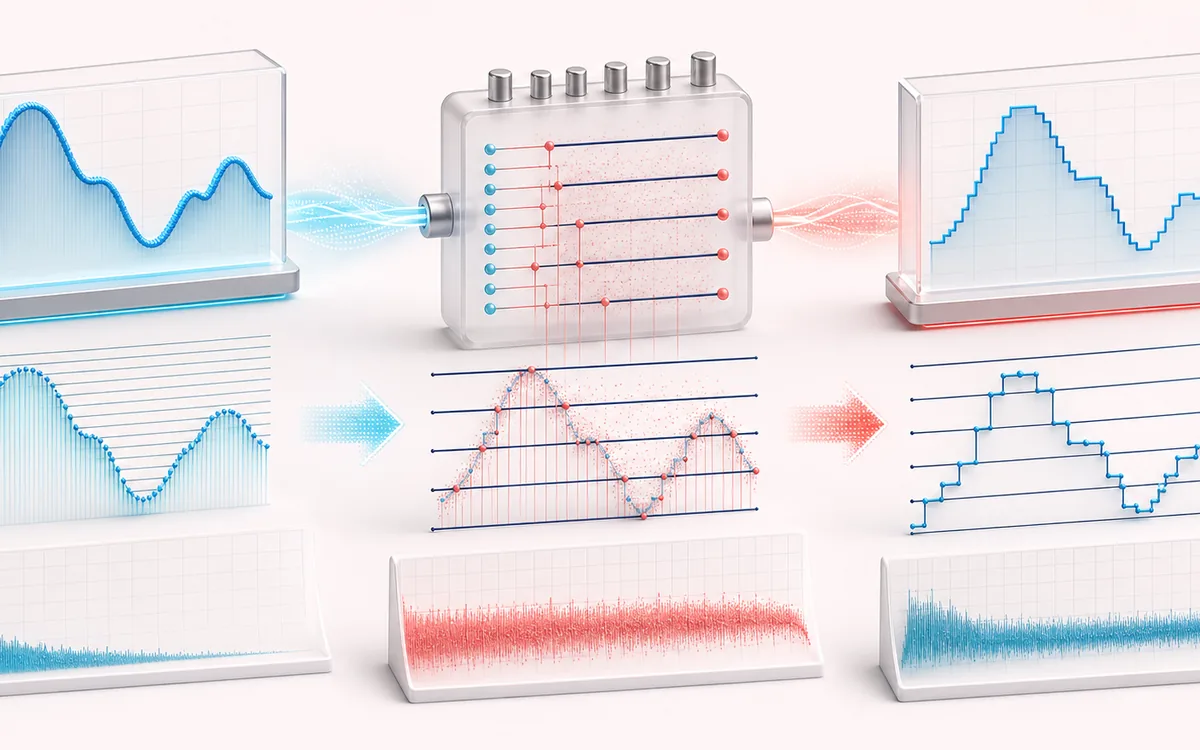
FILE STRUCTURE MAP
Quantization Depth View
Follow audio, metadata and delivery as separate layers. Container work is easier to trust when decoded audio, editable fields and the final export are shown as distinct stages with explicit preservation limits.
Open the full signal breakdownBest source, processing logic, limits and three-pass listening check
- High-depth WAV
Start with the right material
Preparing PCM 8, 16 or 24-bit delivery files, comparing quantization error and applying controlled dither when reducing a high-precision render to a lower bit depth.
- Quantize with dither
Understand the transformation
Samples are bounded to the destination range, optionally combined with seeded dither or first-order error feedback, quantized at the selected step and encoded into a valid RIFF/WAVE container.
- Final-depth WAV
Verify the usable result
Original, converted and Difference audition, output-format and error metrics, an exact-frame WAV and CSV or JSON finalization report.
Where this workflow stops
Dither decorrelates quantization distortion but raises the noise floor and cannot restore information already lost upstream. This tool does not resample, master dynamics or create a perceptual codec such as MP3.
Make the final decision by ear
- Keep the untouched original until the exported file is verified.
- Confirm sample rate, channels, duration and metadata independently.
- Test the delivery in the application or device that will consume it.
- Input
- One browser-decodable recording or an explicit quiet stereo demo designed to reveal quantization steps and low-level distortion.
- Output encoding
- RIFF/WAV as unsigned PCM 8-bit, signed PCM 16/24-bit or IEEE float32, preserving decoded sample rate, channel count and frames.
- Dither
- None, rectangular PDF, triangular PDF or first-difference high-pass TPDF, driven by a deterministic 32-bit seed.
How to convert bit depth and apply dither
- Load audio. Choose a source or generate the deterministic quiet quantization demo.
- Choose output depth. Select PCM 8, 16 or 24-bit or float32 WAV.
- Configure dither. Choose None, RPDF, TPDF or high-pass TPDF and set a repeatable seed.
- Inspect and export. Check error RMS and histogram, audition Difference, then download WAV and reports.
Quick answer: the general Audio Converter changes format, channel layout or sample rate and only offers PCM16/float32 WAV. This tool preserves rate, channels and frames while precisely choosing WAV sample width and dither. The Bitcrusher is a creative lo-fi effect; this is a delivery-stage encoder.
Integer PCM depths and float32
- PCM 8-bit
- 256 unsigned codes with a normalized step of 1/128. It is useful for compatibility and education, not transparent masters.
- PCM 16-bit
- 65,536 signed codes with a 1/32,768 step. Standard TPDF dither is usually appropriate when reducing higher-resolution work for delivery.
- PCM 24-bit
- 16,777,216 signed codes with a 1/8,388,608 step. Dither noise is extremely low, but deterministic export remains useful.
- IEEE float32
- Stores decoded float samples directly with WAV format code 3. This implementation does not add dither because there is no integer quantization grid.
What each dither mode does
None rounds directly. RPDF adds one rectangular random value spanning ±0.5 LSB. TPDF subtracts two independent uniform values, producing a triangular distribution spanning ±1 LSB. High-pass TPDF uses the first difference between successive TPDF values; this reduces low-frequency dither energy but raises high-frequency energy and can reach ±2 LSB before quantization.
The seed initializes a local xorshift32 generator and is stored in the report. Identical audio, settings and seed produce identical sample codes. Dither decorrelates quantization error; it does not preserve information removed by a lower bit depth or improve source resolution.
Measured error and practical limits
Difference is source minus the decoded value represented by the output code. Error RMS and the histogram include dither when selected, so dithered output normally has higher numeric error than undithered rounding even when it sounds less distortion-like. Near full scale, dither can push a sample beyond the representable positive code and the encoder must clamp it.
- No sample-rate conversion: decoded rate and frame count are fixed.
- No noise-shaped mastering claim: high-pass TPDF only redistributes its own random sequence; it is not a psychoacoustic noise-shaping model.
- Container detection: source bit depth is read when a simple WAV fmt header is available. Compressed and unusual containers are labeled decoded float32 / unknown source depth.
- New encoding: metadata and non-audio WAV chunks are not copied into the exported RIFF file.
Bit Depth Converter & Dither: quick answer and technical limits
Quick answer: A WAV finalization desk that writes selected integer or floating-point sample formats and can add deterministic dither before reducing precision.
- Best for
- Preparing PCM 8, 16 or 24-bit delivery files, comparing quantization error and applying controlled dither when reducing a high-precision render to a lower bit depth.
- How it works
- Samples are bounded to the destination range, optionally combined with seeded dither or first-order error feedback, quantized at the selected step and encoded into a valid RIFF/WAVE container.
- What you get
- Original, converted and Difference audition, output-format and error metrics, an exact-frame WAV and CSV or JSON finalization report.
Know before you use it: Dither decorrelates quantization distortion but raises the noise floor and cannot restore information already lost upstream. This tool does not resample, master dynamics or create a perceptual codec such as MP3.
Privacy: Selected audio is processed in this browser and is not uploaded to AudioWrench. Normal page assets can still be requested as described in the privacy notice. Privacy details →