Mastering Studio.
A browser mastering suite for approximate stem rebalance, transient shaping, reference EQ and a reorderable chain of bass control, exciter, width, glue and loudness maximization. Preview critically before export.
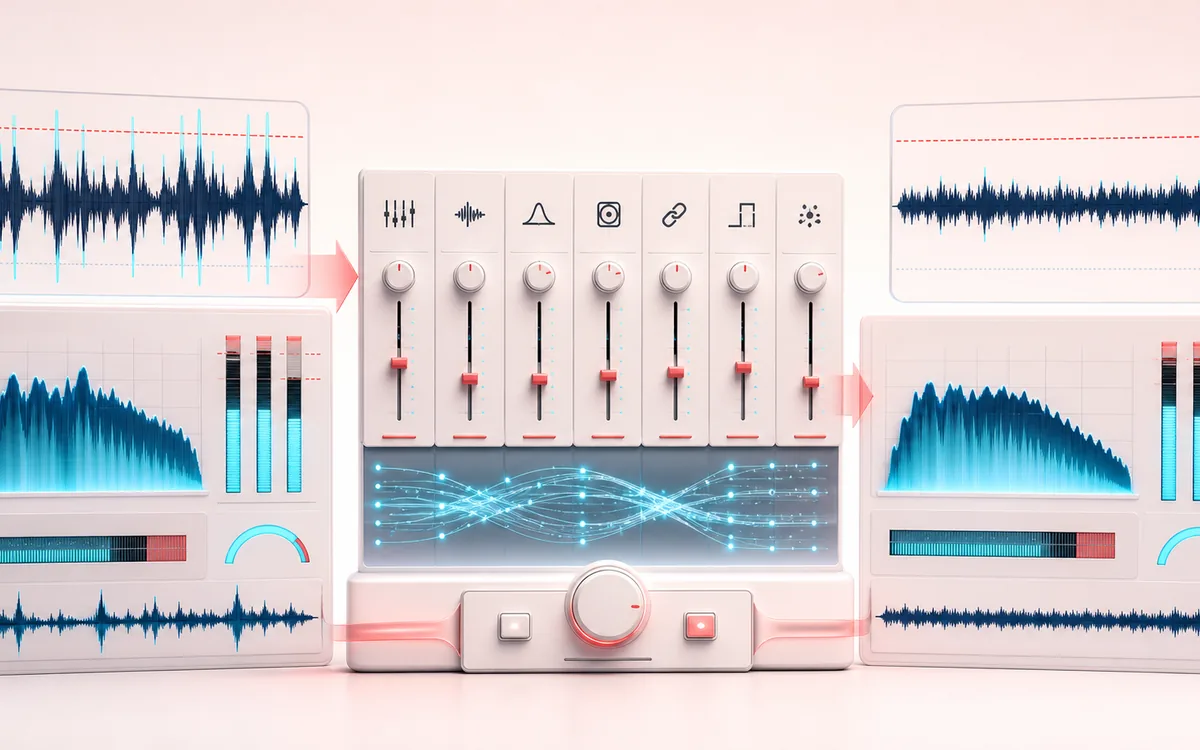
DYNAMICS MAP
Mastering Chain View
Separate settings, measured audition and current render. Seven module displays show calculated responses or measured pre/post audio during Play. New selections clear older audio, frozen measurements and delivery results before the next file is accepted.
Open the full signal breakdownCurrent source, measured module feedback, cancellation and independent file checks
- Unmastered mix
Start with the right material
Polishing a finished stereo mix while comparing the same passage at matched audition levels; keep the untouched original for independent delivery checks.
- Shape and maximize
Understand the transformation
Optional approximate stem rebalance and transient shaping feed a reorderable EQ, bass, inflator, exciter, width, glue and maximizer chain. Selection, cancellation or newer edits retire obsolete analysis, renders and codec playback.
- Check current render
Verify the usable result
A frame-exact IN/OUT render, WAV 16-bit with optional TPDF dither, WAV 32-bit float or MP3 320, and a current-source receipt showing format, PCM frames, sample rate and generated size.
Where this workflow stops
Calculated settings response is not a measured signal; live taps require playback and Freeze holds an earlier measurement. LUFS is estimated and peak is sample peak, not certified true peak. Cancellation retires results but cannot always abort browser processing; a download request is not proof of saving or delivery compliance.
Compare, render, then reopen the actual file
- Compare the same passage with level match; audition attenuation does not change the delivered master.
- Reset IN/OUT to the intended deliverable; the audition loop does not set the export range.
- Inspect the current receipt, then reopen the saved file. Estimated LUFS and sample peak do not certify true peak or distributor acceptance.
How to master a track in your browser
- Choose the current mix. Drop a supported audio file of up to 200 MB, or try the bundled demo. Wait for the current-track status after local checks, decoding and loudness measurement. A new selection immediately retires the previous audio and exports; checking a file is not accepting it.
- Build a starting chain. Pick a genre and use Analyze & build my chain, or select a reference for a gentle six-band EQ match. Editing the chain or changing the source cancels unfinished analysis so a late result cannot overwrite your decision.
- Apply optional pre-processing. Enable Stem Rebalance or Transient Revival, set their controls and choose Apply pre-processing. This offline pre-stage feeds the live chain; it is not neural separation or recovery of lost source detail. Reset to original removes the applied pre-stage.
- Compare the same passage. Press Play and choose Source, Mastered or Difference. Mastered includes the current pre-stage and seven-module chain. Level match attenuates the louder comparison branch; it does not change the exported master. IN/OUT sets the export range; a dragged loop only changes audition.
- Read the module, then listen. Choose EQ, Bass Control, Inflator, Exciter, Stereo Width, Glue or Maximizer. Settings preview is calculated; Live measured needs playback; Freeze holds an earlier measurement of this source. New tracks clear frozen measurements and peak holds. Pre/Post hides traces, not processing.
- Check the current render. Render master, inspect estimated source → render LUFS and sample peak, and optionally audition MP3 at 96, 128, 192 or 320 kbps. Source, chain or range edits invalidate the old render. Normal Play, Escape or leaving the page stops codec audition.
- Request and reopen the delivery file. Export MP3 320, WAV 16-bit with optional TPDF dither, or WAV 32-bit float. The receipt identifies the current source, format, PCM frame count, sample rate and generated size. Reopen the saved file to check its range and sound; a download request is not delivery approval.
A worked pass: one chorus, one decision at a time
Load your untouched mix and select a genre as a starting point. If the busiest chorus feels bass-heavy, audition that passage and compare Bass Control Pre/Post spectra before a small correction. Move to Glue and check how gain reduction accompanies each hit; reduce compression if attacks become less distinct. These displays describe this audio, not a target shape every mix should match.
Switch to Source with level match enabled: does the change still help without extra loudness? Set IN/OUT to the full deliverable, not just the audition loop, then render. Try a lower-bitrate codec preview for fragile high-frequency detail, stop it, and request your WAV or MP3. Reopen that file independently before replacing your original or handing it off.
When a new mix is not ready: use Cancel load or Escape. No old source is silently restored after a cancelled, refused or invalid replacement; choose the previous file again if you want it back. Cancel pending work discards unfinished analysis, pre-stage, render or codec results while keeping accepted source/settings. Unabortable browser processing may need to settle before the next heavy operation.
Mastering Studio combines EQ, dynamics and stereo tools in one signal path, with a live spectrum and gain-reduction metering to help compare decisions. Its assistant is a heuristic starting point, not an automated guarantee of release readiness. The maximizer uses Web Audio dynamics processing and sample-peak metering; it has not been verified as a true-peak or brick-wall limiter. Preview on trusted headphones or monitors and compare the result with the original before export.
Wear headphones or trust monitors you know: mastering decisions made on laptop speakers rarely survive the car test. The codec preview helps too — hearing your master through MP3 at 128 kbps before release beats finding out from a listener.
Mastering Studio: quick answer and technical limits
Quick answer: A local mastering workflow that binds analysis, seven-module live feedback, rendering and delivery to the currently accepted mix and editable settings.
- Best for
- Polishing a finished stereo mix while comparing the same passage at matched audition levels; keep the untouched original for independent delivery checks.
- How it works
- Optional approximate stem rebalance and transient shaping feed a reorderable EQ, bass, inflator, exciter, width, glue and maximizer chain. Selection, cancellation or newer edits retire obsolete analysis, renders and codec playback.
- What you get
- A frame-exact IN/OUT render, WAV 16-bit with optional TPDF dither, WAV 32-bit float or MP3 320, and a current-source receipt showing format, PCM frames, sample rate and generated size.
Know before you use it: Calculated settings response is not a measured signal; live taps require playback and Freeze holds an earlier measurement. LUFS is estimated and peak is sample peak, not certified true peak. Cancellation retires results but cannot always abort browser processing; a download request is not proof of saving or delivery compliance.
Privacy: Selected audio is processed in this browser and is not uploaded to AudioWrench. Normal page assets can still be requested as described in the privacy notice. Privacy details →