Online Audio Limiter
Prevent decoded sample peaks from crossing a chosen ceiling. Set input gain, lookahead, release and stereo link, compare original, limited and difference previews, then export a measured full-file WAV or MP3 render.
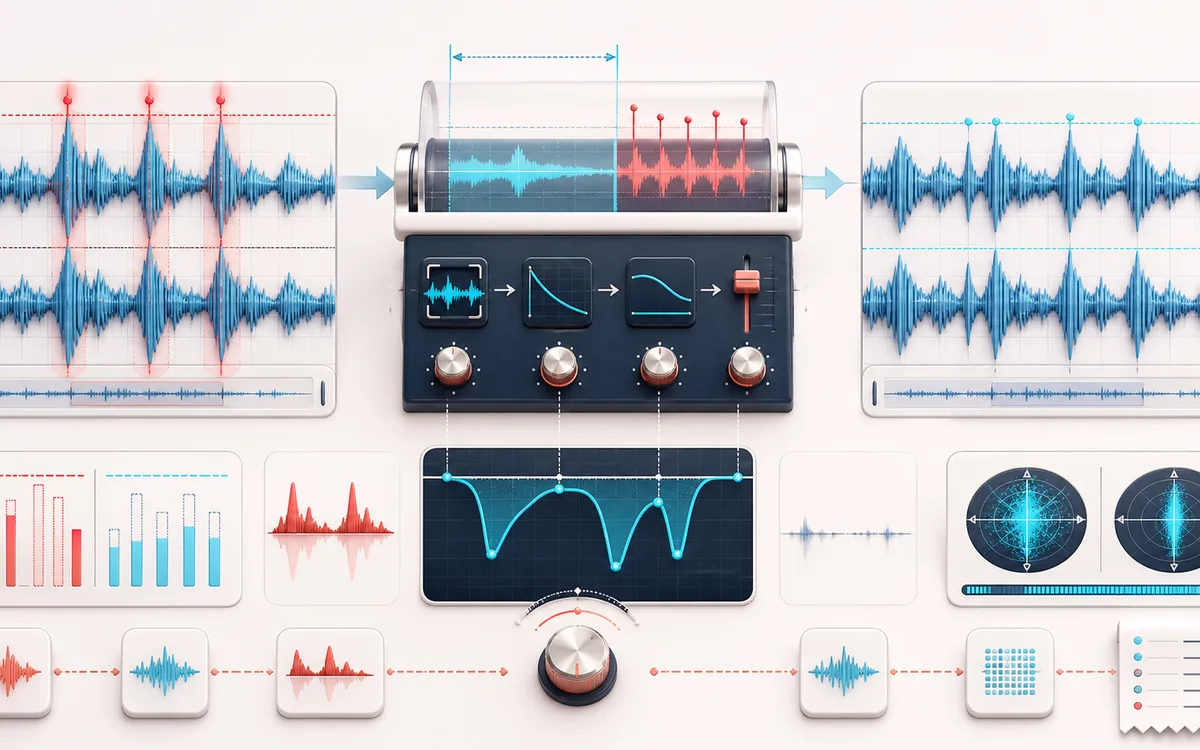
DYNAMICS MAP
Peak Ceiling View
Follow the level decision, not just the waveform. The important story is how the detector reacts, where gain starts moving and whether the result stays controlled without flattening the performance.
Open the full signal breakdownBest source, processing logic, limits and three-pass listening check
- Peak-heavy source
Start with the right material
Containing isolated digital peaks, protecting a podcast or music draft from sample clipping and auditioning extra input gain before export.
- Catch overs
Understand the transformation
A bounded lookahead detector drives a smoothed gain envelope with adjustable release; optional stereo linking applies one reduction decision to both channels.
- Limited render
Verify the usable result
Original, limited and removed-signal previews plus WAV/MP3 export and a receipt for peaks, clipping, limiting activity, reduction and exact output dimensions.
Where this workflow stops
This is a sample-peak limiter, not a measured true-peak or inter-sample-peak limiter, LUFS normalizer or complete mastering chain. Aggressive gain and short release can pump or distort.
Make the final decision by ear
- Compare at matched loudness so “louder” is not mistaken for “better”.
- Inspect the loudest transient and the quietest useful detail.
- Leave enough headroom for the next processing or delivery stage.
- Input
- One mono or stereo music, podcast, dialogue or other audio file in a format your current browser can decode.
- Controls
- Input gain, decoded sample ceiling, lookahead, release and optional stereo-channel linking.
- Output
- A limited full-file preview, gain-reduction difference preview, WAV or MP3 download and measured sample-peak receipt.
How to limit audio peaks online
- Select a decoded mono or stereo file and preview the original.
- Choose an output sample ceiling and add input gain only if more material should reach the limiter.
- Use lookahead to anticipate sharp PCM samples and release to control how quickly gain recovers.
- Process the full file, inspect peak and gain-reduction evidence, compare the difference signal and export WAV or MP3.
Quick answer: this local limiter prevents the rendered decoded samples from exceeding the chosen ceiling within floating-point tolerance. It does not oversample, measure inter-sample peaks or certify a true-peak value.
What sample-peak limiting can and cannot prevent
A decoded sample peak is the largest numeric PCM sample in the file as interpreted by the browser. This limiter scans those samples offline, plans gain from the largest value inside the lookahead window and releases that reduction smoothly after the threat passes. Linked mode uses the larger channel peak for one stereo gain envelope.
True peak estimates the reconstructed waveform between samples, usually with oversampling. A stream whose samples remain below a numeric ceiling can still produce a higher inter-sample peak in a converter, codec or playback chain. This tool is therefore useful for sample safety and draft peak control, but it is not a measured true-peak or ISP compliance limiter.
How each audio-limiter control changes the result
- Input gain
- Boosts decoded samples before the limiter. More gain creates more limiting and may make the result feel louder, but loudness is not measured in LUFS.
- Output ceiling
- Sets the largest allowed decoded output sample from −12 to 0 dBFS. It is a sample ceiling, not a certified true-peak ceiling.
- Lookahead
- Lets the offline envelope react before an upcoming peak. More lookahead can control sharp transients earlier but extends gain reduction ahead of them.
- Release
- Controls how quickly gain returns after the required reduction falls. Too short can sound rough; too long can hold a mix down after a transient.
- Stereo link
- Applies the largest channel's required reduction to both channels. Independent mode can retain more level on the quieter side but may shift stereo position.
Measured limiter receipt and difference preview
The receipt reports original and post-input-gain sample peaks, pre-limiter and output clipping-frame counts, output sample peak, active limiting share, maximum and average gain reduction, exact frames, sample rate, channel count, duration and every limiter setting. It also records that oversampling and true-peak measurement were not used.
The difference preview subtracts the limited output from the input-gained signal. It makes gain reduction audible and helps reveal flattened transients or sustained pumping. It is evidence of the applied envelope, not a separated drum, vocal or distortion stem.
Podcast, music and delivery workflows
- Podcast drafts: catch short decoded overloads after editing while leaving margin for later encoding and loudness work.
- Music demos: control sample peaks for a review copy without pretending the result is a complete master.
- Voiceover exports: add modest input gain and cap sharp consonant or edit-boundary peaks before delivery.
- Codec preparation: use a conservative sample ceiling because MP3 or other reconstructed playback can create peaks above it.
Limits to understand before exporting
- No true-peak measurement: the engine does not oversample or evaluate inter-sample reconstruction.
- No LUFS target: peak limiting does not guarantee an integrated loudness, podcast standard or platform normalization outcome.
- No repair of existing clipping: lowering a clipped source prevents higher output samples but cannot reconstruct a flattened waveform.
- Audible tradeoffs: aggressive input gain or long active limiting can soften transients, pump or add distortion.
- Full-file memory use: decoded source, gain plan, output and difference evidence occupy device memory; unsafe additional PCM work is refused before allocation.
- New exports: WAV is a new PCM render and MP3 is a new lossy encode. Neither preserves the source container bit for bit.
Privacy: selected audio is processed in this browser and is not uploaded to AudioWrench. Normal page assets and same-origin encoder code can still be requested as described in the privacy notice.
Online Audio Limiter: quick answer and technical limits
Quick answer: A local lookahead sample-peak limiter that applies input gain, predicts decoded sample peaks and turns the gain envelope down before they exceed a selected ceiling.
- Best for
- Containing isolated digital peaks, protecting a podcast or music draft from sample clipping and auditioning extra input gain before export.
- How it works
- A bounded lookahead detector drives a smoothed gain envelope with adjustable release; optional stereo linking applies one reduction decision to both channels.
- What you get
- Original, limited and removed-signal previews plus WAV/MP3 export and a receipt for peaks, clipping, limiting activity, reduction and exact output dimensions.
Know before you use it: This is a sample-peak limiter, not a measured true-peak or inter-sample-peak limiter, LUFS normalizer or complete mastering chain. Aggressive gain and short release can pump or distort.
Privacy: Selected audio is processed in this browser and is not uploaded to AudioWrench. Normal page assets can still be requested as described in the privacy notice. Privacy details →