Online Multiband Compressor
Split audio into complementary low, mid and high lanes, then control each lane with its own detector, timing and gain stage. Solo the bands, see real reduction and export the exact-frame result.
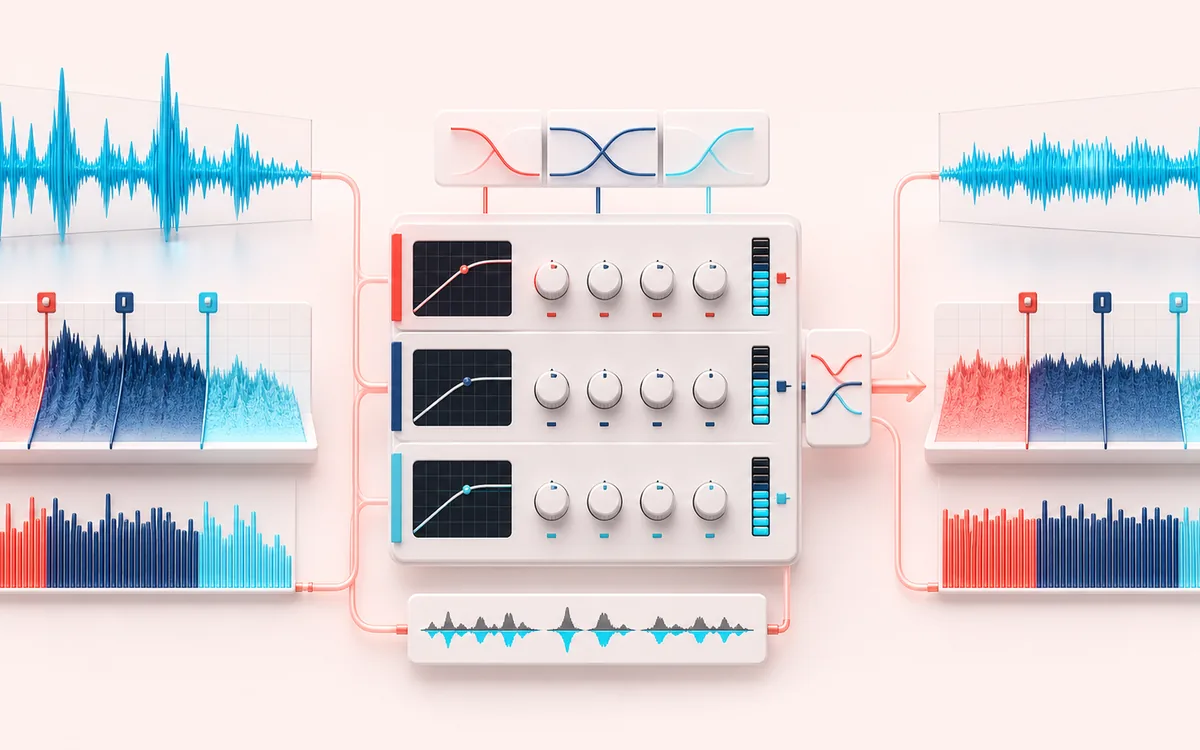
DYNAMICS MAP
Three-Band Dynamics
Follow the level decision, not just the waveform. The important story is how the detector reacts, where gain starts moving and whether the result stays controlled without flattening the performance.
Open the full signal breakdownBest source, processing logic, limits and three-pass listening check
- Full-range mix
Start with the right material
Controlling bass movement without flattening vocals, softening an aggressive midrange, containing bright peaks and learning how band-specific dynamics affect a mix.
- Compress by band
Understand the transformation
Complementary crossover stages derive three ranges, per-band envelope followers apply threshold, ratio, attack and release gain, and the bands are recombined at the decoded frame count.
- Band-balanced master
Verify the usable result
Original, Compressed and Difference monitoring with per-band gain-reduction feedback plus an exact-duration WAV or MP3 render.
Where this workflow stops
Crossovers and different gain movement can change phase, tone and stereo image. It is not automatic mastering, and aggressive settings can create pumping or spectral imbalance.
Make the final decision by ear
- Compare at matched loudness so “louder” is not mistaken for “better”.
- Inspect the loudest transient and the quietest useful detail.
- Leave enough headroom for the next processing or delivery stage.
- Split
- Complementary two-pole low-pass subtraction: low + mid + high reconstructs the decoded source before dynamics.
- Dynamics
- Independent soft-knee peak envelope, threshold, ratio, attack, release, makeup, bypass and solo per lane.
- Output
- Original, Compressed and Difference audition with exact source sample rate, channels, frame count and duration.
How to use the three-band compressor
- Choose audio or load the local low, mid and high level-step demo.
- Set both crossover boundaries or choose Gentle Glue, Low-End Tame, Vocal Focus or Broadcast.
- Adjust each lane's threshold, ratio, attack, release and makeup; use Solo and Bypass to make decisions by ear.
- Process locally, compare Original, Compressed and Difference, inspect gain reduction, then export WAV or MP3.
Complementary crossovers and separate envelopes
The crossover engine calculates a smoothed low lane, a high-boundary low-pass, then derives mid = upper low-pass − low and high = source − upper low-pass. Those three lanes therefore sum back to the source before dynamics rather than using three unrelated filters that leave gaps or overlapping boosts.
Each lane has its own peak detector, attack/release envelope and soft-knee transfer. A kick can pull down the low lane without forcing the cymbals down; a bright consonant can trigger high-band reduction without moving the bass. Solo changes monitoring and render contribution, while Bypass leaves that lane's split signal untouched.
Different from full-band compression and mastering
Dynamic Range Compressor uses one detector and one gain envelope for the complete signal. This tool creates three frequency-selective envelopes, which is more targeted but also easier to over-process. Mastering Studio is a broader workflow; this page does not choose loudness targets, run a true-peak limiter, sequence deliverables or replace monitoring judgment.
Limits worth hearing before export
- The complementary split is phase-consistent by subtraction, but its two-pole browser filter slopes are gentler than steep linear-phase mastering crossovers.
- Very fast timing can distort low frequencies, while long release can hold a lane down after the original event.
- Makeup gain and recombination can exceed 0 dBFS. This processor does not hide a limiter or measure true/inter-sample peak.
- Solo is intentionally included in the result while active. Disable Solo before exporting a complete three-band mix.
- Files over the duration, file-size or viewport-specific memory budget are refused before a full render.
Privacy: selected audio is decoded, processed and encoded in this browser. It is not sent to AudioWrench. Normal page assets can still be requested when the page loads.
Multiband Compressor: quick answer and technical limits
Quick answer: A three-band dynamics processor that separates low, mid and high ranges, follows each band independently and recombines them after separate compression and makeup gain.
- Best for
- Controlling bass movement without flattening vocals, softening an aggressive midrange, containing bright peaks and learning how band-specific dynamics affect a mix.
- How it works
- Complementary crossover stages derive three ranges, per-band envelope followers apply threshold, ratio, attack and release gain, and the bands are recombined at the decoded frame count.
- What you get
- Original, Compressed and Difference monitoring with per-band gain-reduction feedback plus an exact-duration WAV or MP3 render.
Know before you use it: Crossovers and different gain movement can change phase, tone and stereo image. It is not automatic mastering, and aggressive settings can create pumping or spectral imbalance.
Privacy: Selected audio is processed in this browser and is not uploaded to AudioWrench. Normal page assets can still be requested as described in the privacy notice. Privacy details →