Fix Clipped Audio & Audio Declipper Online
Find flat-top clipping, reconstruct only short recoverable runs and see exactly what was repaired or refused — without uploading your audio.
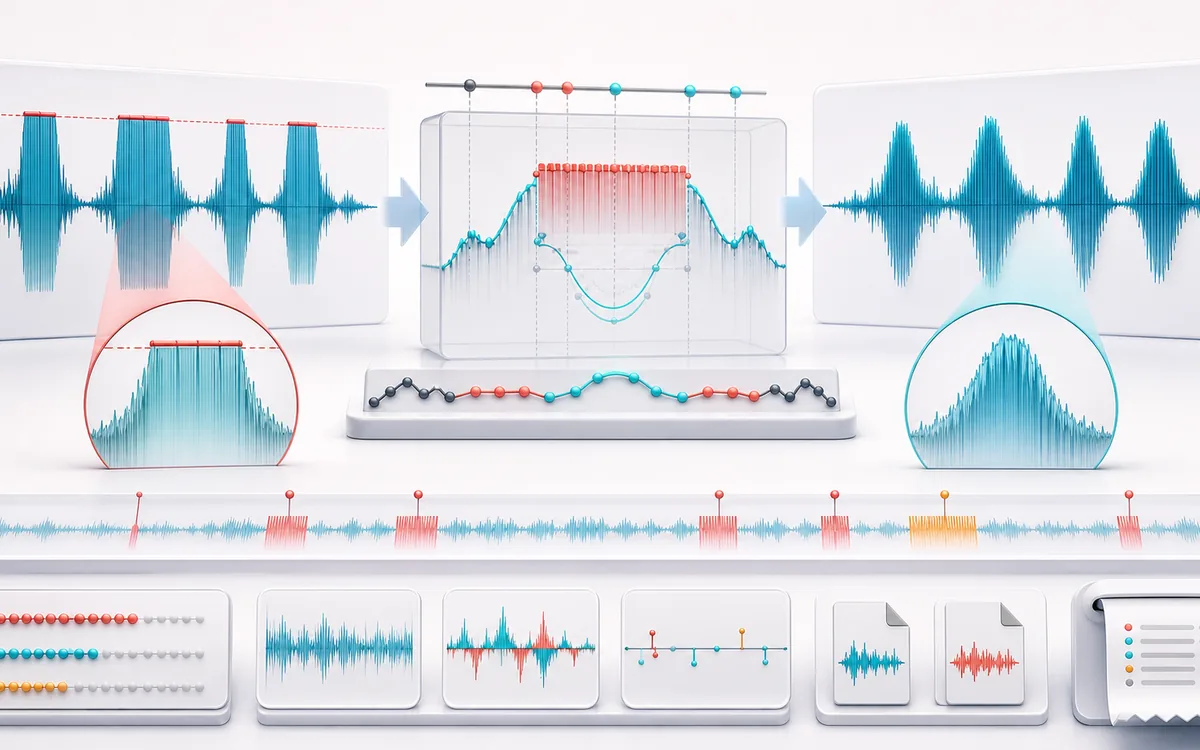
RESTORATION MAP
Clipping Reconstruction View
Separate the damaged event from healthy context. A repair is safest when the affected span is narrow, the surrounding signal is trustworthy and the difference audition contains mostly the defect.
Open the full signal breakdownBest source, processing logic, limits and three-pass listening check
- Flat-topped audio
Start with the right material
Repairing isolated hard-clipped peaks in speech, field recordings or music drafts while documenting damage that cannot be inferred safely.
- Rebuild clipped runs
Understand the transformation
Adjustable threshold and flatness tests group clipped samples into runs; recoverable short runs use bounded cubic Hermite interpolation and edge smoothing, while long or edge-touching regions remain unchanged and are flagged.
- De-clipped render
Verify the usable result
Original, repaired and difference previews, a clipping-region timeline, CSV/JSON evidence, WAV/MP3 export and a receipt for detected, repaired and unrecoverable runs and exact output dimensions.
Where this workflow stops
Missing audio cannot be recovered exactly. Long flat tops, clipping at file edges, analog distortion and codec artifacts remain uncertain; the tool deliberately leaves regions unchanged when its bounded reconstruction lacks enough context.
Make the final decision by ear
- Review every detected event near drums, consonants and other sharp attacks.
- Use Difference audition to hear what the repair removes or invents.
- Prefer several small repairs over one aggressive global pass.
- Input
- One mono or stereo recording with suspected hard clipping or repeated flat sample tops.
- Detection
- Adjustable decoded-sample amplitude threshold, flat-top tolerance and maximum recoverable run length.
- Output
- Exact-length repaired audio, difference preview, region timeline, measured receipt, CSV/JSON evidence and local WAV/MP3 export.
How to fix short clipped-audio regions online
- Choose one mono or stereo audio file that the browser can decode.
- Set the flat-top amplitude threshold, sample tolerance and maximum repair length.
- Run the complete local scan, then review repaired and unrecoverable regions in the timeline and table.
- Compare original, repaired and difference previews before exporting WAV, MP3, CSV or JSON.
Quick answer: a declipper cannot recover deleted source samples. This tool makes a bounded estimate only for short, same-sign flat tops that have usable waveform context on both sides. It leaves long, edge-touching or poorly supported regions unchanged and names the reason.
What can be recovered from clipped audio?
Hard digital clipping often creates a short run of nearly identical high-level samples where a curved peak used to be. When the run is brief and clean samples remain immediately before and after it, a cubic Hermite curve can use both boundary values and their local slopes to estimate the missing shape. The estimate is bounded and blended at its edges; it does not invent harmonics, separate sources or claim to reproduce the original take.
A long plateau contains much less evidence. A plateau at the first or last samples has no two-sided context. Those cases are reported as unrecoverable and copied sample-for-sample into the result. Lowering the threshold or widening tolerance can detect more candidates, but can also mistake loud sustained material for clipping. Listen and inspect the difference signal.
How flat-top detection and repair work
- Threshold
- Samples must meet the selected absolute decoded amplitude. This is linear full scale, not LUFS, true peak or an analog voltage.
- Flat tolerance
- The largest and smallest absolute sample inside a same-sign candidate must stay within this numeric range.
- Maximum repair length
- Only candidate runs at or below this sample count are considered. Longer runs stay untouched and remain visible in the report.
- Bounded interpolation
- A cubic Hermite segment uses clean samples and slopes on both sides, limits overshoot and optionally caps only reconstructed samples to a safe ceiling.
- Stereo report link
- Overlapping channel events share a report group for easier inspection. Each channel is still detected and repaired independently so a clean side is not altered.
Audio declipper limits and honest expectations
- No AI restoration: this is deterministic interpolation from adjacent PCM context.
- No analog diagnosis: tape saturation, preamp overload, limiting and codec artifacts may not create detectable flat tops.
- No long-run guessing: runs beyond the chosen repair length remain exactly unchanged.
- No edge guessing: candidates without context on both sides remain unchanged.
- No true-peak claim: detection and the optional ceiling use decoded samples without oversampling.
- Exact decoded shape: processing preserves the decoded buffer’s sample rate, channels, frames and duration; browser decoding may resample the source first, and MP3 export remains lossy.
Privacy: the selected file stays in this browser. Normal page assets and the same-origin MP3 encoder can still be requested as described in the privacy notice.
Fix Clipped Audio & Audio Declipper: quick answer and technical limits
Quick answer: A local audio declipper that finds flat-topped sample runs and reconstructs only short bounded regions when usable waveform context exists on both sides.
- Best for
- Repairing isolated hard-clipped peaks in speech, field recordings or music drafts while documenting damage that cannot be inferred safely.
- How it works
- Adjustable threshold and flatness tests group clipped samples into runs; recoverable short runs use bounded cubic Hermite interpolation and edge smoothing, while long or edge-touching regions remain unchanged and are flagged.
- What you get
- Original, repaired and difference previews, a clipping-region timeline, CSV/JSON evidence, WAV/MP3 export and a receipt for detected, repaired and unrecoverable runs and exact output dimensions.
Know before you use it: Missing audio cannot be recovered exactly. Long flat tops, clipping at file edges, analog distortion and codec artifacts remain uncertain; the tool deliberately leaves regions unchanged when its bounded reconstruction lacks enough context.
Privacy: Selected audio is processed in this browser and is not uploaded to AudioWrench. Normal page assets can still be requested as described in the privacy notice. Privacy details →