Audio Dropout Repair Online
Find short localized level collapses, inspect the affected channel, reconstruct from a correlated stereo donor or nearby clean context, and audition every estimate before exact-length export.
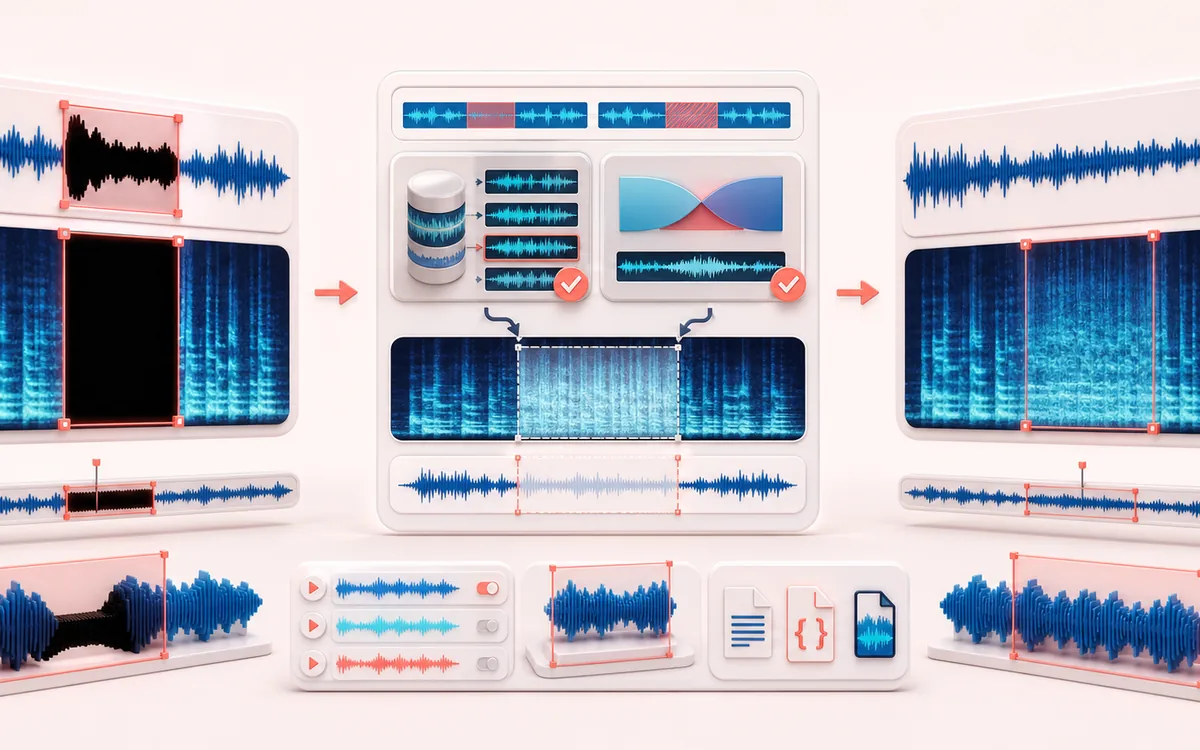
RESTORATION MAP
Dropout Recovery Map
Separate the damaged event from healthy context. A repair is safest when the affected span is narrow, the surrounding signal is trustworthy and the difference audition contains mostly the defect.
Open the full signal breakdownBest source, processing logic, limits and three-pass listening check
- Damaged recording
Start with the right material
Repairing brief tape losses, cable interruptions, one-sided channel holes and short digital dropouts where useful neighboring audio still exists.
- Rebuild missing spans
Understand the transformation
Local envelope ratios identify bounded low-level spans; channel classification chooses a context-matched stereo donor when available or a short crossfaded temporal patch when both channels are damaged.
- Repaired audio
Verify the usable result
Editable event spans, Original/Repaired/Difference audition and an exact-duration WAV with CSV or JSON repair metadata.
Where this workflow stops
Long losses, unique missing words or notes and unrelated stereo channels cannot be reconstructed faithfully. Donor and temporal patches are plausible local repairs, not recovery of the original absent samples.
Make the final decision by ear
- Review every detected event near drums, consonants and other sharp attacks.
- Use Difference audition to hear what the repair removes or invents.
- Prefer several small repairs over one aggressive global pass.
- Localized detection
- Short-time decoded energy is compared with clean context before and after each candidate rather than treating every quiet passage as damage.
- Two bounded repair paths
- One-sided losses can use a correlated clean channel with estimated gain and polarity; short stereo losses can borrow a seam-matched temporal patch.
- Inspectable handoff
- Edit every event, compare before, after and difference audio, then export exact decoded frames with CSV or JSON event data.
How to repair short audio dropouts online
- Choose local mono or stereo audio, or explicitly generate the deterministic repair demo.
- Set the level-collapse threshold, maximum duration and clean-context window, then scan the decoded waveform.
- Enable each event, correct its affected channel and choose stereo-donor or temporal-context reconstruction.
- Compare the selected event before, after and as a difference signal, then export repaired WAV plus CSV or JSON events.
Stereo donor or temporal patch?
A one-sided cable, connector or recorder fault may leave useful correlated content in the other stereo channel. The donor path measures correlation, gain and polarity from undamaged context before copying anything. If both channels collapse, the temporal path searches a bounded clean region before the event for a short segment with similar edges, then corrects its seams. Neither method knows the deleted samples.
What this dropout detector does not claim
Low-level ambience, intentional gates and sparse music can resemble damage at aggressive thresholds. Long missing passages contain too little local evidence and stay unchanged. Unrelated stereo channels are not valid donors. Review the event map and difference signal, then keep only repairs that sound appropriate.
Privacy: selected audio is decoded, analyzed, repaired, auditioned and exported on this device. It is not uploaded to AudioWrench.
Audio Dropout Repair: quick answer and technical limits
Quick answer: A short-gap restoration editor that detects localized level collapses and rebuilds enabled events from a healthy stereo channel or nearby temporal context.
- Best for
- Repairing brief tape losses, cable interruptions, one-sided channel holes and short digital dropouts where useful neighboring audio still exists.
- How it works
- Local envelope ratios identify bounded low-level spans; channel classification chooses a context-matched stereo donor when available or a short crossfaded temporal patch when both channels are damaged.
- What you get
- Editable event spans, Original/Repaired/Difference audition and an exact-duration WAV with CSV or JSON repair metadata.
Know before you use it: Long losses, unique missing words or notes and unrelated stereo channels cannot be reconstructed faithfully. Donor and temporal patches are plausible local repairs, not recovery of the original absent samples.
Privacy: Selected audio is processed in this browser and is not uploaded to AudioWrench. Normal page assets can still be requested as described in the privacy notice. Privacy details →