Vocal Range Finder Online
Find reliable lowest, highest and median notes observed in one solo vocal recording. Inspect the pitch path, note coverage and evidence behind each endpoint—without changing the audio.
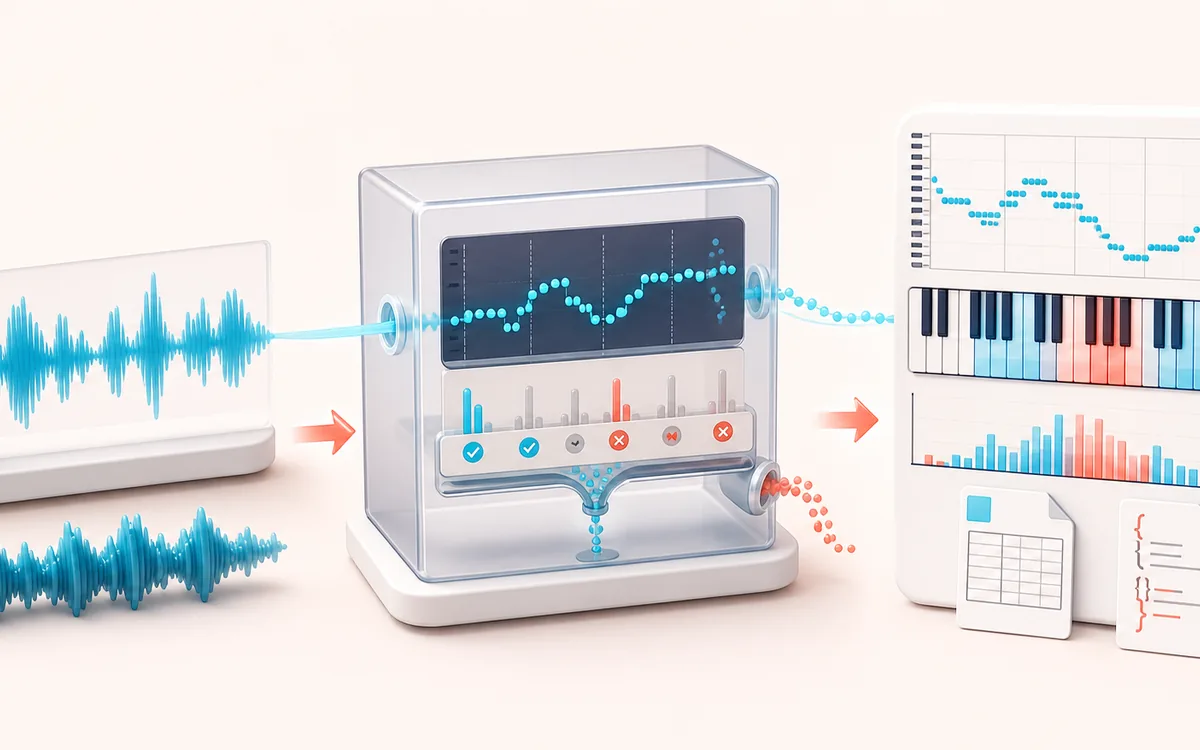
MEASUREMENT MAP
Vocal Range Ladder
Turn a signal into evidence you can inspect. A useful analyzer connects the raw trace, the measurement window and a clearly labeled result without pretending that one number explains the whole recording.
Open the full signal breakdownBest source, processing logic, limits and three-pass listening check
- Monophonic singing
Start with the right material
Checking a sung phrase before transposition, documenting a practice take and seeing which notes were held reliably enough for a bounded pitch estimate.
- Track reliable notes
Understand the transformation
Windowed YIN/CMNDF-style pitch tracking rejects low-confidence and low-level frames, maps accepted frequencies to notes and aggregates the bounded timeline into range and note-distribution facts.
- Range report
Verify the usable result
A visible pitch timeline and note histogram plus CSV and JSON reports for accepted voiced frames, range, median pitch and analysis settings.
Where this workflow stops
Polyphony, backing tracks, noise, breathy or growled tone, strong vibrato and vocal fry can create octave errors or rejected frames. The result is not a medical assessment or a factual voice-type label.
Make the final decision by ear
- Use the same window and settings when comparing two files.
- Treat estimates as evidence, not as a substitute for listening.
- Export or note the measurement context alongside the result.
- Best input
- One dry, isolated voice moving through sustained notes with short rests and steady recording level.
- Measured result
- Reliable low, high, median, semitone span, voiced coverage, accepted-frame count, histogram and bounded timeline.
- Output
- Original-audio audition plus local CSV and JSON analysis reports. The audio is not altered or exported.
How to find the vocal range in a recording
- Record one voice moving gradually through comfortable sustained notes. Avoid harmony, backing music and strong room reverb.
- Load the recording or use the generated demo, then narrow the minimum and maximum frequency if you already know the rough area.
- Set the voiced-level and confidence thresholds. Higher thresholds reject more uncertain frames; they do not make weak material inherently accurate.
- Analyze, inspect the histogram and timeline, and scrub the original recording to confirm both endpoint notes by ear.
- Download CSV for a frame-by-frame view or JSON for the summary, settings, histogram and bounded timeline.
What “reliable endpoint” means here
The scanner examines overlapping frames with a bounded YIN cumulative-mean normalized difference function. A frame counts as voiced only when its level, confidence and frequency pass the selected limits. The result rounds accepted estimates to note bins, then requires an endpoint note to appear in multiple accepted frames. That support rule helps stop one isolated octave error from becoming the reported low or high.
The median is the middle accepted pitch estimate rather than the midpoint between the endpoints. Voiced coverage is the fraction of scanned frames accepted by the current thresholds. The timeline is intentionally bounded to at most 320 representative points for responsive drawing and export; the histogram and summary use every accepted analysis frame.
Range observed is not voice type
This result describes one recording. It does not determine voice type, gender, vocal health, a safe limit or a note that should be performed repeatedly. Technique, vowel, loudness, fatigue, room noise and microphone placement can change which pitches are detected. Use the original-audio scrubber and treat isolated endpoints cautiously.
Known limits
- The detector expects one dominant fundamental. Harmonies, chords, doubled vocals, full mixes and overlapping speakers are polyphonic and can return competing or incorrect pitches.
- Strong breath noise, consonants and room noise can reduce voiced coverage. Vocal fry and very bright harmonics can trigger octave errors.
- Short slides are sampled in overlapping frames, so the result is a pitch map—not a note transcription or exact performance score.
- The analysis range is 55–1200 Hz. Material outside the selected limits is rejected rather than extrapolated.
- Long or memory-heavy decoded audio is refused before analysis. Trim a representative exercise and try again.
Privacy: selected audio is decoded and analyzed in this browser and is not uploaded to AudioWrench. Normal page assets can still be requested when the page loads. CSV and JSON are generated locally.
Vocal Range Finder: quick answer and technical limits
Quick answer: A monophonic vocal-pitch map that finds reliable voiced notes over time and summarizes the lowest, highest and median detected pitch without changing the recording.
- Best for
- Checking a sung phrase before transposition, documenting a practice take and seeing which notes were held reliably enough for a bounded pitch estimate.
- How it works
- Windowed YIN/CMNDF-style pitch tracking rejects low-confidence and low-level frames, maps accepted frequencies to notes and aggregates the bounded timeline into range and note-distribution facts.
- What you get
- A visible pitch timeline and note histogram plus CSV and JSON reports for accepted voiced frames, range, median pitch and analysis settings.
Know before you use it: Polyphony, backing tracks, noise, breathy or growled tone, strong vibrato and vocal fry can create octave errors or rejected frames. The result is not a medical assessment or a factual voice-type label.
Privacy: Selected audio is processed in this browser and is not uploaded to AudioWrench. Normal page assets can still be requested as described in the privacy notice. Privacy details →