Instrument Tuner.
A real-time chromatic tuner estimate for guitar, bass, ukulele and violin. Useful for a quick check, but not calibrated test equipment.
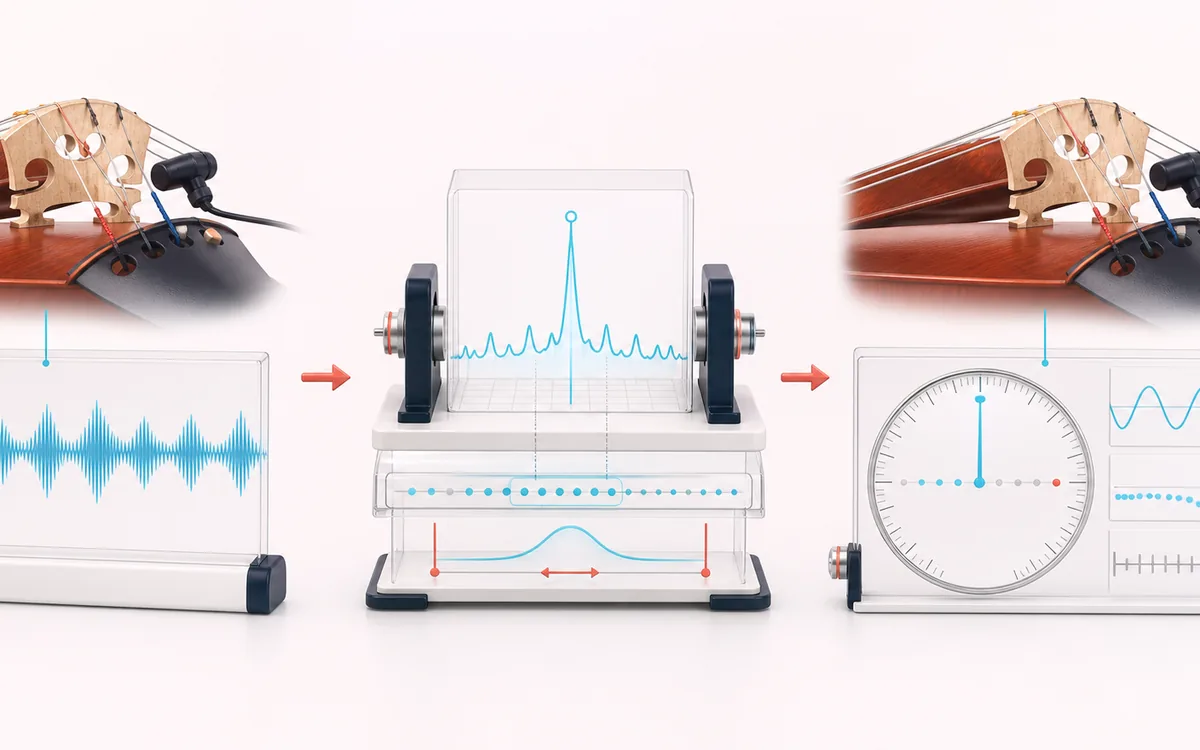
MEASUREMENT MAP
Pitch Cents Dial
Turn a signal into evidence you can inspect. A useful analyzer connects the raw trace, the measurement window and a clearly labeled result without pretending that one number explains the whole recording.
Open the full signal breakdownBest source, processing logic, limits and three-pass listening check
- Live instrument note
Start with the right material
Quick guitar, bass, ukulele, violin and single-note tuning checks.
- Estimate fundamental
Understand the transformation
Local autocorrelation searches roughly 50 to 1500 Hz and maps the estimate to equal-tempered notes.
- Tuning guidance
Verify the usable result
A live note name, measured frequency and cents guidance.
Where this workflow stops
It is not calibrated laboratory equipment. Background sound, overtones and low notes can cause unstable or octave-shifted readings.
Make the final decision by ear
- Use the same window and settings when comparing two files.
- Treat estimates as evidence, not as a substitute for listening.
- Export or note the measurement context alongside the result.
How to tune your instrument
- Choose your instrument preset — Guitar, Bass, Ukulele, Violin or Chromatic.
- Press “Start tuner” and allow microphone access when your browser asks.
- Play one string or note; read the detected note, the Hz and how many cents you are off.
- Turn the peg until the needle centres and turns green within five cents, then move to the next string.
This tuner estimates fundamental frequency from microphone input between roughly 50 and 1500 Hz, then maps it to the nearest note and cents offset. Microphone response, room noise, overtones and octave errors can move the reading. Use it as a quick local reference and confirm with calibrated equipment when tuning precision matters.
Instrument Tuner: quick answer and technical limits
Quick answer: A real-time chromatic tuner that estimates a microphone signal’s fundamental frequency and displays the nearest note and cents offset.
- Best for
- Quick guitar, bass, ukulele, violin and single-note tuning checks.
- How it works
- Local autocorrelation searches roughly 50 to 1500 Hz and maps the estimate to equal-tempered notes.
- What you get
- A live note name, measured frequency and cents guidance.
Know before you use it: It is not calibrated laboratory equipment. Background sound, overtones and low notes can cause unstable or octave-shifted readings.
Privacy: Selected audio is processed in this browser and is not uploaded to AudioWrench. Normal page assets can still be requested as described in the privacy notice. Privacy details →