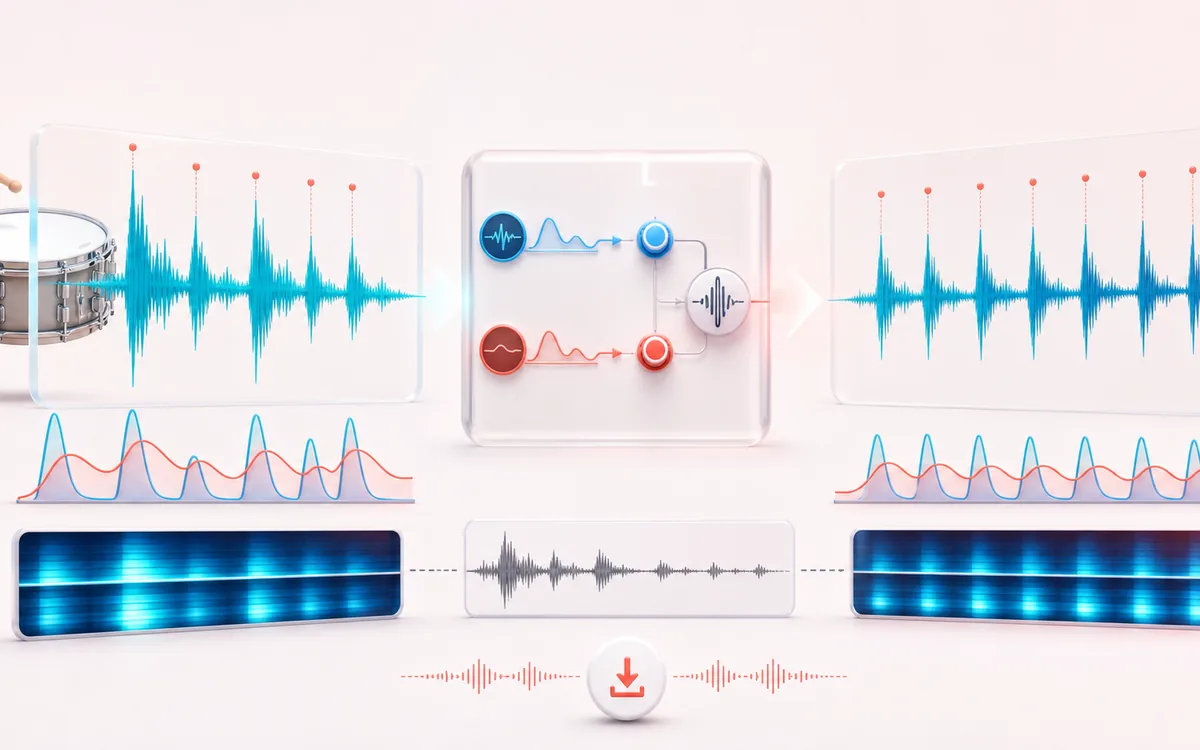
- Detector
- Fast and slow envelope followers derive continuous transient and body masks from decoded sample amplitude.
- Controls
- Attack and Sustain each run from −100 to +100, with sensitivity, window and optional stereo-linked detection.
- Output
- A processed preview, exact difference signal, measured detector-region RMS facts and local WAV or MP3 render.
How to use the transient shaper online
- Load a mono or stereo file, or open the locally generated drum demo.
- Choose Punch Drums, Soften Clicks or Bring Room, then refine Attack and Sustain.
- Raise Sensitivity when short fast/slow envelope contrasts should drive more attack shaping. Change Window to alter how quickly the fast detector follows events.
- Keep Stereo link enabled for shared gain movement across left and right. Disable it only when independent channel detection is intentional.
- Render, compare Original, Processed and Difference, inspect measured detector-region values, then export WAV or MP3.
How fast and slow envelopes shape attack and sustain
The detector follows absolute sample amplitude with two different time scales. When the fast envelope rises above the slower one, their normalized contrast forms a continuous attack mask. A complementary body mask becomes stronger where the slow envelope carries energy without a dominant attack. Attack and Sustain map those masks to bounded gain changes.
This is not threshold-and-ratio compression. There is no level threshold, compression ratio, knee, makeup gain or automatic loudness match. A quiet but sharp event can still create fast/slow contrast, while a steady loud tone may produce little attack mask after its onset.
What the transient and body readout measures
After rendering, the tool reports RMS before and after over detector-classified transient frames and body frames. It also reports the number of classified frames and the exact dB change. These are measurements of this detector and render—not claims about punch, clarity, room quality or perceived loudness.
Classification depends on Sensitivity and Window, so values from different settings do not necessarily describe identical time ranges. Use the readout to document the current render, then listen in context.
Stereo link and Difference audition
With Stereo link enabled, the detector reads the larger instantaneous channel magnitude and applies one gain value to both channels. That helps preserve stereo position when a transient is stronger on one side. With link disabled, each channel gets its own envelope state and gain movement, which can be useful on independent material but can also shift the image.
Difference is calculated sample by sample as Processed − Original at unity gain. It contains only what the current settings add or remove. It is not a separated drum, room, noise or residual source stem.
Limits before export
- No guaranteed musical result: detector settings that suit isolated drums may react differently to a full mix, dialogue or sustained instruments.
- No hidden limiter: positive attack or sustain can push sample peaks above 0 dBFS. The UI reports that condition so you can reduce the controls.
- Mono and stereo only: multichannel input is refused instead of silently dropping channels.
- Browser-decoded PCM: browsers may resample compressed input, and codec support varies.
- Bounded memory and duration: renders above device-aware limits are refused rather than risking an unstable tab.
- WAV and MP3 are new renders: WAV avoids a new lossy stage; MP3 is locally re-encoded and remains lossy.
Privacy: selected audio stays on this device for decoding, processing and export. Normal page assets and same-origin encoder code can still be requested as described in the privacy notice.
Transient Shaper: quick answer and technical limits
Quick answer: A threshold-free dynamics tool that separates fast attacks from slower body energy so you can add punch, soften clicks or reveal room sustain.
- Best for
- Drum loops, picked instruments, percussion and recordings whose attack-to-body balance needs reshaping without compressor ratio controls.
- How it works
- A fast and a slow envelope follower estimate transient versus sustain energy; attack and sustain gains are then smoothed and applied to the decoded signal.
- What you get
- Original, processed and difference monitoring plus a downloadable WAV or MP3 with the selected attack, sustain and detector settings.
Know before you use it: The detector reacts to level movement rather than understanding instruments. Strong settings can exaggerate noise, room tone or clipping, so audition the difference signal and output peaks.
Privacy: Selected audio is processed in this browser and is not uploaded to AudioWrench. Normal page assets can still be requested as described in the privacy notice. Privacy details →