Stereo Phase & Mono Compatibility Checker
Check how the left and right channels interact before a stereo mix reaches a mono speaker. Scan global and windowed correlation, negative sections, mid/side energy, channel balance and the measured mono fold-down—without uploading the audio.
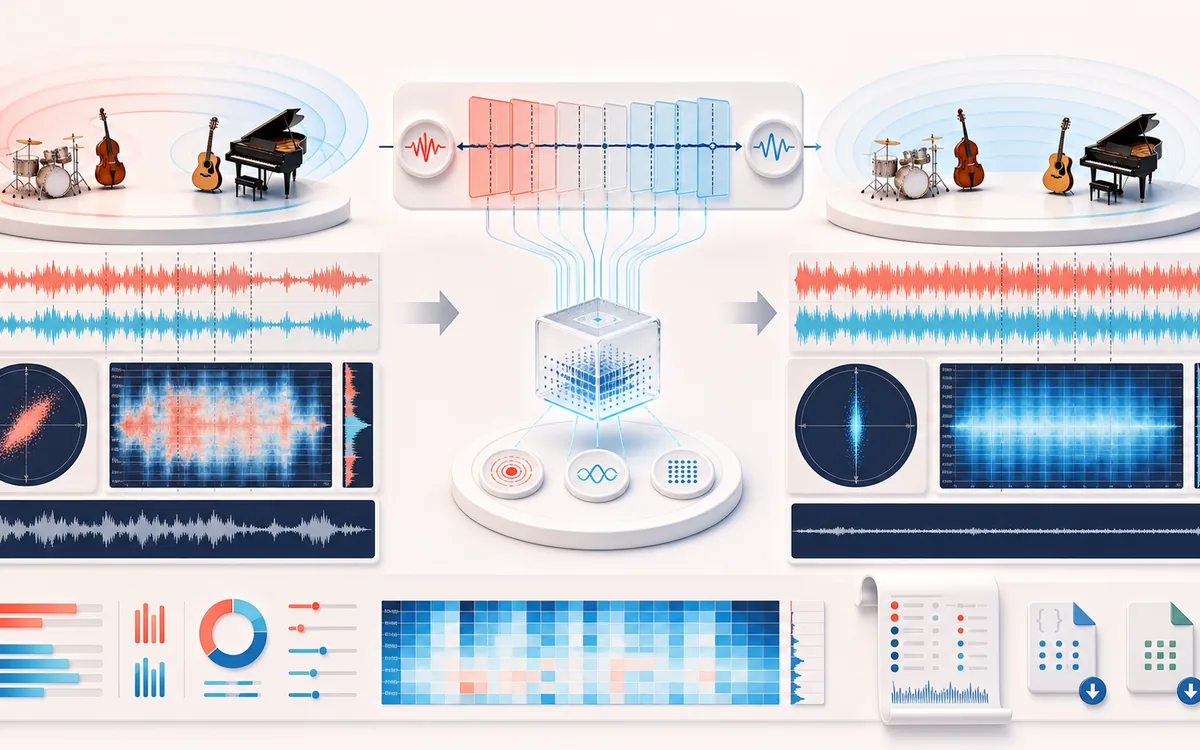
STEREO FIELD MAP
Mono Compatibility Scope
Read width and phase as one spatial decision. The useful view is not simply left versus right; it is the relationship between channels, the center image and what survives a mono fold-down.
Open the full signal breakdownBest source, processing logic, limits and three-pass listening check
- Stereo recording
Start with the right material
Finding anti-phase sections, checking wide effects and stereo recordings, and documenting how a mix may change when folded down to mono.
- Scan phase windows
Understand the transformation
The browser measures global and short-window left/right correlation, mid and side RMS, negative-correlation windows, channel statistics and a decoded PCM mono fold-down.
- Phase report
Verify the usable result
Stereo and mono previews plus a visible measurement receipt and downloadable JSON/CSV reports with values, units and method notes.
Where this workflow stops
Correlation is not a mix-quality score, LUFS or true-peak meter. Playback systems can use different mono paths, and browser decoding can resample the source before analysis.
Make the final decision by ear
- Confirm the center stays anchored for important lead material.
- Fold to mono before export and listen for disappearing detail.
- Prefer modest width changes when the source already carries phase complexity.
- Input
- One stereo audio file in a format your current browser can decode.
- Measurements
- Global and windowed correlation, negative windows, mid/side energy, left/right channel metrics and mono fold-down change.
- Output
- An on-screen compatibility report plus JSON and CSV downloads with measured values and analysis facts.
How to check stereo phase and mono compatibility online
- Select a stereo file that your browser can decode. The scan runs locally against the decoded PCM.
- Start the full-file analysis and let the checker measure both overall and short-window channel relationships.
- Review global correlation, negative-correlation windows, mid/side balance, channel metrics and the mono fold-down comparison together.
- Audition the original and mono result on appropriate playback systems, then save the report as JSON or CSV when you need a record.
Quick answer: this mono compatibility checker finds time ranges where left and right may cancel when combined. It gives you measurable places to investigate; it does not pass, fail or master the mix for you.
How to read a stereo correlation meter
Stereo correlation describes the statistical relationship between the decoded left and right samples. A value near +1 means both channels move very similarly. A value around 0 means their linear relationship is weak. A value below 0 means they often move in opposite directions, which can reduce some content when the channels are summed.
A single global number can hide short problems. This checker also divides the file into analysis windows and reports negative sections, so a wide effect in one transition is not averaged away by an otherwise centered track. Windowed correlation is still descriptive: rhythmic panning, decorrelated ambience and deliberate stereo synthesis can create low or negative readings without being mistakes.
Not a quality grade: use the meter to locate and compare channel behavior, then listen. A narrow mix is not automatically better, and a wide mix is not automatically unsafe.
Mid/side energy and mono fold-down answer different questions
- Mid energy
- Represents content shared between the channels and usually preserved when left and right are combined.
- Side energy
- Represents channel differences that create stereo width. A high side share calls for mono auditioning, but it is not proof of a defect.
- Fold-down change
- Compares the higher channel sample peak with the measured
(left + right) / 2mono result. A material peak change can expose cancellation or buildup that the global average alone misses. - Channel metrics
- Separate left/right peak and energy values can reveal an imbalance, silent channel or asymmetric source before you interpret the correlation result.
Read these measurements together. For example, a low global correlation with stable mono energy can be a deliberate wide texture, while clustered negative windows and a large fold-down loss are a stronger reason to inspect the mix at those times.
Common mono compatibility checks
- Mix bus review: check chorus, stereo widening, Haas-delay and polarity-processing sections before delivery.
- Samples and stems: find a polarity mismatch or unusual side-heavy layer before it is combined with the rest of a production.
- Podcast and video audio: test music beds, ambience and stereo interviews for playback on phones, smart speakers and single-channel systems.
- Master comparison: save JSON or CSV reports when comparing revisions, while keeping listening conditions and decoded format consistent.
Stereo Phase Checker versus other AudioWrench tools
- Stereo Phase Checker
- Measures relationships between left, right, mid, side and mono fold-down across a stereo file.
- Audio File Analyzer
- Reports general file and signal facts such as sample peak, RMS, crest factor, clipping, silence and DC offset; it is not a dedicated stereo-correlation scan.
- Spectrogram Analyzer
- Shows how frequency energy changes over time. It does not replace a channel-correlation or fold-down measurement.
- BalanceDAW
- Use the studio when you need multitrack routing, polarity changes, EQ, automation or edits after locating a compatibility problem.
Limits to understand before making a mix decision
- No guaranteed good mix: correlation and fold-down measurements cannot judge arrangement, timbre, intent, translation or listener preference.
- Not LUFS or true peak: these stereo relationship metrics do not measure integrated loudness or inter-sample peaks. Use a dedicated calibrated workflow for delivery compliance.
- Decoded PCM: browser decoding can resample the source, so the report reflects the PCM available to the tool rather than untouched container bytes.
- Mono systems differ: phones, clubs, broadcast chains and accessibility playback may sum, select or process channels differently. A mathematical fold-down is a controlled reference, not every real-world device.
- Codec and memory limits: format support and practical file duration depend on the browser and available device memory because the full file must be decoded and scanned.
Privacy: the selected file is processed in this browser and is not uploaded to AudioWrench. Normal page assets can still be requested as described in the privacy notice.
Stereo Phase & Mono Compatibility Checker: quick answer and technical limits
Quick answer: A local stereo correlation and mono-compatibility report that scans the complete decoded file instead of showing only a momentary meter.
- Best for
- Finding anti-phase sections, checking wide effects and stereo recordings, and documenting how a mix may change when folded down to mono.
- How it works
- The browser measures global and short-window left/right correlation, mid and side RMS, negative-correlation windows, channel statistics and a decoded PCM mono fold-down.
- What you get
- Stereo and mono previews plus a visible measurement receipt and downloadable JSON/CSV reports with values, units and method notes.
Know before you use it: Correlation is not a mix-quality score, LUFS or true-peak meter. Playback systems can use different mono paths, and browser decoding can resample the source before analysis.
Privacy: Selected audio is processed in this browser and is not uploaded to AudioWrench. Normal page assets can still be requested as described in the privacy notice. Privacy details →