Stereo to Mono Converter
Fold stereo to mono with a clearly stated arithmetic or equal-power formula, extract one side, swap L/R, or duplicate mono into dual-mono. Preview the full local render, inspect exact channel evidence and export WAV or MP3.
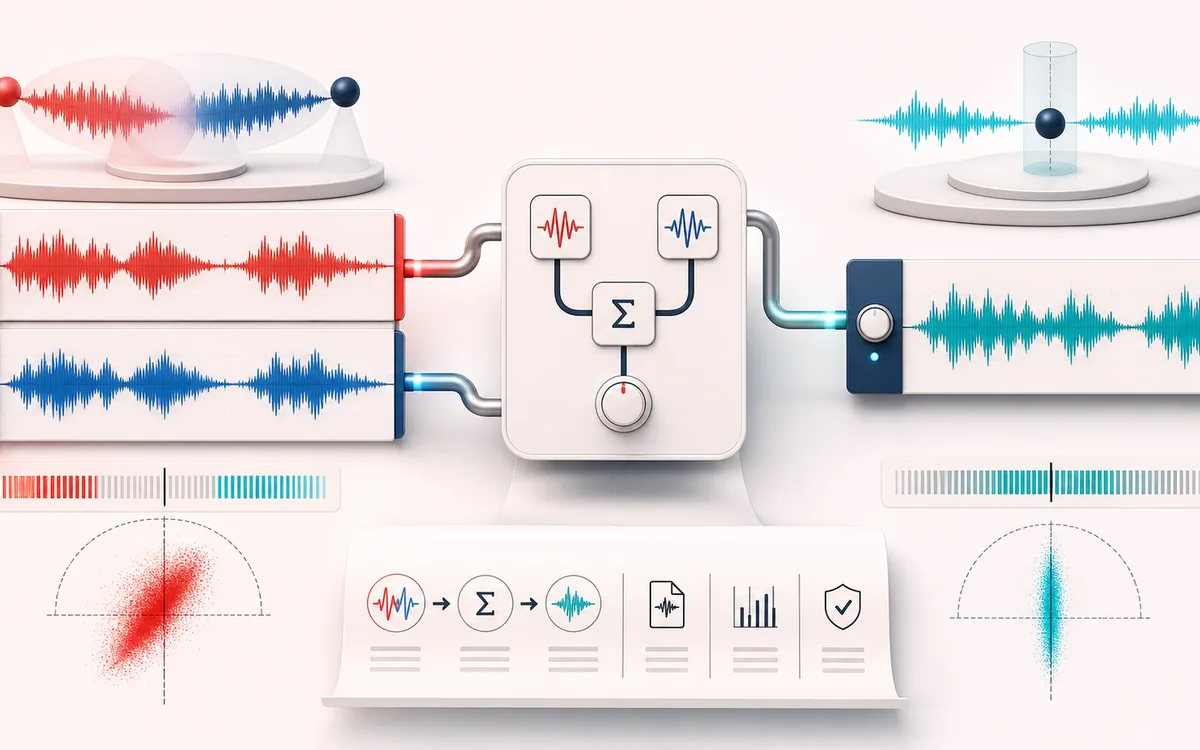
STEREO FIELD MAP
Channel Fold Matrix
Read width and phase as one spatial decision. The useful view is not simply left versus right; it is the relationship between channels, the center image and what survives a mono fold-down.
Open the full signal breakdownBest source, processing logic, limits and three-pass listening check
- Stereo or mono source
Start with the right material
Mono podcast delivery, repairing a one-sided recording, checking channel content and preparing a predictable stereo or mono file.
- Route channel math
Understand the transformation
The chosen mode applies explicit sample-by-sample channel math: arithmetic or equal-power stereo downmix, left/right extraction, channel swap, or mono duplication, followed by optional output gain.
- Selected channel mix
Verify the usable result
A previewable WAV/MP3 file plus a receipt for the actual mode, input and output channels, exact frames, sample rate, gain, peak and clipping.
Where this workflow stops
A downmix cannot recover content already missing or cancel phase problems safely for every source. Equal-power summing can raise correlated material, while arithmetic averaging is quieter; preview and check the measured peak.
Make the final decision by ear
- Confirm the center stays anchored for important lead material.
- Fold to mono before export and listen for disappearing detail.
- Prefer modest width changes when the source already carries phase complexity.
- Input
- One mono or stereo audio file in a format your current browser can decode.
- Channel operations
- Arithmetic or equal-power stereo fold-down, left/right extraction, L/R swap, or mono-to-stereo dual-mono.
- Output
- An original and processed preview, exact render receipt and locally generated WAV or MP3 file.
How to convert stereo to mono online
- Select a stereo audio file. The browser decodes it locally into left and right PCM channels.
- Choose arithmetic average for
(L + R) / 2or equal-power sum for(L + R) / √2. - Set output gain, or enable −1 dBFS peak normalization when you want a predictable sample-peak target.
- Render, compare the original and processed previews, read the exact receipt and download WAV or MP3.
Quick answer: this is a real channel-routing render, not a metadata switch. Every decoded frame is mapped to the requested output channel layout and the receipt records the exact formula, frame count, sample rate, channel count and measured sample peak.
Arithmetic mono versus equal-power mono
- Arithmetic average
(L + R) / 2gives each input channel a 0.5 coefficient. Identical in-phase left and right samples return to the same sample level, while opposing samples can cancel.- Equal-power sum
(L + R) / √2gives each side a coefficient near 0.707. It preserves expected power for uncorrelated channels, but identical correlated content becomes approximately 3.01 dB louder than either side.- Neither fixes phase
- If left and right contain opposite-polarity or delayed versions of the same sound, either fold-down can reveal cancellation. Use the Stereo Phase Checker to investigate the relationship first.
There is no formula that is automatically right for every delivery system. Arithmetic averaging is conservative and common for a controlled fold-down. Equal-power summing can suit sources whose channels behave more independently. Audition the result on the target system and check the peak rather than choosing from the label alone.
Extract left, extract right or swap L/R
Some recordings contain the wanted signal on only one side: a camera may place one microphone on the left and another on the right, or a field recording may contain a damaged channel. Extract left and extract right create a one-channel output from exactly that decoded side. They do not mix or repair the discarded channel.
Swap left and right keeps a two-channel output but exchanges the samples. It is useful when a stereo recording, cable path or delivery file has its orientation reversed. Swapping does not change width, phase, loudness or timing by itself.
Mono to stereo means dual-mono, not invented width
A mono source has one signal channel. Dual-mono copies that same sample stream to both output channels, producing L = M and R = M. This can help when a platform or editor expects a two-channel asset, but the channels remain perfectly identical. It cannot restore ambience, direction or stereo information that the source never contained.
Honest mode handling: operations that do not match the decoded input are disabled. Mono cannot pretend to offer L/R extraction or swap, and stereo cannot use the mono-only dual-mono mode. Multichannel input is refused instead of silently dropping extra channels.
Output gain, clipping and peak normalization
Output gain is applied after channel routing. Positive gain can push samples past 0 dBFS, and equal-power summing is especially likely to do so with correlated material. The receipt reports the maximum floating-point sample magnitude and how many samples and frames reach or exceed full scale.
Optional normalization first measures the routed, gain-adjusted result, then scales a non-silent peak to −1 dBFS. This is sample-peak normalization, not LUFS loudness matching and not a true-peak limiter. It cannot prevent every inter-sample peak after conversion or playback.
Common channel-conversion workflows
- Podcast and dialogue: fold a stereo interview or music bed to a mono distribution asset after checking cancellation.
- Camera and field audio: extract the useful microphone from one side of a two-channel recording.
- Reversed stereo orientation: swap L/R without changing the sample rate, duration or frame count.
- Two-channel delivery: duplicate a true mono source into dual-mono when a downstream system requires two channels.
Limits to understand before export
- Cancellation remains possible: mono summing cannot recover content that cancels because of polarity, timing or phase differences between channels.
- Decoded PCM: browsers can resample or decode formats differently. The output keeps the decoded frame count and runtime sample rate, not necessarily untouched container parameters.
- WAV versus MP3: WAV avoids a new lossy encode but is still a render from decoded audio. MP3 is a lossy local re-encode using a same-origin encoder.
- Memory limits: the full output exists as uncompressed PCM in browser memory. The tool estimates its allocation and refuses unsafe work above a 256 MiB mobile or 512 MiB desktop guard.
- Mono is not automatically accessible or broadcast-ready: channel count does not establish intelligibility, LUFS, true peak, captions or compliance with a delivery specification.
- Rights still apply: process and publish only recordings you created or are allowed to edit and redistribute.
Privacy: selected audio is processed in this browser and is not uploaded to AudioWrench. Normal page assets and same-origin encoder code can still be requested as described in the privacy notice.
Stereo to Mono Converter: quick answer and technical limits
Quick answer: A local channel-layout converter for downmixing stereo, extracting or swapping left and right, or duplicating a mono source into dual mono without changing duration.
- Best for
- Mono podcast delivery, repairing a one-sided recording, checking channel content and preparing a predictable stereo or mono file.
- How it works
- The chosen mode applies explicit sample-by-sample channel math: arithmetic or equal-power stereo downmix, left/right extraction, channel swap, or mono duplication, followed by optional output gain.
- What you get
- A previewable WAV/MP3 file plus a receipt for the actual mode, input and output channels, exact frames, sample rate, gain, peak and clipping.
Know before you use it: A downmix cannot recover content already missing or cancel phase problems safely for every source. Equal-power summing can raise correlated material, while arithmetic averaging is quieter; preview and check the measured peak.
Privacy: Selected audio is processed in this browser and is not uploaded to AudioWrench. Normal page assets can still be requested as described in the privacy notice. Privacy details →