Podcast Chapter Maker
Listen, scrub and mark topic changes on your podcast timeline. Edit chapter titles and times, then copy YouTube timestamps or export FFmetadata and CUE chapter files — without uploading, cutting or re-encoding the episode.
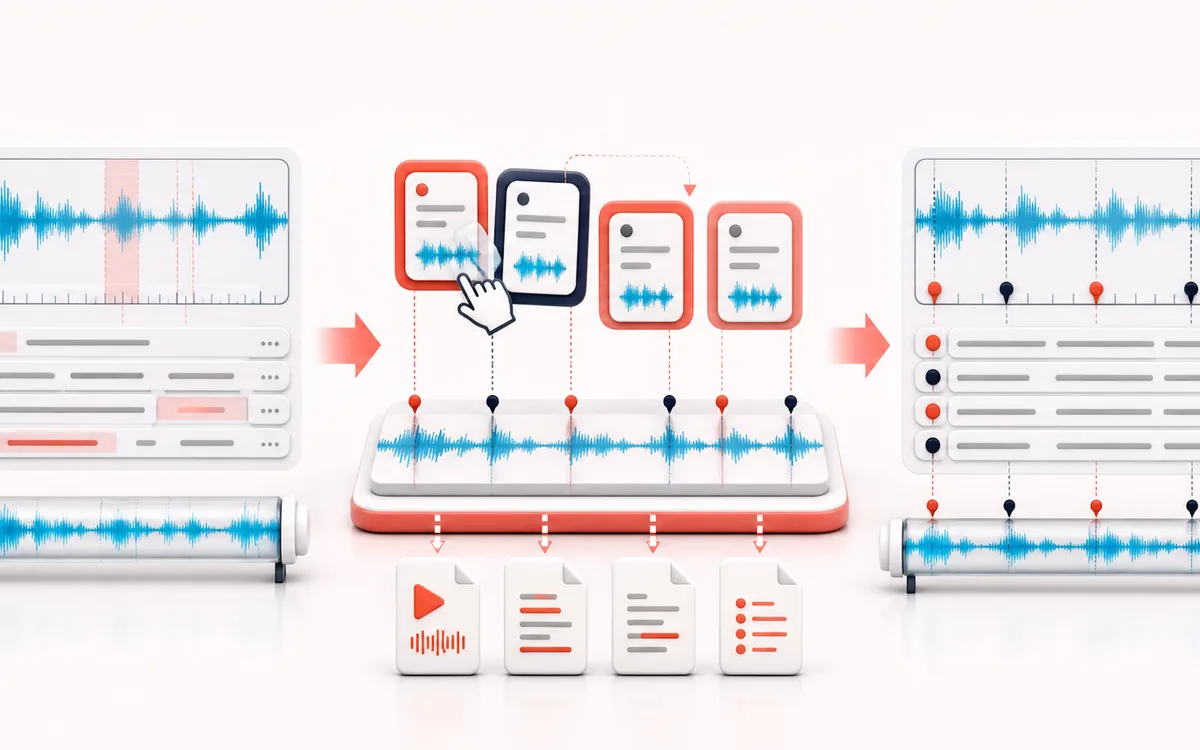
TIMELINE MAP
Chapter Marker Rail
Turn one long waveform into deliberate boundaries. The visual emphasizes the selection, transition and resulting edit so that timing decisions remain obvious before anything is rendered.
Open the full signal breakdownBest source, processing logic, limits and three-pass listening check
- Podcast episode
Start with the right material
Podcasts, interviews, DJ mixes, lectures and long recordings that need named navigation points without splitting or re-encoding the audio.
- Place named chapters
Understand the transformation
The browser decodes the source for local timing and preview, then stores ordered marker times and titles; it does not cut or alter the uploaded audio.
- Chapter metadata
Verify the usable result
Copy-ready YouTube timestamps plus downloadable TXT, FFmetadata and CUE chapter documents tied to the current source duration.
Where this workflow stops
Chapter support varies by player and publishing platform. Markers must be reviewed against the final delivered audio because any later edit changes their timing.
Make the final decision by ear
- Zoom into every boundary and listen across it, not only inside it.
- Leave intentional handles when another editor will continue the work.
- Verify exact duration and ordering after the final render.
- Input
- One podcast or long-form audio file that the current browser can decode, or a generated local demo.
- Editing
- Playback, waveform scrubbing, exact times, chapter titles, deletion and keyboard-friendly reorder controls.
- Output
- YouTube timestamps TXT and clipboard text, FFmetadata and CUE — no audio output.
How to create podcast chapter timestamps
- Choose a podcast audio file or open the generated demo; the browser decodes it locally.
- Scrub or play to a topic change, enter a chapter title and add a marker at that time.
- Correct marker times and titles, remove unwanted chapters or move chapter titles between timeline positions.
- Copy YouTube timestamps or download TXT, FFmetadata or CUE chapter text.
Podcast chapters are navigation, not audio splitting
A chapter marker stores a time and a title. It lets listeners jump to a section when a podcast app, video description or media workflow supports that metadata. The marker does not contain audio and does not create a separate clip.
Podcast Chapter Maker decodes the selected file only to display duration, playback and a waveform overview. Moving, adding or deleting a chapter changes the text model in this page. The source recording remains untouched, and all exports are small text files.
YouTube timestamps, FFmetadata and CUE
- YouTube TXT
- Plain lines such as
0:00 Introduction. YouTube expects at least three ascending chapters, the first at 0:00 and chapter spans of at least 10 seconds. - FFmetadata
- Uses
TIMEBASE=1/1000with millisecond START and END values. It is designed for FFmpeg-compatible metadata workflows. - CUE
- Uses TRACK and INDEX records with 1/75-second frame resolution. It is useful where chapter or track navigation accepts cue sheets.
Tips for useful podcast chapter titles
- Describe the topic clearly: “Budget microphones” is more useful than “Part two”.
- Keep titles concise enough to scan on a phone, but do not remove the words that explain the section.
- Place a marker when the subject actually changes, then listen a few seconds before and after it.
- Use the reorder buttons when the titles are right but assigned to the wrong timeline positions.
Limits and privacy
- Chapters are manual. This tool does not transcribe speech or infer topics automatically.
- Browser decoding can resample audio for playback. Marker times refer to the decoded duration shown in the tool.
- Files above the displayed size, duration or decoded-memory limit are refused to protect the browser tab.
- Compatibility depends on the player or publishing system that receives the exported text.
Privacy: the selected audio stays on this device. Normal page assets are loaded from AudioWrench, but the recording is not sent to a server.
Podcast Chapter Maker: quick answer and technical limits
Quick answer: A chapter-marker editor for one unchanged episode, with timestamp validation and exports for video descriptions, media metadata and cue sheets.
- Best for
- Podcasts, interviews, DJ mixes, lectures and long recordings that need named navigation points without splitting or re-encoding the audio.
- How it works
- The browser decodes the source for local timing and preview, then stores ordered marker times and titles; it does not cut or alter the uploaded audio.
- What you get
- Copy-ready YouTube timestamps plus downloadable TXT, FFmetadata and CUE chapter documents tied to the current source duration.
Know before you use it: Chapter support varies by player and publishing platform. Markers must be reviewed against the final delivered audio because any later edit changes their timing.
Privacy: Selected audio is processed in this browser and is not uploaded to AudioWrench. Normal page assets can still be requested as described in the privacy notice. Privacy details →