Online Procedural SFX Generator
Forge a finished impact, laser, riser, whoosh, interface click or explosion from synthesis. Shape its pitch motion, tone, noise, envelope and space, then export the exact deterministic render.
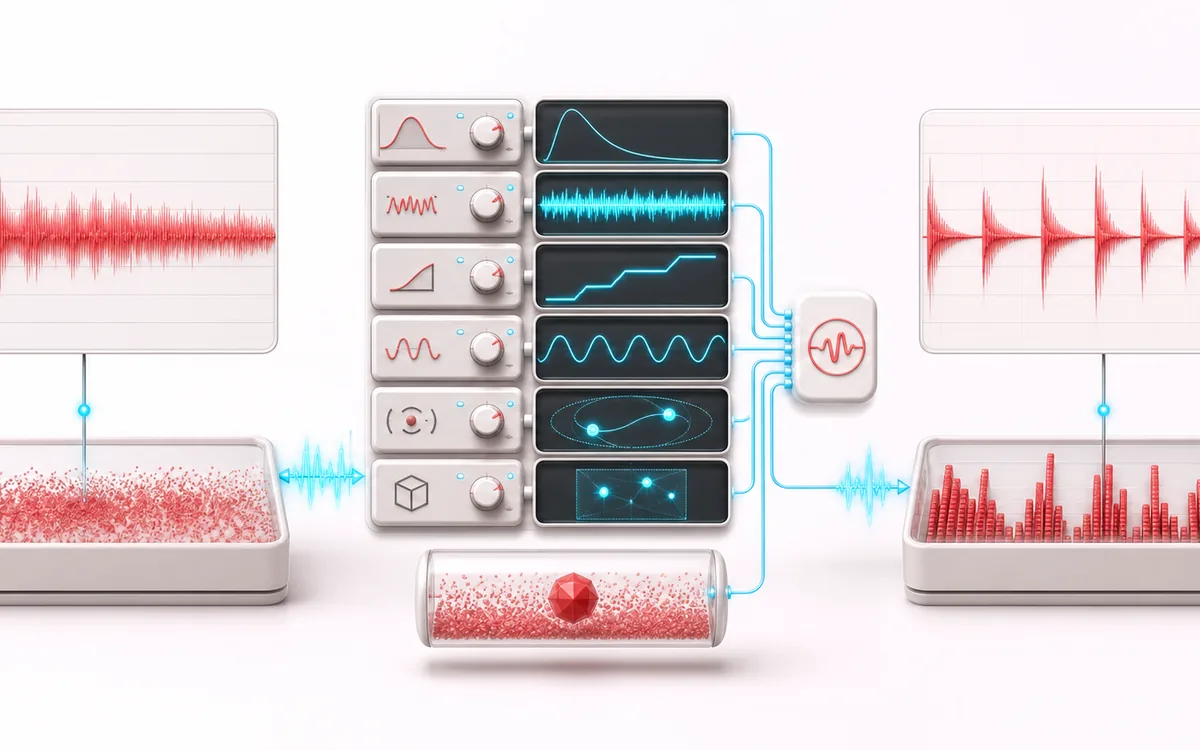
PROCEDURAL EFFECT PLAN
Procedural Sound Chain
Shape one finite effect from a visible recipe. The workspace combines a repeatable pitch sweep, seeded noise and a duration envelope. Its purple line is the calculated envelope; rendered left/right waveforms and digital PCM checks appear after synthesis. There is no note detector, confidence score or spectrum analyzer here.
Open the full signal breakdownBest source, processing logic, limits and three-pass listening check
- SFX recipe
Start with the right material
Creating editable original game, video, podcast and interface sound effects quickly without uploading samples or searching a stock library.
- Synthesize seeded layers
Understand the transformation
Preset-specific tone sweeps, shaped noise, envelopes, distortion and stereo movement are resolved from visible settings and a repeatable seed, then synthesized directly to a finite local buffer.
- Generated effect
Verify the usable result
Immediate local audition, waveform feedback and an exact-duration WAV or MP3 effect that can be regenerated from the same preset, settings and seed.
Where this workflow stops
Procedural synthesis does not recreate a named commercial asset or a real recorded event. Extreme gain, distortion or very short envelopes can sound harsh, so monitor at a safe level.
Make the final decision by ear
- Start with low device volume and inspect the requested duration, sweep and envelope before Play effect.
- Stop or Escape cancels an audition even while audio is preparing; Cancel render discards an unfinished synthesis job.
- Render the current recipe before export. WAV has exact stereo frames; MP3 is lossy and may include codec padding.
- Sources
- Pitch-swept tonal oscillators plus seeded filtered noise; no uploaded samples or hidden sound library.
- Motion
- Editable duration, start/end pitch, attack, release, brightness, distortion and stereo variation.
- Output
- Deterministic stereo at 48 kHz and exactly the rounded requested duration; local WAV or MP3.
How to create a procedural sound effect
- Choose Impact, Laser, Riser, Whoosh, UI Click or Explosion as a starting synthesis recipe.
- Edit duration, start and end pitch, tonal amount, seeded noise amount and brightness.
- Shape attack, release, soft distortion, stereo spread and seed, or create a repeatable variation with Randomize.
- Render and play the current effect locally, inspect its envelope, stereo waveform and digital PCM checks, then download WAV or MP3. Stop or Escape cancels even a preparing audition.
Read the recipe, audition state and actual output
Envelope and waveform answer different questions. The purple curve is calculated from duration, attack and release, so it can be shown before rendering. The rendered left and right waveforms show the actual deterministic PCM. Component RMS and peak are digital signal measurements, not acoustic loudness, a spectrum or a clipping guarantee for your downstream playback chain.
Preparing is not playing. Play effect can first synthesize the recipe and wait for browser audio. Stop works during that wait and playback; it retires the audition without erasing your recipe. Cancel render discards partial synthesis. Escape also cancels unfinished rendering and a pending download. If playback fails, press Play effect to retry; returning to the page never starts it automatically.
Export the current effect. A preset, Randomize or control change updates the local render and retires unfinished old audio downloads. WAV contains the current 48 kHz stereo effect with exact frames for the selected 50–5,000 ms duration. MP3 encodes that same render locally but may add codec padding. Digital peak scaling does not set a safe headphone volume: start with low device volume.
A complete short effect, not a raw source
The tonal branch integrates a logarithmic pitch sweep across the requested duration. A deterministic noise stream passes through a brightness-controlled filter, then both branches enter a bounded attack/release envelope. Soft distortion and stereo variation provide character before conservative peak scaling.
Randomize is deterministic rather than mysterious: preset identity and seed are hashed into bounded control values. Repeating the same preset and seed produces the same settings and every generated PCM sample.
Different from Waveform Generator, Noise Generator and Beat Maker
Waveform Generator creates a steady basic oscillator. Noise Generator creates continuous noise colours. Beat Maker arranges rhythmic hits. Procedural SFX Generator combines evolving pitch, tone, noise and envelope motion into one finished short event rather than exposing only a raw source or grid.
Limits and export contract
- The six categories are flexible synthesis recipes, not recordings of physical impacts, weapons, vehicles or licensed game assets.
- Extreme noise and distortion can become harsh; the renderer prevents sample clipping but cannot choose the right artistic loudness.
- Stereo width creates deterministic decorrelation in the synthesized branches; it does not recover spatial information from a source recording.
- WAV contains the exact generated frames. MP3 begins from the same render but its codec can introduce normal delay or padding.
- Rendering is refused before allocation when requested dimensions exceed the local memory budget.
Privacy: no source upload is needed. Settings, synthesis and encoding stay in this browser. Normal page assets can still be requested when the page loads.
Procedural SFX Generator: quick answer and technical limits
Quick answer: A seeded procedural synthesizer for short impacts, lasers, risers, whooshes, interface clicks and explosions rather than a continuous test-tone or noise source.
- Best for
- Creating editable original game, video, podcast and interface sound effects quickly without uploading samples or searching a stock library.
- How it works
- Preset-specific tone sweeps, shaped noise, envelopes, distortion and stereo movement are resolved from visible settings and a repeatable seed, then synthesized directly to a finite local buffer.
- What you get
- Immediate local audition, waveform feedback and an exact-duration WAV or MP3 effect that can be regenerated from the same preset, settings and seed.
Know before you use it: Procedural synthesis does not recreate a named commercial asset or a real recorded event. Extreme gain, distortion or very short envelopes can sound harsh, so monitor at a safe level.
Privacy: Selected audio is processed in this browser and is not uploaded to AudioWrench. Normal page assets can still be requested as described in the privacy notice. Privacy details →