Melody Generator & MIDI Maker.
Generate a reproducible monophonic melody, edit every step, hear a simple synth reference and export real MIDI, exact-frame WAV, MP3 or JSON — without an upload.
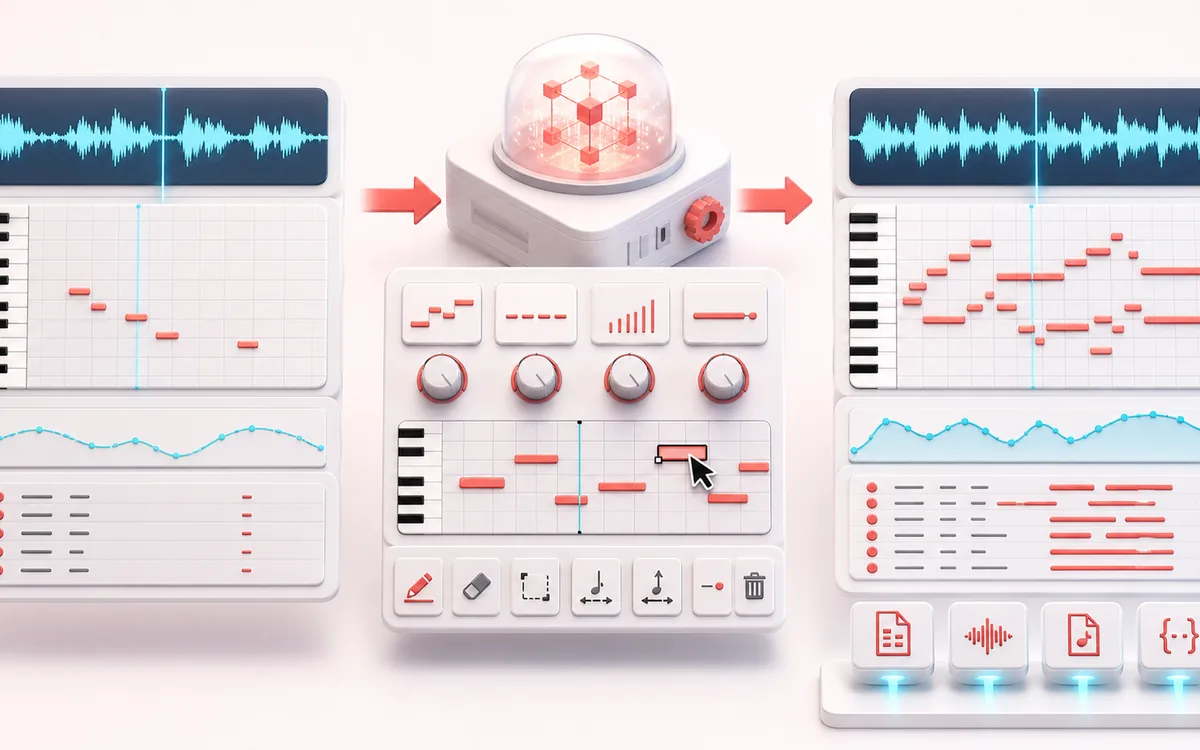
MUSICAL GRID MAP
Seeded Melody Roll
Turn a repeatable seed into an editable melodic sketch. The piano roll and step table show the actual generated pitches, rests, velocities and durations. These are seeded rules, not detected notes, confidence scores or a finished instrumental production.
Open the full signal breakdownBest source, processing logic, limits and three-pass listening check
- Scale and contour
Start with the right material
Sketching a lead line, creating a practice phrase, exploring a scale or moving a small melodic idea into a DAW without recording audio first.
- Generate editable notes
Understand the transformation
Seeded musical rules choose scale degrees and durations inside the visible range and meter, then the editor applies explicit pitch, rest, velocity and duration changes before playback or export.
- Melody MIDI
Verify the usable result
A piano-roll and note-list sequence with local synth preview plus Standard MIDI File format 0, exact-duration WAV/MP3 and JSON exports.
Where this workflow stops
This is a rule-based composition aid, not AI songwriting. It creates one monophonic draft, does not guarantee originality or musical quality, and leaves arrangement, sound choice and authorship decisions to the musician.
Make the final decision by ear
- Review scale membership, rests and note durations, then edit the visible steps.
- Stop or Escape cancels the audition even during preparation. Returning to the page never starts it automatically.
- MIDI carries musical events, WAV carries the current reference-synth PCM, and MP3 can add codec padding. Editing retires a pending old audio export.
How to generate and export a melody
- Set the musical grid. Choose a key, scale, tempo, time signature, bar count, rhythm division and pitch range.
- Shape the generator. Set note density, contour, repetition, rest chance and a seed, then select Generate melody.
- Edit and preview. Change pitch, rest state, velocity or duration in the step list. Use Play for the simple local synth reference; Stop or Escape cancels even a preparing audition.
- Export the sequence. Download a Standard MIDI File format 0, exact-frame WAV, locally encoded MP3 or JSON receipt from the visible sequence.
From the visible notes to a controlled audition and file
Preparing is not playing. Play renders the current melodic sketch when needed and asks the browser to enable audio. Stop is available during that preparation as well as playback. A cancelled start cannot play later, and returning to the page never restarts the audition automatically.
Use the right cancellation. Stop ends the audition without changing your notes; a useful render may still finish. Cancel render discards partial PCM. Escape cancels the audition, any unfinished render and a pending audio download. If playback fails, the editable melody stays available; press Play to retry after allowing browser audio.
Edits belong to the next file. Changing settings, Generate, Mutate and step edits retire a pending old WAV/MP3 download. MIDI stores notes, timing and velocity for your own instrument. WAV stores the current simple stereo synth at 48 kHz with exact musical frame duration; locally encoded MP3 uses the same PCM but may include codec padding. JSON preserves the seed, mutation and event receipt rather than an instrumental sound.
A melody sketcher, not an AI songwriter
This generator applies conventional musical rules to a seeded random stream. Scale membership limits the available pitches, contour supplies a broad direction, and the rhythm, density, repetition and rest controls decide how the step grid is populated. A seed makes the result reproducible; it does not prove originality.
The synthesized preview is intentionally plain. It lets you check notes and rhythm before assigning an instrument in a DAW. All generation, edits and exports run locally in the browser. MP3 uses a same-origin local encoder and can contain normal codec padding; WAV has the exact calculated frame count.
Melody Generator vs chord and audio analysis tools
- Melody Generator
- Creates one note at a time from selected scale, grid and seed rules. Use it to sketch a lead, hook or practice line.
- Chord Progression Generator
- Creates simultaneous notes as named chords and harmonic progressions. It is for harmony, not monophonic lead lines.
- Audio to MIDI
- Analyzes an existing input recording to estimate notes. This melody generator does not listen to a file or infer a performance.
Export timing and safety limits
MIDI is written as Standard MIDI File format 0 on a 480 PPQ grid. Tempo, 4/4 or 3/4 time signature, note velocity and edited durations come from the visible sequence. WAV rendering uses exactly 48,000 sample frames per second for the full bar duration, including trailing rests. JSON preserves the settings, mutation number and every visible step for an auditable receipt.
Bounds: 1–16 bars, quarter/eighth/sixteenth grids, at most 256 visible steps, at most 256 note events and a maximum exact render of 4,608,000 stereo frames. Cancelling a render discards partial audio. Changing a generation setting marks the current result stale until it is regenerated.
Melody Generator & MIDI Maker: quick answer and technical limits
Quick answer: A deterministic monophonic melody generator that turns key, scale, contour, range, rhythm, repetition, rest and seed controls into editable notes.
- Best for
- Sketching a lead line, creating a practice phrase, exploring a scale or moving a small melodic idea into a DAW without recording audio first.
- How it works
- Seeded musical rules choose scale degrees and durations inside the visible range and meter, then the editor applies explicit pitch, rest, velocity and duration changes before playback or export.
- What you get
- A piano-roll and note-list sequence with local synth preview plus Standard MIDI File format 0, exact-duration WAV/MP3 and JSON exports.
Know before you use it: This is a rule-based composition aid, not AI songwriting. It creates one monophonic draft, does not guarantee originality or musical quality, and leaves arrangement, sound choice and authorship decisions to the musician.
Privacy: Selected audio is processed in this browser and is not uploaded to AudioWrench. Normal page assets can still be requested as described in the privacy notice. Privacy details →