Bassline Generator & MIDI Maker.
Build a low-register, chord-aware bass pattern, edit every step, hear a neutral synth reference and export real MIDI, exact-frame WAV, MP3 or JSON — all locally.
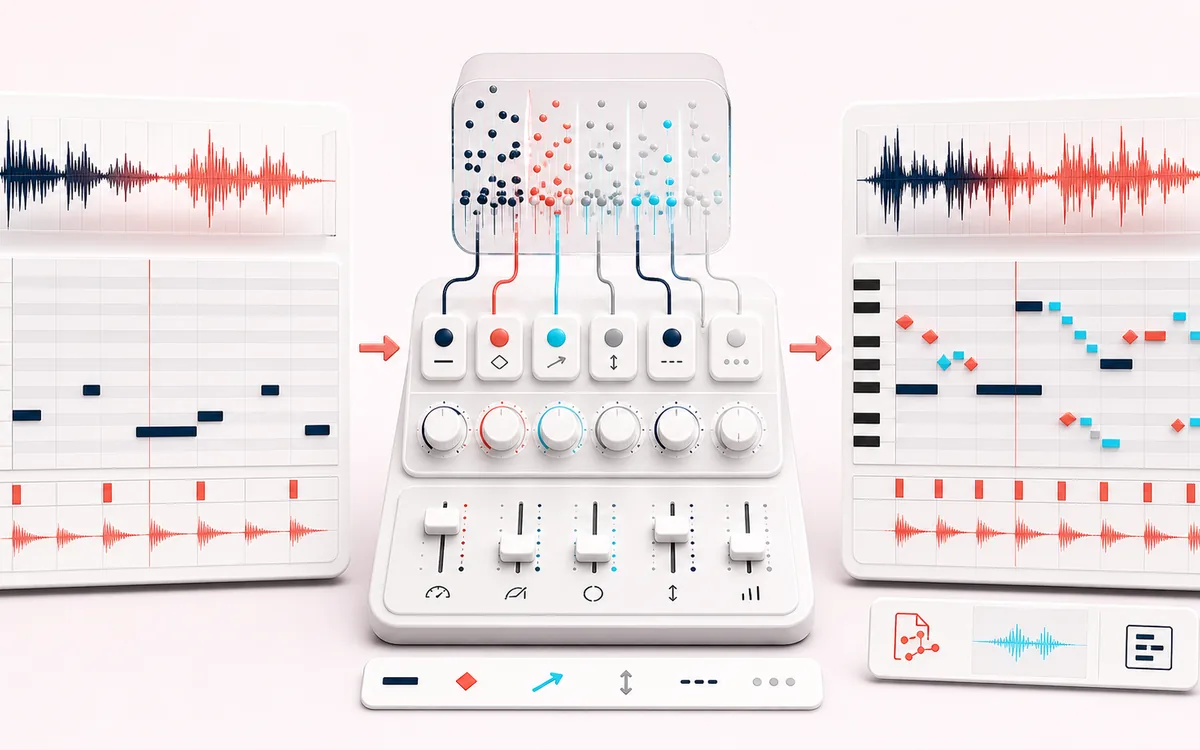
MUSICAL GRID MAP
Bass Groove Roll
Connect detected or generated events to a musical grid. Pitch, rhythm and harmony become useful only when event timing, confidence and editable musical labels stay visible together.
Open the full signal breakdownBest source, processing logic, limits and three-pass listening check
- Roots and style
Start with the right material
Drafting root pulses, octave grooves, walking movement, syncopated patterns or acid-like note shapes before choosing a final bass instrument in a DAW.
- Build low-note pattern
Understand the transformation
Seeded style rules select root, chord-tone, passing, octave, rest and ghost-note events while BPM, swing, gate, octave and velocity controls define their exact timing and articulation.
- Bassline MIDI
Verify the usable result
An editable step and piano-roll view with local synth preview plus Standard MIDI File format 0, WAV/MP3 audio and JSON exports.
Where this workflow stops
The generated oscillator tone is a reference, not a finished bass sound. The tool follows visible roots and bounded style rules; it does not listen to a song, infer harmony or claim AI authorship.
Make the final decision by ear
- Confirm tempo, downbeat and key before trusting labels.
- Review low-confidence events by ear and correct them manually.
- Import the result into its target instrument or DAW before committing.
How to make a bassline and MIDI file
- Set the harmony. Choose a key and scale, then enter four to eight Roman numerals such as I–V–vi–IV.
- Shape the groove. Set tempo, bars, style, density, octave, range, swing, gate, velocity, accents, ghost notes, rests and a seed, then regenerate or mutate.
- Edit and preview. Select any sequencer step to turn it into a note or rest and change its MIDI pitch or velocity, then use Play and Stop to hear the neutral reference synth.
- Export the pattern. Download Standard MIDI File format 0, exact-frame PCM WAV, locally encoded MP3 or JSON containing the settings and every note event.
What the controls change
Root Pulse favors steady roots. Octave Drive alternates registers. Walking moves through chord tones, Syncopated shifts weight away from the downbeat, and Acid-like uses tighter sixteenth-note motion and accents without claiming to recreate a specific instrument. Density removes eligible hits, swing delays alternating sixteenths, and gate controls each note's sounding length without changing the exact grid duration.
The JSON file is a receipt for the same bounded event model used by the piano roll and MIDI. WAV is rendered to the exact number of sample frames implied by bars, BPM and a 4/4 grid. MP3 is encoded locally but can include normal encoder padding.
Bassline Generator & MIDI Maker: quick answer and technical limits
Quick answer: A deterministic bassline generator that converts editable chord roots and groove settings into a low-register monophonic pattern.
- Best for
- Drafting root pulses, octave grooves, walking movement, syncopated patterns or acid-like note shapes before choosing a final bass instrument in a DAW.
- How it works
- Seeded style rules select root, chord-tone, passing, octave, rest and ghost-note events while BPM, swing, gate, octave and velocity controls define their exact timing and articulation.
- What you get
- An editable step and piano-roll view with local synth preview plus Standard MIDI File format 0, WAV/MP3 audio and JSON exports.
Know before you use it: The generated oscillator tone is a reference, not a finished bass sound. The tool follows visible roots and bounded style rules; it does not listen to a song, infer harmony or claim AI authorship.
Privacy: Selected audio is processed in this browser and is not uploaded to AudioWrench. Normal page assets can still be requested as described in the privacy notice. Privacy details →