Online Audio Phaser
Create moving phase-cancellation notches with a real cascade of modulated all-pass filters. Tune the sweep, stages, feedback, mix and stereo motion, compare three signals, then export without uploading your audio.
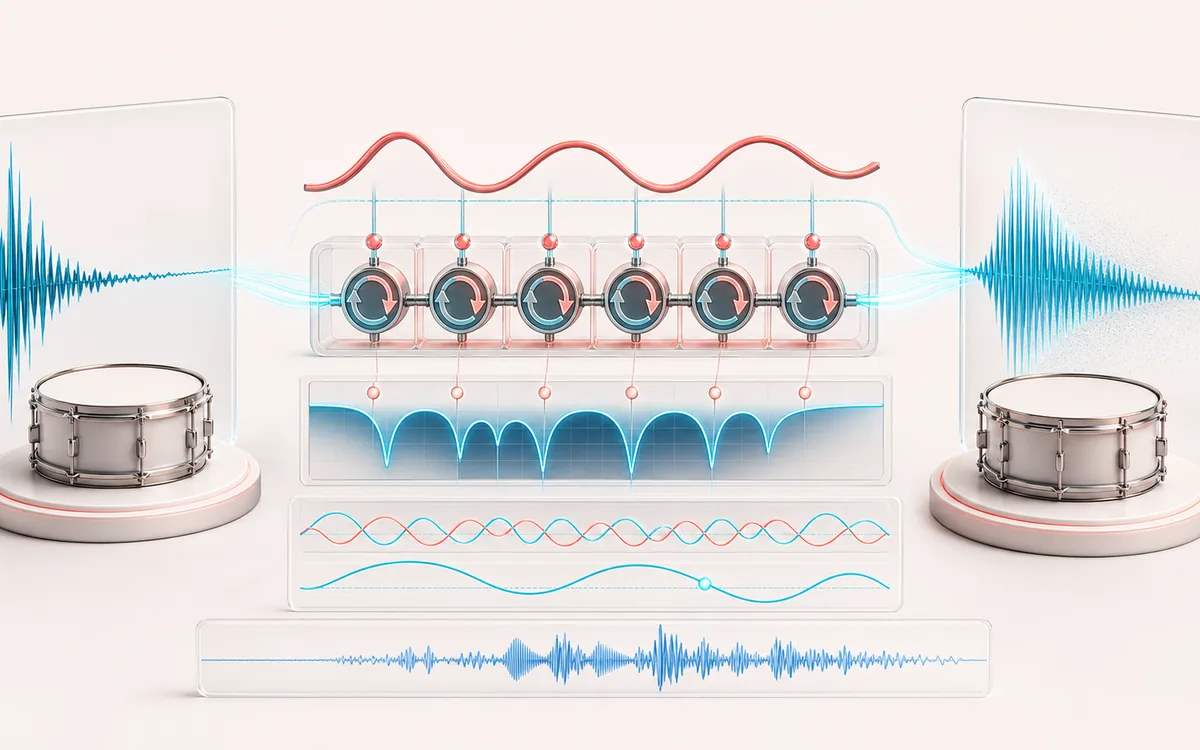
TIME + SPACE MAP
Phaser Notch Motion
Trace the dry event into motion, repeats or ambience. The visual separates the direct sound from what arrives later, making timing, density, feedback and stereo movement easier to reason about.
Open the full signal breakdownBest source, processing logic, limits and three-pass listening check
- Unmodulated audio
Start with the right material
Slow pad movement, sweeping guitar or keys, animated transitions and resonant psychedelic textures.
- Sweep all-pass stages
Understand the transformation
A bounded LFO changes the all-pass corner coefficients across the selected range; stage count controls notch complexity and feedback increases resonance.
- Phased render
Verify the usable result
Original, Processed and Difference monitoring plus WAV or MP3 export with the chosen stages, sweep, stereo phase and mix.
Where this workflow stops
A phaser changes phase response rather than pitch or timing. Strong feedback and many stages can emphasize peaks, and the effect can partly collapse in mono.
Make the final decision by ear
- Judge timing against the rhythm rather than in solo.
- Check whether the tail masks the next word, note or transient.
- Audition mono and headphones when the effect uses stereo motion.
- Input
- One browser-decodable mono or stereo file, or a deterministic generated demo.
- Engine
- 2–12 first-order all-pass stages per channel with a sine LFO and bounded feedback.
- Output
- Same sample rate, channel count, frame count and duration, exported as WAV or MP3.
How to add a phaser effect to audio online
- Choose an audio file or generate the deterministic local demo.
- Choose a preset, then adjust rate, depth, center frequency, sweep range, stages, feedback, mix and stereo phase.
- Render locally, then compare Original, Processed and Difference on the shared playback timeline.
- Download the same-duration processed result as WAV or MP3.
A phaser, not a flanger or moving EQ
Each stage is an all-pass filter: its magnitude response stays flat on its own, but its phase response changes around the selected frequency. Mixing the cascaded signal with the dry path turns that phase shift into notches. The LFO moves the all-pass coefficients, so those notches sweep over time.
No short audio delay line is used, so this is not a chorus or flanger. It also does not automate gain bands like an equalizer. Feedback routes a bounded portion of the previous all-pass output back into the cascade to emphasize the moving resonances.
What the controls change
- Rate sets the LFO speed. Slow rates drift; faster rates produce an obvious pulse.
- Depth scales how much of the chosen octave range the sweep uses.
- Center frequency places the middle of the sweep, while sweep range sets its width in octaves.
- Stages changes the order and complexity of the phase response. More stages generally create more notches.
- Feedback sharpens the resonant character. It is limited to 85% to keep the recursive path bounded.
- Mix blends dry and all-pass paths. At 0%, Processed is sample-identical to Original.
- Stereo phase offsets the right LFO. It creates motion between channels but never invents extra channels.
Limits and export facts
- Files longer than 15 minutes, files over 80 MB and renders above the local memory budget are refused before processing.
- Difference equals Processed minus Original. It reveals the changed component; it is not a separated instrument or stem.
- Strong feedback and a high mix can be intentionally resonant. Reduce either control if peaks become too forceful.
- WAV is a new 16-bit PCM file. MP3 is a new lossy encode and does not preserve source metadata.
Privacy: the selected audio is decoded, processed and encoded in this browser. It is not sent to AudioWrench. Normal page assets can still be requested when the page loads.
Online Audio Phaser: quick answer and technical limits
Quick answer: A local phaser that sweeps a stable cascade of all-pass filters to move phase-cancellation notches without using a delayed copy.
- Best for
- Slow pad movement, sweeping guitar or keys, animated transitions and resonant psychedelic textures.
- How it works
- A bounded LFO changes the all-pass corner coefficients across the selected range; stage count controls notch complexity and feedback increases resonance.
- What you get
- Original, Processed and Difference monitoring plus WAV or MP3 export with the chosen stages, sweep, stereo phase and mix.
Know before you use it: A phaser changes phase response rather than pitch or timing. Strong feedback and many stages can emphasize peaks, and the effect can partly collapse in mono.
Privacy: Selected audio is processed in this browser and is not uploaded to AudioWrench. Normal page assets can still be requested as described in the privacy notice. Privacy details →