Online Audio Chorus
Turn one performance into a wider, moving stereo texture. Shape the chorus rate, modulation depth, delay, voice spread and wet mix, compare the original with the processed result, then export without uploading your audio.
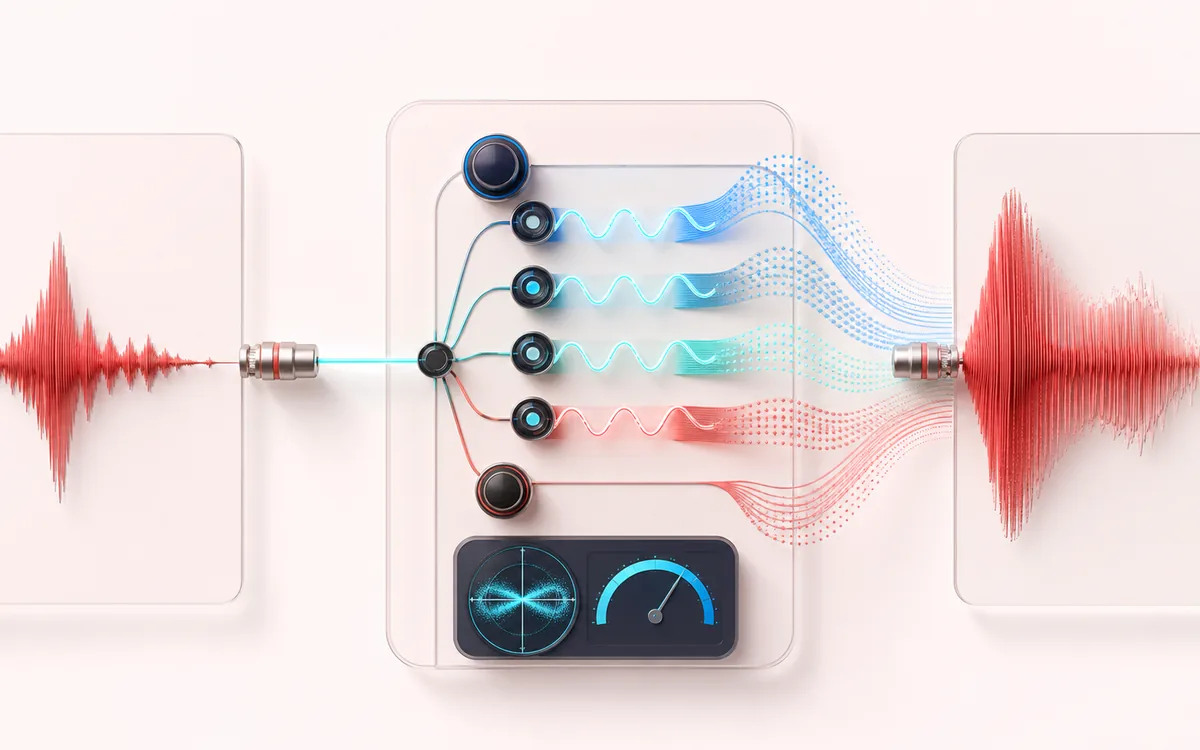
TIME + SPACE MAP
Chorus Voice Spread
Trace the dry event into motion, repeats or ambience. The visual separates the direct sound from what arrives later, making timing, density, feedback and stereo movement easier to reason about.
Open the full signal breakdownBest source, processing logic, limits and three-pass listening check
- Single source voice
Start with the right material
Widening a vocal double, softening a clean guitar or adding motion to pads and sustained instruments.
- Modulate copies
Understand the transformation
Short modulated delay voices move at the selected rate and depth, with stereo phase spread and a controllable wet/dry blend.
- Layered chorus output
Verify the usable result
An A/B-ready chorus render exported as WAV or MP3 with the selected preset or custom controls.
Where this workflow stops
Chorus intentionally changes phase and pitch over time. Heavy depth or wet mix can blur transients, weaken mono compatibility or sound seasick.
Make the final decision by ear
- Judge timing against the rhythm rather than in solo.
- Check whether the tail masks the next word, note or transient.
- Audition mono and headphones when the effect uses stereo motion.
- Input
- One mono or stereo audio file that your browser can decode, or a generated local demo.
- Sound controls
- LFO rate, modulation depth, base delay, stereo voice spread and dry/wet mix.
- Output
- A same-duration stereo chorus render with A/B listening and local WAV or MP3 export.
How to add chorus to audio online
- Choose a mono or stereo audio file, or start with the generated demo.
- Pick Subtle Vocal, Wide Guitar or Lush Pad, then fine-tune rate, depth, delay, voice spread and wet mix.
- Process the complete file locally, then switch between A Original and B Chorus while listening.
- Download the processed stereo result as WAV or MP3.
What an audio chorus effect actually changes
A chorus effect creates short delayed copies of the input and moves their delay time with a low-frequency oscillator. A changing delay produces a small, continuous pitch variation. Mixing several differently phased copies with the dry signal adds movement and separation without changing the file duration.
This tool renders two modulated delay voices for the left channel and two for the right. Voice spread offsets their modulation phase across the stereo field. A mono source therefore becomes stereo; a stereo source keeps its own left and right material while gaining different modulation on each side.
Chorus settings for vocals, guitar and synths
- Vocal chorus
- Use a slower rate, shallow depth and modest wet mix when the lead should stay focused. More delay can separate the doubled layer, but too much wet signal may blur consonants.
- Guitar chorus
- Moderate rate and depth with a wide voice spread can create the familiar spacious clean-guitar sound. Check mono playback if the guitar must remain centered.
- Synth and pad chorus
- Slow, deep movement and a higher wet mix can animate sustained notes. Very deep modulation is deliberately audible and may sound seasick on rhythmic material.
How each chorus control sounds
- Rate controls how quickly delay time moves. Low values drift; higher values create a faster shimmer or wobble.
- Depth sets the size of the delay movement. More depth creates stronger pitch variation and broader spectral sidebands.
- Base delay separates the added voices from the dry signal. Short settings feel fused; longer settings approach a loose double.
- Voice spread offsets modulation phase between voices and channels. Wider settings produce more left/right difference.
- Wet mix balances the delayed voices against the dry signal with an equal-power crossfade.
Limits to know before exporting
- Chorus intentionally changes phase and can sound different when summed to mono. Always check the result in its intended mix.
- The effect does not detect pitch, tempo or a vocal automatically. Presets are practical starting points, not corrective rules.
- Files longer than 15 minutes and work above the local memory limit are refused to protect the browser tab.
- WAV is a new 16-bit PCM render. MP3 is a new lossy encode and does not preserve the source container or metadata.
Privacy: selected audio stays in this browser. Normal page assets are loaded from AudioWrench, but the audio file itself is not sent to a server.
Audio Chorus: quick answer and technical limits
Quick answer: A focused stereo chorus that turns one source into several gently detuned, time-modulated voices for movement and depth.
- Best for
- Widening a vocal double, softening a clean guitar or adding motion to pads and sustained instruments.
- How it works
- Short modulated delay voices move at the selected rate and depth, with stereo phase spread and a controllable wet/dry blend.
- What you get
- An A/B-ready chorus render exported as WAV or MP3 with the selected preset or custom controls.
Know before you use it: Chorus intentionally changes phase and pitch over time. Heavy depth or wet mix can blur transients, weaken mono compatibility or sound seasick.
Privacy: Selected audio is processed in this browser and is not uploaded to AudioWrench. Normal page assets can still be requested as described in the privacy notice. Privacy details →