8D Audio.
Make any song circle slowly around your head. Set the orbit speed and intensity, render, and listen with both ears.
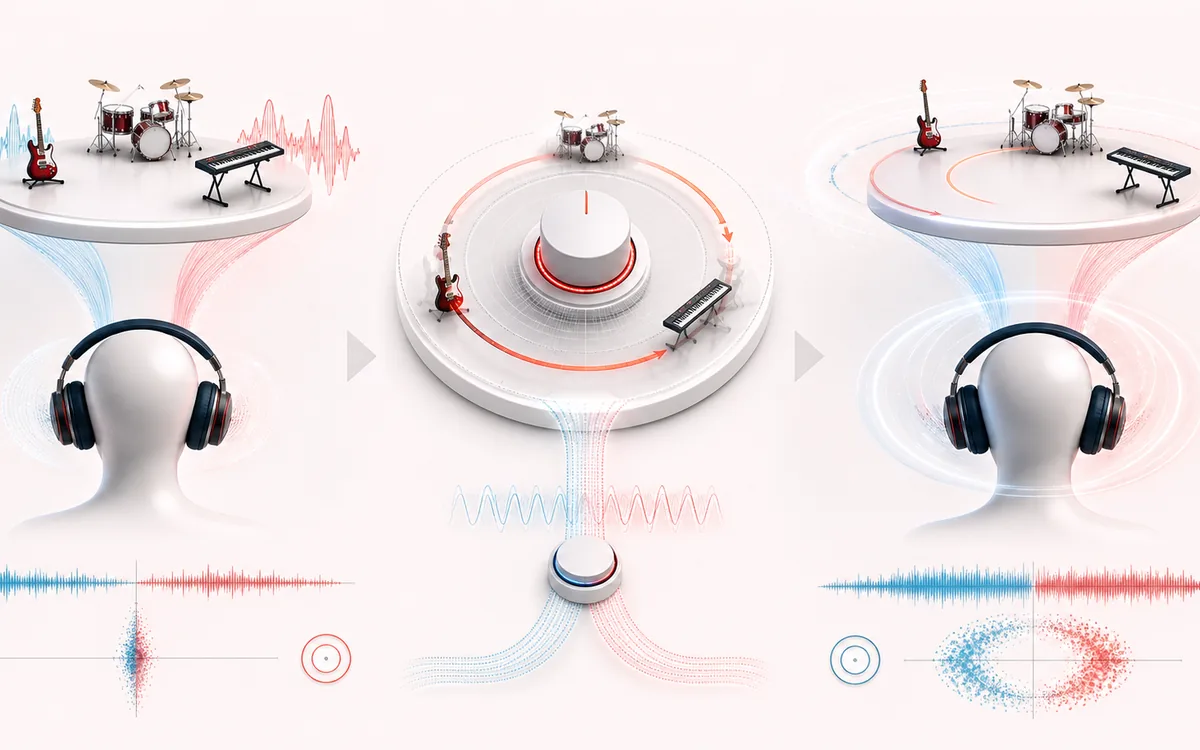
STEREO FIELD MAP
Headphone Orbit View
Read width and phase as one spatial decision. The useful view is not simply left versus right; it is the relationship between channels, the center image and what survives a mono fold-down.
Open the full signal breakdownBest source, processing logic, limits and three-pass listening check
- Static stereo track
Start with the right material
Circular panning edits, headphone demos and moving-background audio effects.
- Rotate sound field
Understand the transformation
A Web Audio panner and gain automation create the orbit, with a fixed light hall mix for space.
- Orbiting headphone mix
Verify the usable result
A stereo render whose apparent position rotates at the selected speed and direction.
Where this workflow stops
This is automated stereo panning, not individualized HRTF or multichannel surround. The effect is clearest on headphones and varies by source mix.
Make the final decision by ear
- Confirm the center stays anchored for important lead material.
- Fold to mono before export and listen for disappearing detail.
- Prefer modest width changes when the source already carries phase complexity.
How to convert a song to 8D audio
- Put your headphones on — the effect does not survive speakers.
- Drop a song into the upload box; it decodes locally in the browser.
- Pick an orbit preset (Slow orbit, Classic 8D or Fast spin) or adjust rotation speed and intensity with the sliders.
- Press Apply effect, preview with both ears, then download the MP3 or WAV.
This 8D audio converter recreates the immersive orbiting effect behind millions of "use headphones" uploads: the music sweeps from ear to ear, dips slightly in volume as it passes behind you, and sits in a subtle hall ambience that sells the illusion of space. The render runs on your device through the Web Audio API, and the selected file is not uploaded to AudioWrench. There is nothing to install.
It works on any genre, though tracks with clear vocals or lead melodies orbit most convincingly. Creators use it for immersive music uploads, ASMR-style edits and study mixes; slower orbits feel relaxing, faster spins feel energetic. Try the Slow orbit preset first if 8D normally gives you motion fatigue.
8D Audio: quick answer and technical limits
Quick answer: A headphone-focused spatial effect that moves a track around the stereo field and blends in a short hall ambience.
- Best for
- Circular panning edits, headphone demos and moving-background audio effects.
- How it works
- A Web Audio panner and gain automation create the orbit, with a fixed light hall mix for space.
- What you get
- A stereo render whose apparent position rotates at the selected speed and direction.
Know before you use it: This is automated stereo panning, not individualized HRTF or multichannel surround. The effect is clearest on headphones and varies by source mix.
Privacy: Selected audio is processed in this browser and is not uploaded to AudioWrench. Normal page assets can still be requested as described in the privacy notice. Privacy details →