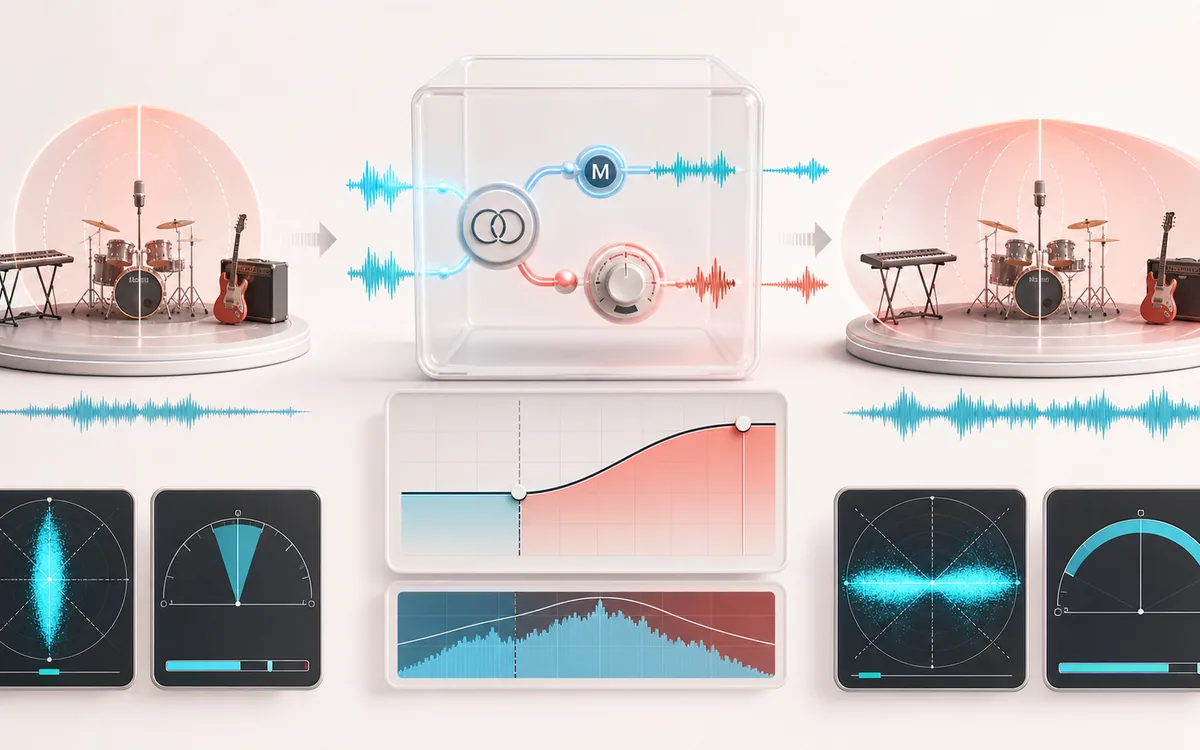
- Processing
- Focused mid/side width control. The shared center remains at unity; only the stereo difference is scaled.
- Compatibility check
- Original/Wide/Mono listening plus measured channel correlation and side-energy share before and after.
- Output
- A new stereo WAV or MP3 rendered from browser-decoded PCM on this device.
How to widen audio online
- Load a stereo file or use the demo. Mono and multichannel inputs are refused because they do not provide one left/right pair to widen.
- Start with Subtle, Mono-safe or Wide, then set width from 0% to 200%. Side trim provides fine adjustment after the main width control.
- Enable Mono bass when you want the low-frequency side signal progressively reduced below the chosen crossover.
- Render, switch between Original, Wide and Mono, and read the before/after correlation and side-share facts together.
- Export WAV for an uncompressed render or MP3 for a lossy 320 kbps copy.
What the stereo width control actually changes
The processor derives Mid = (L + R) / 2 and Side = (L − R) / 2. Width scales the Side channel from 0 to 2 while Mid stays at 1. At 0%, the result is mono. At 100%, the original mid/side balance is retained. Above 100%, existing left/right differences become louder; the tool does not invent spatial information or separate sources.
Side trim is a fine gain control after the width setting. Because widening can raise sample peaks, the render reports a visible peak warning when floating-point samples reach 0 dBFS. There is no hidden limiter or normalization.
Mono-bass crossover and mono compatibility
The Mono bass option runs the Side channel through a two-stage high-pass filter. Low-frequency stereo difference is reduced while high-frequency Side content remains available to the width control. This is real signal processing, but it is not source separation: the processor cannot tell a bass instrument from a kick, room noise or any other content at the same frequencies.
Correlation and side-share are descriptive measurements. Correlation near +1 means the channels move similarly; lower or negative correlation can accompany wide or anti-phase material. Side-share reports the percentage of measured mid-plus-side energy held in Side. Neither number is a quality score, so always listen to the mono reference.
Stereo Widener vs Phase Checker vs Mastering Studio
- This Stereo Widener
- A focused processor: scale existing Side information, optionally filter low Side frequencies, compare, then export.
- Stereo Phase Checker
- An analysis tool for locating correlation and fold-down behavior. It measures; it does not widen or render an effect.
- Mastering Studio
- A broader mastering chain with several processing stages. Use it when width is only one part of a full mastering workflow.
Limits before you export
- Stereo input only: duplicating mono would still be dual mono, not newly created width.
- No automatic safety promise: a Mono-safe preset is a conservative starting point, not a guarantee for every playback system.
- Browser-decoded PCM: the browser can resample compressed sources, and format support varies.
- Bounded local memory: the tool refuses renders above its device-aware PCM allocation and duration limits instead of risking an unstable tab.
- WAV and MP3 are new renders: WAV avoids another lossy codec stage; MP3 is re-encoded locally and is lossy.
Privacy: selected audio stays on this device for decoding, processing and export. Normal page assets and same-origin encoder code can still be requested as described in the privacy notice.
Stereo Widener: quick answer and technical limits
Quick answer: A focused mid/side stereo-width editor with optional low-frequency centering and instant stereo-versus-mono comparison.
- Best for
- Making a stereo mix subtly wider, narrowing an over-wide file or checking how width choices survive mono playback.
- How it works
- Mid/side math scales channel differences while an optional crossover keeps low-frequency side content closer to the center.
- What you get
- An original, widened and mono A/B preview plus a WAV or MP3 export of the selected width.
Know before you use it: It cannot create independent stereo information from true mono. Extreme width can reduce mono compatibility, so compare the mono preview before export.
Privacy: Selected audio is processed in this browser and is not uploaded to AudioWrench. Normal page assets can still be requested as described in the privacy notice. Privacy details →