How to make a ringtone from a song, free and in your browser.
Grab the exact hook you love, add clean fades and export locally. The selected song is not uploaded to AudioWrench.
Why bother making your own?
Default ringtones are forgettable, and most apps that promise to make a ringtone from a song bury the feature behind ads, sign-ups, or a watermark that beeps over your favourite chorus. You do not need any of that. With the right two-handle trimmer you can pull a 20- or 30-second snippet out of a track, smooth the edges so it does not start mid-word or cut off harshly, and walk away with a file that is ready to use as a call or text tone. The whole job takes about a minute once you know the steps.
Learning how to make a ringtone from a song also gives you control that store-bought tones never will: you choose the precise moment — the beat drop, the riff, the line that always gets stuck in your head — instead of whatever the first eight seconds of the track happen to be.
How to make a ringtone from a song, step by step
- Open the Ringtone Maker and drop your song onto the page — drag a file in, or tap the dropzone to browse. MP3, WAV, M4A, FLAC and most common formats all work, and the file decodes instantly on your device.
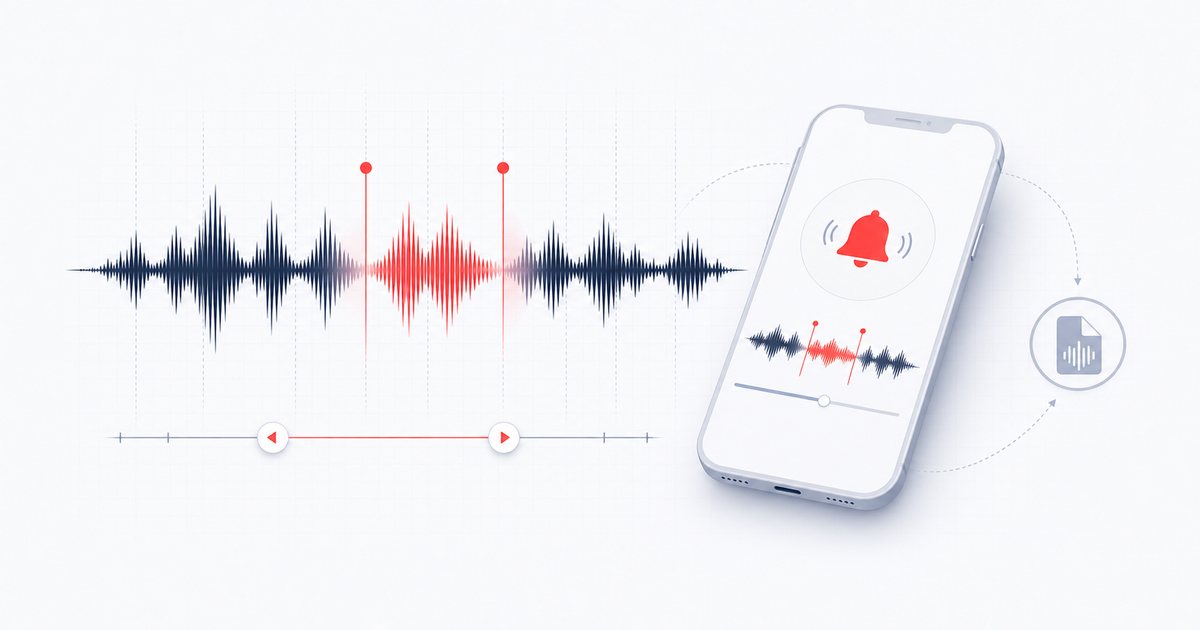
- Find your hook on the waveform. Once the track loads you will see its waveform with a highlighted region marked by two red handles. Drag the left handle to set the start and the right handle to set the end. The live readout shows your start time, end time and clip length as you move, so you can land on exactly the right moment.
- Snap to a tidy length (optional). Tap a quick-length chip — 15s, 20s or 30s — to lock the region to that duration starting from your current start point. Ringtones are capped at 40 seconds, which is more than enough for any phone.
- Add fades. Use the Fade in and Fade out sliders so the clip eases in instead of slamming on, and tails off cleanly instead of clipping. A short fade in (around 0.1s) and a slightly longer fade out (around 0.5s) feels natural for most songs.
- Preview before you commit. Hit "▶ Preview selection" to hear the selected region with fades applied. Nudge the handles and repeat until the timing sounds right.
- Download your ringtone. Export it as MP3 or WAV. The file saves straight to your device, named after the original track, ready to copy onto your phone.
That is the entire flow: drop the file, drag the handles, fade, preview, download. No timeline scrubbing through menus, no rendering queue, no account.
Why do it in your browser?
The selected song is decoded and trimmed on your device through the Web Audio API and is not uploaded to AudioWrench. Ordinary page assets still load as described in the privacy notice, and temporary audio state is released when the page closes. There is no sign-up, install or cost. Browser codec support, memory and available download behavior can differ between desktop and mobile devices.
🔔 Try the Ringtone Maker (free) →
Tips for a ringtone that actually sounds good
- Start on a strong beat. A ringtone has only a second or two to grab your attention, so begin on a downbeat or the first word of a line rather than in the middle of a phrase.
- Keep it 20–30 seconds. Long enough to recognise across the room, short enough that it loops cleanly if a call rings out. The quick-length chips make this one tap.
- Always fade the tail. A fade out is the difference between a polished tone and one that ends with an ugly click. Half a second is usually plenty.
- Preview at phone volume. What sounds punchy in headphones can be muddy on a tiny speaker, so pick a section with clear, bright energy rather than a quiet, bassy passage.
Getting it onto your phone
On Android, copy the exported MP3 into your Ringtones folder, then choose it under Settings → Sound → Phone ringtone. AudioWrench currently exports MP3 or WAV, not AAC or Apple's .m4r ringtone format. For an iPhone, move the clip into a compatible Apple workflow, convert it to AAC/.m4r as required, and sync it as a tone. The Ringtone Maker shows the same tip below the editor.
FAQ
How long can a ringtone be?
Can I make a ringtone from a song for free without an app?
Is my song uploaded to a server?
How do I set the ringtone on my iPhone?
Sources and review notes
AudioWrench renders an MP3 or WAV excerpt; operating-system steps and accepted ringtone formats can vary by phone and version.
- W3C Web Audio API buffers — Decoded audio-buffer model used for sample-range editing.
- W3C MediaStream Recording — Browser media container and codec behavior.