Sped Up Audio.
Push a track up to 150% speed with overlap-add processing that aims to preserve pitch. Preview for transient or texture artifacts before export.
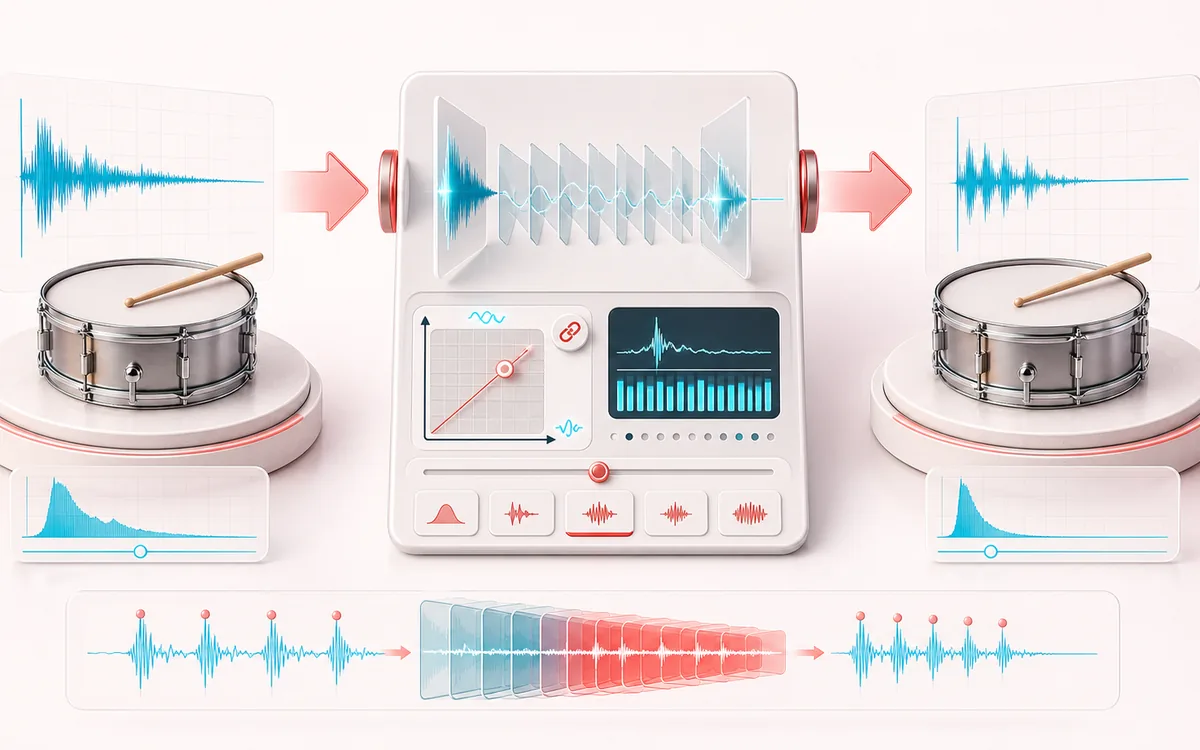
TIME + SPACE MAP
Tempo Lift View
Trace the dry event into motion, repeats or ambience. The visual separates the direct sound from what arrives later, making timing, density, feedback and stereo movement easier to reason about.
Open the full signal breakdownBest source, processing logic, limits and three-pass listening check
- Normal-speed audio
Start with the right material
Practice versions, faster social edits and testing a song between 100 and 150 percent speed.
- Accelerate cleanly
Understand the transformation
Overlap-add time scaling changes duration without simple playback-rate pitch lift.
- Sped-up version
Verify the usable result
A faster render with pitch kept closer to the original than ordinary resampling.
Where this workflow stops
Large speed changes can create phasing or transient smearing, especially on dense mixes. It does not preserve formants independently.
Make the final decision by ear
- Judge timing against the rhythm rather than in solo.
- Check whether the tail masks the next word, note or transient.
- Audition mono and headphones when the effect uses stereo motion.
How to make sped up audio
- Drop a song into the upload box — it decodes locally in your browser.
- Pick a speed chip — 110%, 120% (the TikTok favorite), 135% or 150% — or set an exact value on the slider.
- Press Apply effect; the pitch-preserving stretch takes a few seconds on long files.
- Preview the result, then download it as a 320 kbps MP3 or WAV.
This sped-up audio maker uses overlap-add time stretching to aim for the original pitch while changing speed. Extreme settings or complex transients can produce artifacts, so compare the preview with the source. Processing stays local; inputs are capped at 200 MB and device memory sets the practical duration.
Typical uses: sped-up song versions for TikTok and Reels, quicker listening for long voice memos and podcast segments, or testing how a track feels at a higher tempo before a DJ set. Pair it with the Audio Trimmer to cut the exact section your edit needs.
Sped Up Audio: quick answer and technical limits
Quick answer: A tempo-focused speed-up tool that shortens a track while attempting to keep the original musical pitch.
- Best for
- Practice versions, faster social edits and testing a song between 100 and 150 percent speed.
- How it works
- Overlap-add time scaling changes duration without simple playback-rate pitch lift.
- What you get
- A faster render with pitch kept closer to the original than ordinary resampling.
Know before you use it: Large speed changes can create phasing or transient smearing, especially on dense mixes. It does not preserve formants independently.
Privacy: Selected audio is processed in this browser and is not uploaded to AudioWrench. Normal page assets can still be requested as described in the privacy notice. Privacy details →