Multiband Stem Splitter Online
Route one recording into complementary Low, Mid and High frequency stems. Set both crossovers, inspect the spectrum, audition the routing and export three files that reconstruct the decoded source.
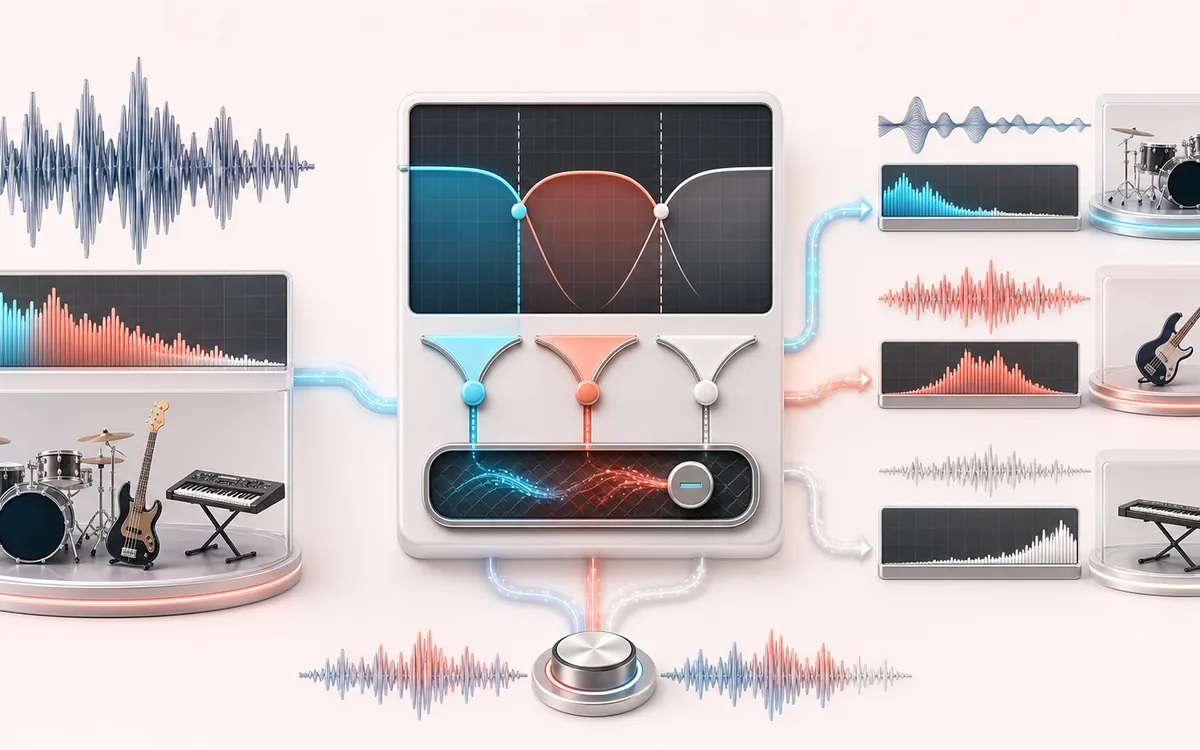
SPECTRAL MAP
Three-Way Crossover View
See where tone changes across the frequency range. Read the curve from low to high frequency, then connect every visible move to something you can actually hear in the source.
Open the full signal breakdownBest source, processing logic, limits and three-pass listening check
- Full-band audio
Start with the right material
Sound design layers, crossover inspection, sub-bass control, PA preparation and exporting frequency-focused material for processing in a DAW.
- Split complementary bands
Understand the transformation
Adjustable crossover filters derive low and mid bands while residual subtraction keeps the high path complementary, so the three finite PCM stems sum back to the decoded source within floating-point tolerance.
- Low mid high stems
Verify the usable result
Solo and reconstructed audition, per-band energy feedback and exact-length Low, Mid and High WAV files with an optional local package.
Where this workflow stops
Frequency overlap means a voice or instrument can appear in several bands. This is not AI source separation, linear-phase mastering or a replacement for listening to crossover phase and headroom in context.
Make the final decision by ear
- Sweep or solo only to locate a problem; make the final decision in context.
- Watch broad tonal balance as well as narrow resonances.
- Recheck level after any boost so the comparison stays honest.
- Exact routing
- High is the floating-point residual after Low and Mid, so all three unity stems sum back sample by sample.
- Offline crossover
- Forward-reverse filters create 12, 24 or 48 dB/oct zero-phase bands without crossover delay between exports.
- DAW-ready package
- Three exact-length 32-bit float WAV files, individually or in a stored ZIP with a machine-readable manifest.
How to split audio into frequency stems
- Load an audio file from this device or generate the local 100 Hz, 1 kHz and 8 kHz demo.
- Choose the Low/Mid and Mid/High crossover frequencies and the offline zero-phase slope.
- Split, inspect the waveform and log spectrum, then use gain, solo and mute for monitor decisions.
- Compare Original and Unity Reconstruction before downloading the three float WAV stems or ZIP.
Frequency stems, not source separation
This is intentionally different from an AI Stem Splitter. It does not label vocals, drums, bass or instruments. Instead, it creates deterministic frequency bands for sound design, multiband PA preparation, forensic listening, crossover experiments and analysis.
An Equalizer changes the balance of one output. A Multiband Compressor changes dynamics inside bands and recombines them. Multiband Stem Splitter gives you the individual complementary band files without dynamics processing.
Important crossover and export limits
- Zero-phase processing is non-causal: it uses the whole decoded recording and is designed for offline files, not live PA latency.
- Frequency stems cannot isolate overlapping sources. A kick click can appear in High and a vocal fundamental can appear in Low.
- The unity stems preserve decoded browser samples within floating-point precision. Codec decoding or sample-rate behavior can differ by browser.
- Monitor gain, solo and mute are deliberately excluded from exports so the unity reconstruction contract stays intact.
- Long or high-channel-count files are refused when the conservative PCM and ZIP memory estimate exceeds this viewport's limit.
Privacy: selected audio is decoded, filtered, auditioned and packaged on this device. It is not uploaded to AudioWrench.
Multiband Stem Splitter: quick answer and technical limits
Quick answer: A frequency-layer export desk that turns one recording into complementary low, mid and high audio stems rather than guessing vocals, drums or instruments.
- Best for
- Sound design layers, crossover inspection, sub-bass control, PA preparation and exporting frequency-focused material for processing in a DAW.
- How it works
- Adjustable crossover filters derive low and mid bands while residual subtraction keeps the high path complementary, so the three finite PCM stems sum back to the decoded source within floating-point tolerance.
- What you get
- Solo and reconstructed audition, per-band energy feedback and exact-length Low, Mid and High WAV files with an optional local package.
Know before you use it: Frequency overlap means a voice or instrument can appear in several bands. This is not AI source separation, linear-phase mastering or a replacement for listening to crossover phase and headroom in context.
Privacy: Selected audio is processed in this browser and is not uploaded to AudioWrench. Normal page assets can still be requested as described in the privacy notice. Privacy details →