Mouth Click Remover & Voice De-clicker Online.
Find isolated lip and saliva clicks, repair only very short marked spans, and hear exactly what changed — without uploading your voice.
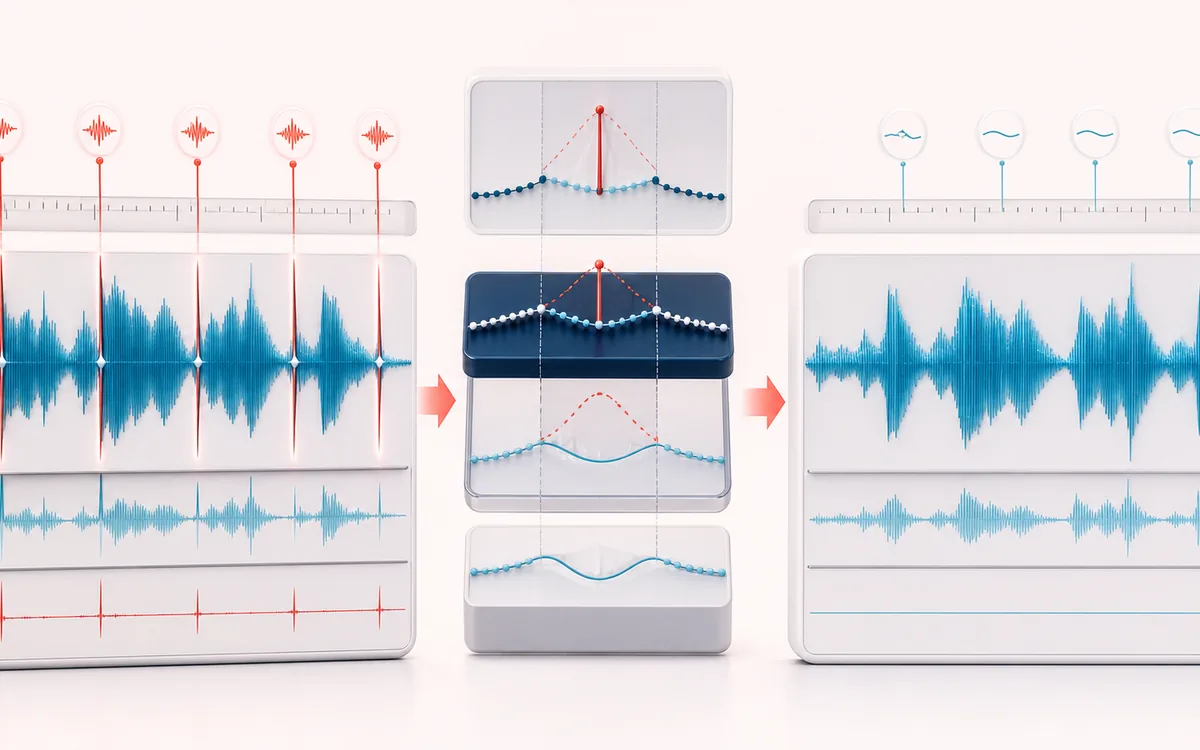
RESTORATION MAP
Mouth Click Markers
Separate the damaged event from healthy context. A repair is safest when the affected span is narrow, the surrounding signal is trustworthy and the difference audition contains mostly the defect.
Open the full signal breakdownBest source, processing logic, limits and three-pass listening check
- Close-mic vocal
Start with the right material
Podcast, narration and close-mic voice recordings with saliva clicks or tiny isolated digital-like ticks between and inside phrases.
- Repair short clicks
Understand the transformation
A local slope and outlier detector compares each short impulse with its surrounding samples, rejects longer musical attacks and interpolates bounded click spans.
- Clean mouth track
Verify the usable result
Visible click markers, Original/Processed/Difference audition and a same-duration WAV or MP3 after selected repairs.
Where this workflow stops
Dense crackle, clipping, consonant attacks and percussion require different treatment. High sensitivity can soften real transients, so inspect markers before export.
Make the final decision by ear
- Review every detected event near drums, consonants and other sharp attacks.
- Use Difference audition to hear what the repair removes or invents.
- Prefer several small repairs over one aggressive global pass.
- Input
- One mono or stereo voice recording, or a deterministic locally generated speech-like demo with isolated clicks.
- Detection
- Short paired slope changes and amplitude outliers measured against clean local context, with adjustable transient protection.
- Output
- Exact-length processed audio, difference preview, click markers and list, plus local WAV or MP3 export.
How to remove mouth clicks from voice audio
- Load audio. Choose a voice recording, or use the local demo to hear the workflow immediately.
- Set the detector. Start with Balanced, then adjust sensitivity, maximum click length and transient protection.
- Detect and repair. The full-file scan marks candidate spans and interpolates only those short regions.
- Verify before export. Compare Original, Processed and Difference, inspect the event list, then export WAV or MP3.
Quick answer: a mouth de-clicker can reduce isolated impulse-like noises when clean waveform context exists immediately before and after them. It cannot know the missing original sound. Every repair is a bounded local estimate, so keep transient protection high and audition the Difference signal.
What this detector calls a mouth click
A candidate needs a steep departure from the local waveform and an opposite return edge within 1–12 milliseconds. The detector compares those two slopes with the median and median absolute deviation of nearby slopes, checks that the waveform returns near its predicted path, and rejects regions with sustained high-frequency activity or an ongoing envelope rise. This favors isolated lip ticks and saliva clicks over consonant attacks.
Sensitivity lowers or raises the local outlier threshold. Protect transients requires a cleaner return and stronger isolation from neighboring activity. No setting can perfectly distinguish every click from wanted articulation, so the marker list and Difference preview are part of the workflow rather than decoration.
How the short-span repair works
- Maximum click length
- Limits the paired-edge search to 1–12 ms. Longer noises are not forced through this repair model.
- Interpolation
- A bounded cubic Hermite curve connects clean samples and local slopes on both sides of each accepted span.
- Repair strength
- Blends the interpolated estimate with the original. Lower values leave more of the click; 100% uses the complete estimate.
- Edge crossfade
- Extends a smooth blend into a short clean shoulder around the marked core so the replacement itself does not create a new hard edge.
- Stereo handling
- Channels are detected and repaired independently. Overlapping channel events appear as separate auditable entries.
Not a declipper and not a noise remover
- No flat-top detection: hard clipping destroys peaks as consecutive near-equal samples. Use the Audio Declipper for that pattern.
- No broadband noise model: steady hiss, air conditioning, traffic and room tone are not isolated impulses. Use the Noise Remover for those problems.
- No long mouth-noise guess: smacks, breaths and wet noises lasting beyond the chosen maximum remain unchanged.
- No source separation: the Difference signal is original minus processed, not a cleanly separated mouth-noise stem.
- No exact restoration claim: interpolation estimates a plausible bridge; it cannot recover samples that were never recorded cleanly.
Local processing and practical limits
The selected recording is decoded, scanned, repaired, previewed and encoded in this browser. Output preserves the decoded sample rate, channel count, frame count and duration. Browser decoding can resample the source first; WAV is a new 16-bit PCM render and MP3 is a new lossy encode.
The tool refuses files longer than 30 minutes and processing plans above 256 MiB on compact viewports or 512 MiB on larger screens. Cancelling discards partial events and buffers. Changing any control marks the previous result stale and disables export until the file is processed again.
Privacy: your selected audio is not uploaded. Normal page assets are loaded by the page; the MP3 encoder is loaded with the tool before a file is selected. See the privacy notice.
Mouth Click Remover: quick answer and technical limits
Quick answer: A voice de-clicker that finds isolated millisecond-scale impulses and repairs only the accepted spans with local interpolation and edge smoothing.
- Best for
- Podcast, narration and close-mic voice recordings with saliva clicks or tiny isolated digital-like ticks between and inside phrases.
- How it works
- A local slope and outlier detector compares each short impulse with its surrounding samples, rejects longer musical attacks and interpolates bounded click spans.
- What you get
- Visible click markers, Original/Processed/Difference audition and a same-duration WAV or MP3 after selected repairs.
Know before you use it: Dense crackle, clipping, consonant attacks and percussion require different treatment. High sensitivity can soften real transients, so inspect markers before export.
Privacy: Selected audio is processed in this browser and is not uploaded to AudioWrench. Normal page assets can still be requested as described in the privacy notice. Privacy details →