Guitar Amp Simulator Online
Run guitar or bass through an honest browser-local signal chain: input trim, nonlinear preamp, three-band tone stack, presence, distinct cabinet filters, master level and dry/wet. Hear every change before exporting.
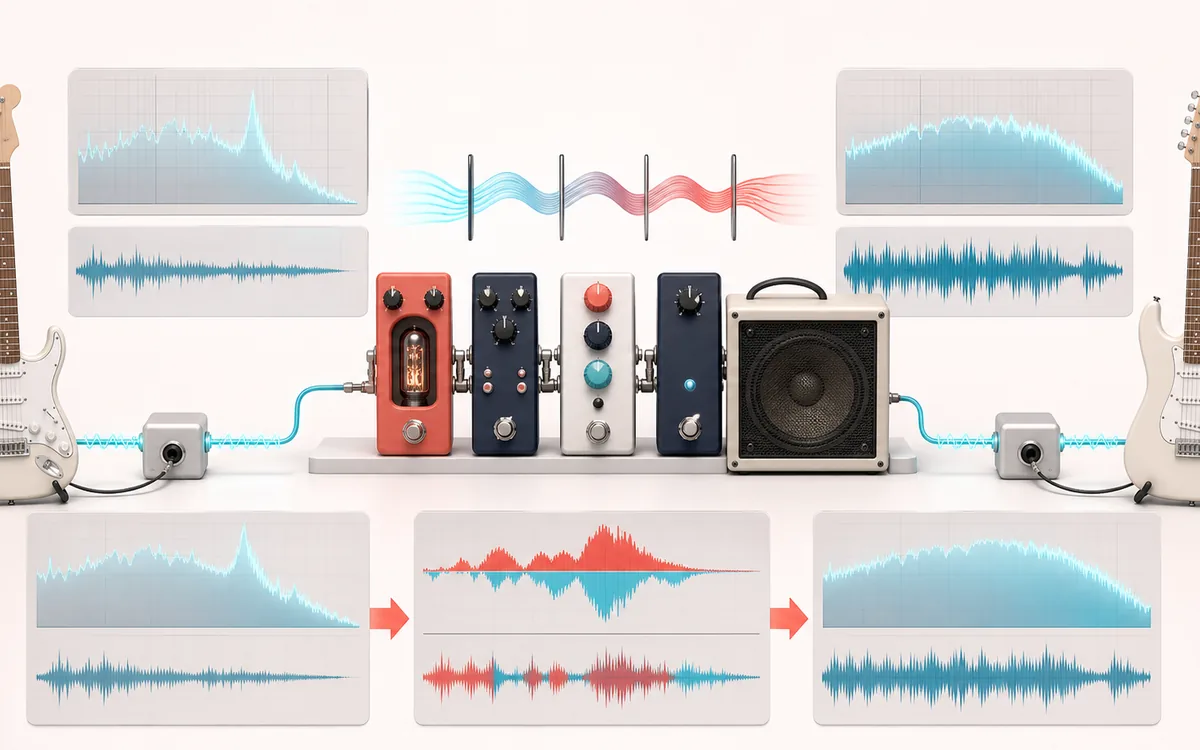
SPECTRAL MAP
Amp and Cabinet Chain
See where tone changes across the frequency range. Read the curve from low to high frequency, then connect every visible move to something you can actually hear in the source.
Open the full signal breakdownBest source, processing logic, limits and three-pass listening check
- Dry guitar DI
Start with the right material
Sketching clean, crunch, high-gain or bass DI tones from a direct recording without opening a full DAW or claiming to copy a branded amplifier.
- Drive tone stack
Understand the transformation
The decoded signal passes through preamp waveshaping, interactive bass/mid/treble filters, presence shaping and one of several distinct cabinet responses before master and wet/dry gain.
- Reamped guitar
Verify the usable result
Original, amp-processed and Difference monitoring plus an exact-duration WAV or MP3 render with the selected signal chain.
Where this workflow stops
This is a compact digital approximation, not component-level circuit modelling, microphone capture or a branded cabinet impulse response. High-gain presets can emphasize source noise and pick transients.
Make the final decision by ear
- Sweep or solo only to locate a problem; make the final decision in context.
- Watch broad tonal balance as well as narrow resonances.
- Recheck level after any boost so the comparison stays honest.
- Input
- One browser-decodable mono or stereo file, or a deterministic generated guitar-like performance.
- Signal path
- Input trim → bounded nonlinear preamp → bass/mid/treble → presence → cabinet IIR cascade → master → dry/wet.
- Output
- Original, Processed and Difference monitoring plus same-frame-count WAV or MP3.
How to use the guitar amp simulator online
- Choose browser-decodable audio or generate the deterministic guitar-like demo on this device.
- Pick a preset, then set input trim, preamp gain, bass, mid, treble, presence, cabinet, master and dry/wet.
- Process the file locally. Compare Original, Processed and Difference on the same playback timeline.
- Download the current processed render as WAV or MP3. Both are produced from the exact same output buffer.
A real signal chain, not a named hardware claim
The preamp applies input gain before a smooth asymmetric transfer curve, so driven settings create measurable harmonics while low-gain settings stay comparatively clean. Bass and treble are shelving filters, mid is a peaking band and presence is a separate high shelf after the tone stack.
Every cabinet choice uses its own stable digital filter cascade. The response plot shows the nominal linear tone-and-cabinet curve; it cannot show level-dependent harmonics from the nonlinear preamp. The original preset names describe broad tonal directions only and do not claim to reproduce a particular amplifier, speaker or recording chain.
Controls and honest limits
- Input trim controls the level entering the preamp. Preamp gain changes both level and harmonic density.
- Bass, mid and treble each span ±12 dB. Presence adds or removes upper bite after that stack.
- Cabinet changes the low cut, resonant mid contour and high roll-off; Bypass leaves that stage out.
- Master controls the processed branch. Dry/wet is a linear blend; 0% is sample-exact dry audio.
- Audio over 15 minutes, source files over 80 MB and renders above the local memory budget are refused before processing.
- Difference is Processed minus Original. It reveals every changed sample, not an isolated distortion or guitar stem.
Privacy: selected audio is decoded, processed and encoded in this browser. It is not sent to AudioWrench. Ordinary page assets can still load when you open the page.
Guitar Amp Simulator: quick answer and technical limits
Quick answer: A browser amp signal chain that combines nonlinear preamp drive, a three-band tone stack, presence, cabinet response and output control.
- Best for
- Sketching clean, crunch, high-gain or bass DI tones from a direct recording without opening a full DAW or claiming to copy a branded amplifier.
- How it works
- The decoded signal passes through preamp waveshaping, interactive bass/mid/treble filters, presence shaping and one of several distinct cabinet responses before master and wet/dry gain.
- What you get
- Original, amp-processed and Difference monitoring plus an exact-duration WAV or MP3 render with the selected signal chain.
Know before you use it: This is a compact digital approximation, not component-level circuit modelling, microphone capture or a branded cabinet impulse response. High-gain presets can emphasize source noise and pick transients.
Privacy: Selected audio is processed in this browser and is not uploaded to AudioWrench. Normal page assets can still be requested as described in the privacy notice. Privacy details →