Online Audio Exciter & Harmonic Enhancer
Create controlled brightness from the upper band instead of simply turning highs up. Choose where excitation begins, shape Tube, Tape or Air harmonics, compare the spectral delta and export locally.
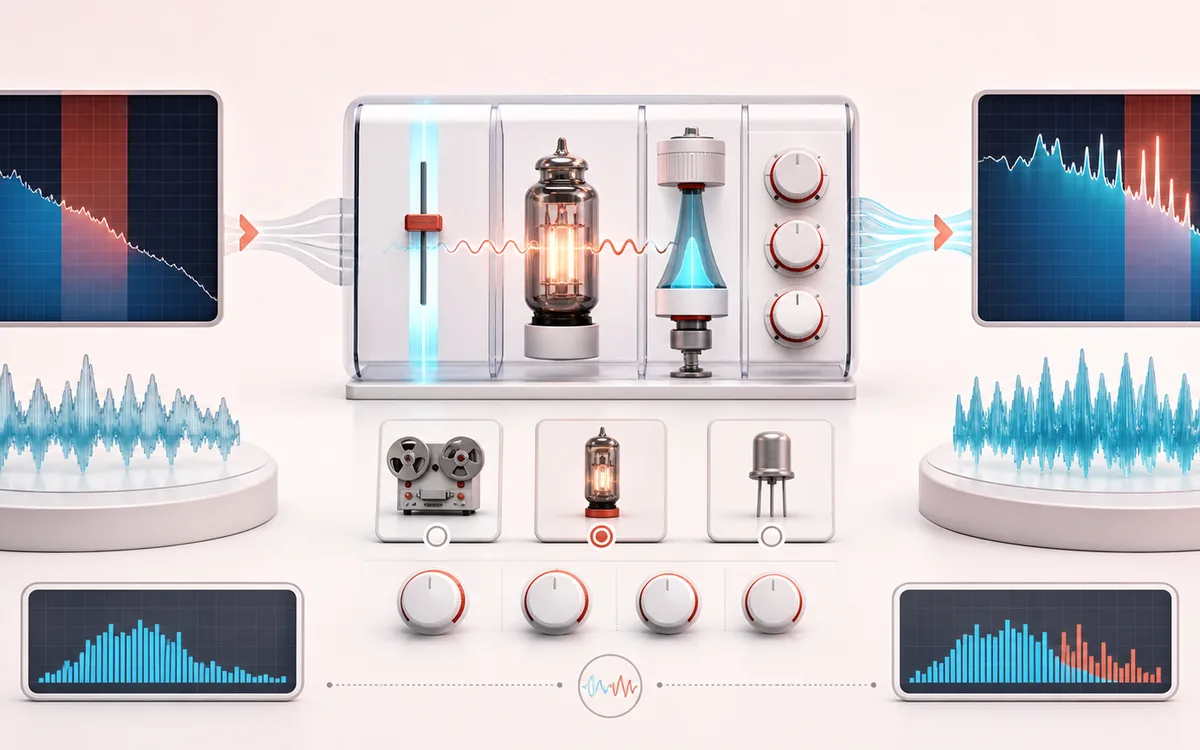
SPECTRAL MAP
Harmonic Lift Scope
See where tone changes across the frequency range. Read the curve from low to high frequency, then connect every visible move to something you can actually hear in the source.
Open the full signal breakdownBest source, processing logic, limits and three-pass listening check
- Dull source
Start with the right material
Adding vocal presence, drum snap, mix brightness or a small amount of perceived air without driving the entire low and mid spectrum into distortion.
- Generate harmonics
Understand the transformation
A crossover isolates the focus band, the selected transfer character and drive create harmonics, tone shaping limits the added component, and amount, mix and output trim set the final blend.
- Excited signal
Verify the usable result
Original, enhanced and Difference monitoring with before/after spectrum feedback plus an exact-duration WAV or MP3 export.
Where this workflow stops
An exciter cannot restore missing detail and can exaggerate hiss, sibilance or codec artifacts. It intentionally adds distortion above the focus region and is not a static treble boost or full-band saturator.
Make the final decision by ear
- Sweep or solo only to locate a problem; make the final decision in context.
- Watch broad tonal balance as well as narrow resonances.
- Recheck level after any boost so the comparison stays honest.
- Focus
- A complementary two-pole high-pass branch feeds only content above the selected focus into the harmonic generator.
- Generation
- Tube, Tape and Air transfers run on a two-times midpoint path; a tone filter acts only on newly generated harmonics.
- Output
- Original, Enhanced and Difference audition at the source sample rate, channels, frame count and duration.
How to add focused harmonic detail
- Choose audio or load the local reference demo with separate low and upper-band tones.
- Choose Vocals, Drums, Mix Polish or Air Lift, then place the frequency focus.
- Select Tube, Tape or Air and tune drive, amount, generated-harmonic tone, mix and output trim.
- Render locally, inspect Before and Enhanced spectra, audition the Difference, then export WAV or MP3.
New harmonics, not a static treble boost
The focus filter derives upper = source − low-pass(source). Only that upper branch reaches the nonlinear transfer. The tool subtracts the transfer's linear component, filters the generated-only remainder and adds it back to the untouched source. Frequencies already present are not simply raised with an EQ shelf.
Tube is gently asymmetric and emphasizes even-character products; Tape is symmetric and dominated by odd products; Air is a lighter quadratic-plus-cubic family intended for sparse high-frequency detail. These labels describe transfer shapes, not named hardware emulations.
Different from Distortion, Equalizer and Bass Boost
Audio Distortion reshapes the main full-band waveform for obvious nonlinear colour. Audio Equalizer raises or lowers frequencies already in the source. Bass Boost targets the opposite end of the spectrum. Audio Exciter preserves the main source path and adds a controlled generated component from the selected upper band.
Limits before you add more air
- Midpoint two-times processing and a generated-branch low-pass reduce alias energy but do not equal a steep studio-grade oversampling reconstruction filter.
- Extreme drive and amount can make sibilance, cymbals, codec noise and microphone hiss more obvious.
- Stereo link shares a conservative generated-branch protection factor when either channel approaches headroom; it is not multiband dynamics linking.
- Output trim is not a limiter and this tool does not measure LUFS, true peak or inter-sample peak.
- Files beyond the duration, file-size or viewport-specific memory budget are refused before rendering.
Privacy: selected audio is decoded, enhanced and encoded in this browser. It is not sent to AudioWrench. Normal page assets can still be requested when the page loads.
Audio Exciter & Harmonic Enhancer: quick answer and technical limits
Quick answer: A focused harmonic enhancer that derives an upper-frequency band, generates controlled nonlinear overtones there and blends them back with the full-range source.
- Best for
- Adding vocal presence, drum snap, mix brightness or a small amount of perceived air without driving the entire low and mid spectrum into distortion.
- How it works
- A crossover isolates the focus band, the selected transfer character and drive create harmonics, tone shaping limits the added component, and amount, mix and output trim set the final blend.
- What you get
- Original, enhanced and Difference monitoring with before/after spectrum feedback plus an exact-duration WAV or MP3 export.
Know before you use it: An exciter cannot restore missing detail and can exaggerate hiss, sibilance or codec artifacts. It intentionally adds distortion above the focus region and is not a static treble boost or full-band saturator.
Privacy: Selected audio is processed in this browser and is not uploaded to AudioWrench. Normal page assets can still be requested as described in the privacy notice. Privacy details →