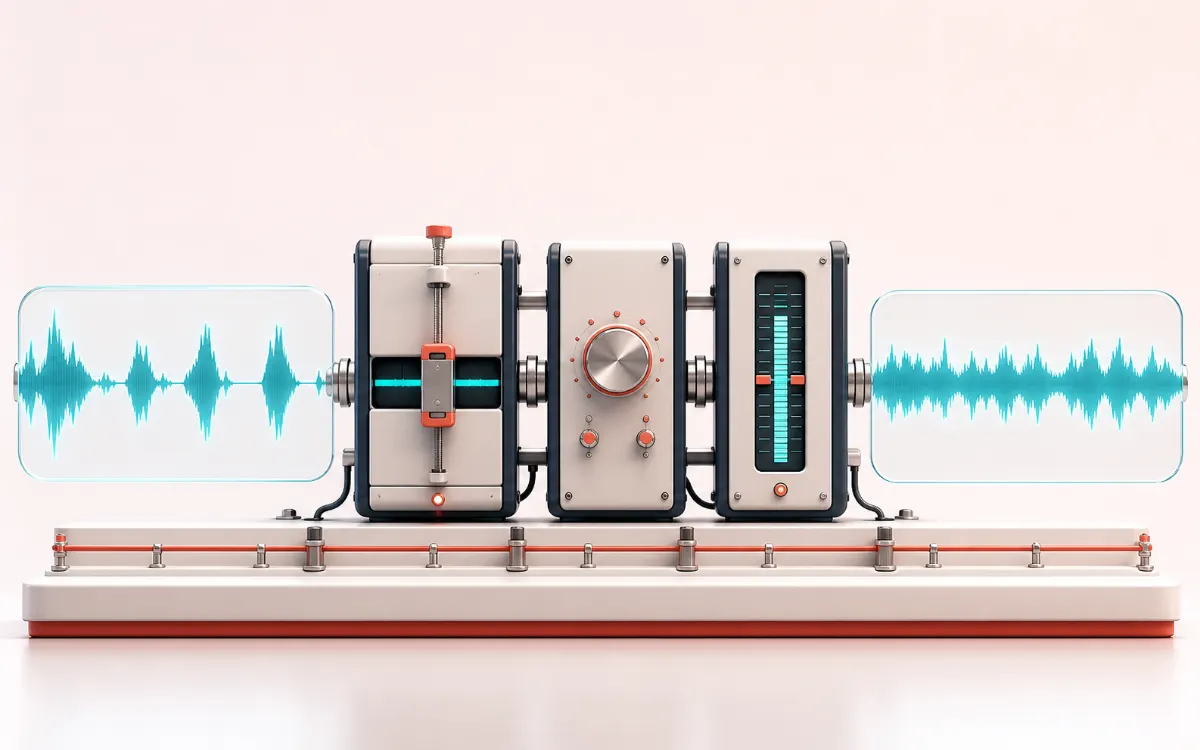
Turn one uneven spoken-word recording into a tighter, level-controlled and delivery-ready episode—without sending the file to a cloud service or bouncing between three separate tools.
Local audio processingNo signupWAV, MP3 and receipt exportTransparent DSP
Episode signal pathOne source · three controlled stages
LOCAL
Uneven source
Finished episode
01Shorten long pauses
02Control voice dynamics
03Match delivery loudness
Your recording stays inside this browser tab.
DYNAMICS MAP
Podcast Production Signal Path
Follow the level decision, not just the waveform. The important story is how the detector reacts, where gain starts moving and whether the result stays controlled without flattening the performance.
Uneven spoken recordingTighten level and normalizeDelivery-ready episode
A threshold-led gain path: peaks cross the decision line, the processor responds, and the output envelope becomes more deliberate.
Open the full signal breakdownBest source, processing logic, limits and three-pass listening check
01
Uneven spoken recording
Start with the right material
Solo podcasts, interviews, narration, lessons, audiobooks and voice-led video drafts that need a repeatable finishing pass without uploading the recording to a third-party service.
02
Tighten level and normalize
Understand the transformation
A 20 ms RMS envelope finds qualifying pause interiors, a linked soft-knee compressor applies transparent level control, and a gated K-weighted loudness estimate drives target gain with sample-peak protection when required.
03
Delivery-ready episode
Verify the usable result
Source and enhanced auditions, aligned dynamics Difference and removed-pause previews when memory permits, WAV/MP3 exports and a JSON receipt with timing, gain reduction, LUFS, peak and exact output dimensions.
Removed speech and gain change
Where this workflow stops
This is deterministic DSP rather than generative voice restoration. Pause detection can catch quiet syllables, compression can raise noise, sample peak is not true peak and the loudness estimate does not replace a publisher-required certified meter.
THREE-PASS CHECK
Make the final decision by ear
Compare at matched loudness so “louder” is not mistaken for “better”.
Inspect the loudest transient and the quietest useful detail.
Leave enough headroom for the next processing or delivery stage.
Quick answer: AudioWrench Podcast Audio Enhancer is a free local production chain for spoken-word recordings. It shortens selected long pauses, applies conventional speech compression, estimates integrated loudness, moves the episode toward a chosen delivery target and gives you source/result auditions plus a processing receipt. It does not upload the recording or pretend to reconstruct speech with AI.
What the podcast enhancer does to your audio
Natural pause tightening
A 20 ms RMS envelope identifies sustained low-level regions. The editor removes only the middle of a qualifying pause and leaves an adjustable quiet edge, reducing the breathless cadence caused by deleting every silent frame.
Transparent voice compression
A linked detector follows the loudest channel, smooths changes with attack and release timing and applies a soft-knee gain curve. Threshold, ratio and makeup gain stay visible instead of hiding behind an unexplained enhancement percentage.
Measured loudness delivery
The browser renders a K-weighting filter chain and uses 400 ms gated blocks for a BS.1770-style integrated-loudness estimate. Gain targets −16, −14 or −23 LUFS, with sample-peak protection when the projected result would exceed −1 dBFS.
Measurement boundary: integrated loudness is an in-browser estimate and peak is sample-based, not an oversampled true-peak measurement. Use the receipt for repeatability, then verify a final commercial delivery with the meter and specification required by your publisher.
Who this browser podcast studio is for
Solo podcasts and narration
Tighten long thinking gaps while preserving short expressive pauses, then reduce large level swings between quiet sentences and emphatic phrases.
Interviews and remote recordings
Use a slower release and stronger ratio as a practical starting point for changing mic distance. The workflow does not remove cross-talk or match two separate speakers independently.
Video essays and explainers
Prepare a voice-led render near −14 LUFS when that matches the next video workflow, then export WAV for the edit or MP3 for a review copy.
Lessons, audiobooks and internal audio
Remove obvious dead air, record the exact settings in JSON and retain the original source so later editorial decisions remain reversible.
AudioWrench vs one-click cloud podcast enhancers
AudioWrench local workflow
The audio file remains in the browser tab.
Timing, compression and loudness controls stay inspectable.
Source, processed, aligned difference and removed-pause auditions explain the change.
WAV, MP3 and a machine-readable receipt are available without an account.
Typical one-click cloud workflow
The source normally must be uploaded before processing.
A single strength control can be faster for a rough result.
Proprietary restoration may handle problems this deterministic chain does not address.
Exact signal changes and intermediate measurements may not be exposed.
Choose by recording condition
Use AudioWrench when local privacy, explicit controls and repeatable delivery matter. Consider specialist restoration when a recording has severe reverb, broadband noise, clipped words or missing speech information. A final listening pass is required in either case.
How to make podcast audio sound more professional
Keep an untouched source recording. Editing is safer when you can return to the original after an aggressive threshold or export decision.
Load audio and inspect the pause map. Start with a voice preset, then lower the threshold if quiet syllables or room tone are highlighted as removable.
Set timing before dynamics. Pause cuts change episode duration, so complete timeline edits before chapters, captions or externally referenced timestamps are finalized.
Compress for consistency, not maximum loudness. Listen for pumping around breaths and phrase endings. A slower release can sound smoother; a high ratio can flatten performance.
Match the required delivery target. −16 LUFS is a useful podcast starting point, not a universal law. Check the current requirement of the service receiving the file.
Use every comparison view available. Source reveals the full edit, Dynamics Difference reveals aligned level change, and Removed Pauses helps detect accidental speech removal.
Export and listen outside the editor. Check headphones, a phone speaker and the actual publishing chain before replacing a released episode.
What this tool does not promise
This workflow is not speech synthesis, identity synthesis, transcription, speaker separation or generative restoration. It will not identify filler words, repair clipped consonants, remove every fan or room reflection, balance multiple isolated speakers independently or guarantee approval by a broadcaster. Pause detection can confuse quiet speech with room tone; compression can emphasize noise; a loudness target can still sound wrong when tonal balance or distortion is poor. The interface makes those boundaries visible so an editor can make an informed decision.
Podcast Audio Enhancer: quick answer and technical limits
Quick answer: A guided local spoken-word production chain that shortens long pauses, controls speech dynamics, estimates integrated loudness, moves the result toward a delivery target and exports the finished episode.
Best for
Solo podcasts, interviews, narration, lessons, audiobooks and voice-led video drafts that need a repeatable finishing pass without uploading the recording to a third-party service.
How it works
A 20 ms RMS envelope finds qualifying pause interiors, a linked soft-knee compressor applies transparent level control, and a gated K-weighted loudness estimate drives target gain with sample-peak protection when required.
What you get
Source and enhanced auditions, aligned dynamics Difference and removed-pause previews when memory permits, WAV/MP3 exports and a JSON receipt with timing, gain reduction, LUFS, peak and exact output dimensions.
Know before you use it: This is deterministic DSP rather than generative voice restoration. Pause detection can catch quiet syllables, compression can raise noise, sample peak is not true peak and the loudness estimate does not replace a publisher-required certified meter.
Privacy: The selected recording is decoded, analyzed, processed and encoded in the current browser tab. It is not uploaded to AudioWrench; normal page assets can still be requested as described in the privacy notice. Privacy details →
FAQ
What does the Podcast Audio Enhancer actually change?
It can shorten detected long quiet spans, apply deterministic linked speech compression and apply measured gain toward a selected integrated-loudness target. Each stage is optional and the final receipt records what ran.
Does AudioWrench upload my podcast recording?
No. The selected audio is decoded, analyzed, processed and encoded in the current browser tab. Normal website assets can still be requested as described in the privacy notice, but the selected recording is not sent to AudioWrench.
What loudness target should I use for a podcast?
−16 LUFS is a common spoken-word starting point, while some video and streaming workflows use −14 LUFS. A distributor can apply its own playback normalization, so check its current delivery specification and listen after encoding.
Is this an AI voice restoration tool?
No. It uses transparent signal processing and does not synthesize missing speech, remove every noise source, clone a speaker or infer words. Damaged recordings can still need specialist restoration.
What is the Dynamics Difference preview?
It is the final processed signal minus the pause-tightened pre-dynamics timeline. Pause removal changes duration, so timing edits are excluded from this subtraction to keep the compared buffers aligned.
Why can a large file use lean processing mode?
After decoding, the tool estimates working memory from the real frame count, channel count and browser device signals. Lean mode keeps source and finished previews but skips extra difference buffers, reducing memory without enforcing a fixed input-file cap.
Ready to finish an episode?
Load one recording, review the three stages and keep the final decision in your ears.