DJ Set Planner Online
Turn a folder of tracks into a set you can explain and change. Review BPM, Camelot key, confidence and relative intensity, compare the original crate with a planned route, hear each handoff and export the order without uploading audio.
SET ROUTE MAP
Crate to Coherent Set Route
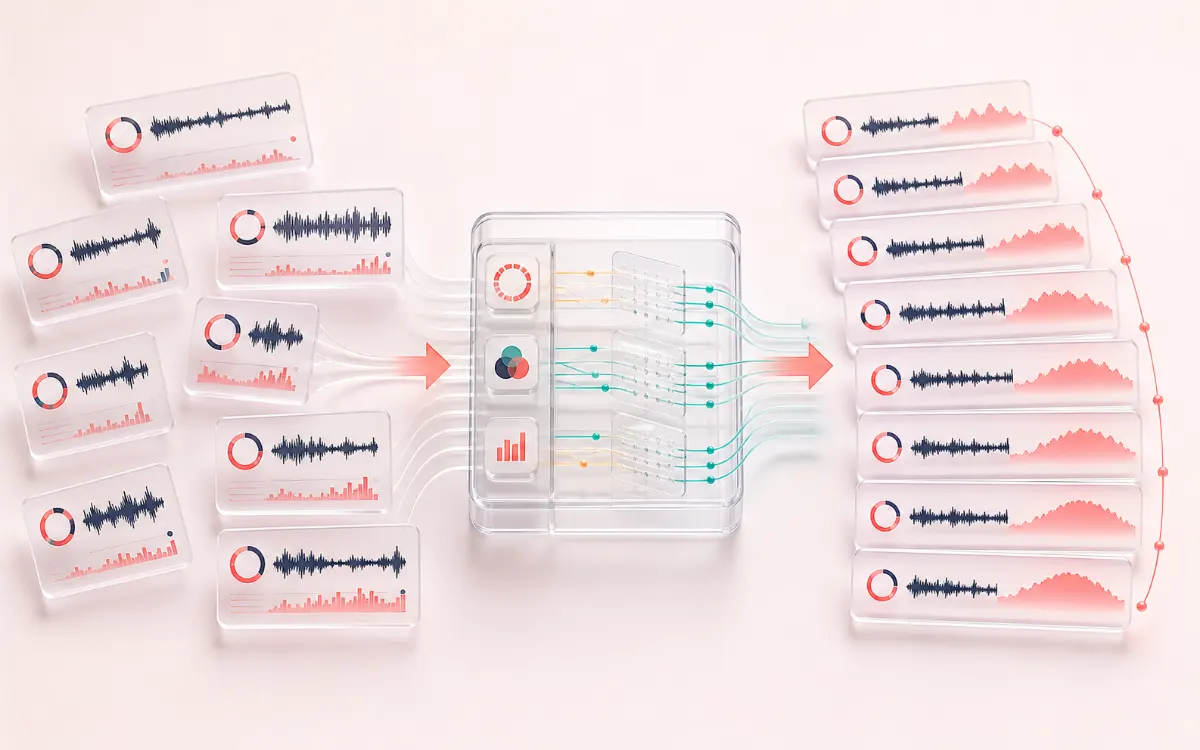
Turn an unordered crate into an intentional musical journey. A useful route keeps the identity of every track visible while exposing why adjacent tempo, harmony and intensity decisions fit or need review.
Open the full signal breakdownBest source, processing logic, limits and three-pass listening check
- Unordered local crate
Start with the right material
Planning club, radio, workout, party and open-format DJ sets where harmonic direction, tempo movement and the shape of the room matter more than one opaque compatibility number.
- Compare tempo, key and intensity
Understand the transformation
Tracks are decoded one at a time and measured locally; a deterministic multi-start route plus bounded pair swaps balances tempo, harmonic and relative-intensity costs while respecting manual corrections and locked positions.
- Auditionable set plan
Verify the usable result
Before-versus-planned order, an intensity curve, per-transition evidence, local handoff audition and ordered M3U8, CSV or JSON set-plan files without rewriting source tags.
Where this workflow stops
BPM, key and intensity are estimates rather than musical truth. The intensity score is relative only within the loaded crate, the quick handoff preview is not beat-phase aligned, and every transition still requires listening.
Make the final decision by ear
- Verify uncertain BPM and key labels before trusting the route.
- Audition every large tempo, harmonic or intensity move in context.
- Treat the exported order as a plan and make the final decision by ear.
- Transparent analysis
- BPM, key, confidence and crate-relative intensity remain visible and manually correctable.
- Explainable ordering
- Every adjacent pair keeps separate harmonic, tempo and intensity evidence instead of one unexplained score.
- Open set plan
- Export ordered M3U8, CSV or structured JSON without changing source files or proprietary library tags.
How to plan a DJ set online
- Add browser-decodable tracks or use the authored demo crate. Files are decoded one at a time after a device-aware memory estimate.
- Review BPM, Camelot key, confidence and relative intensity. Each track uses up to five distributed 12-second analysis windows at 12 kHz; correct octave BPM interpretations, uncertain keys or the intended intensity level.
- Choose Progressive rise, Peak then cooldown, Wave journey or Steady room. Build the route, lock important positions and move any track with buttons or keyboard focus.
- Select each handoff to see harmonic, tempo and intensity evidence, audition the local crossfade, then export M3U8, CSV or JSON.
A set route, not a shuffled playlist
A random or title-sorted playlist ignores what happens between tracks. DJ Set Planner evaluates each neighboring handoff and the wider intensity curve together. The planner uses a deterministic multi-start route followed by bounded pair swaps, so the same corrected crate and settings produce the same order.
The score is deliberately decomposed. A low-confidence key estimate reduces harmonic influence and creates a warning instead of pretending that the Camelot label is certain. Tempo comparison considers half-time and double-time interpretations, while the intensity component follows the chosen set shape.
Relative intensity is not danceability
The 1–10 value compares tracks only within the loaded crate. It combines decoded level, crest, onset-density and brightness proxies, then normalizes that evidence across the batch. It does not know the crowd, arrangement, genre, vocal meaning or emotional context, so manual correction remains first-class.
Plan first, render the transition second
The eight-second handoff is a fast local A/B crossfade for checking direction and contrast. It does not claim beat-grid, phrase or bass-stem alignment. When a pair is worth developing, open DJ Transition Maker with both BPM values ready, then choose bars, cues, curve and bass handoff. Use Tempo Map Generator for changing-tempo material and Key Finder when harmony needs a focused second opinion.
What the exports contain
- M3U8: ordered filenames and optional AudioWrench transition notes.
- CSV: one reviewable row per track with BPM/key confidence, relative intensity and next-handoff evidence.
- JSON: versioned settings, analysis method labels, complete track order and decomposed transition results.
- No PCM, Blob, proprietary database or source metadata is written into the plan.
Privacy: selected tracks are decoded, analyzed and auditioned in this browser. Audio is not uploaded to AudioWrench. Only analysis, order and settings are autosaved locally; source audio is not persisted unless you explicitly use a separate Local Workspace workflow.
DJ Set Planner: quick answer and technical limits
Quick answer: A local crate-analysis and set-routing workspace that keeps BPM, Camelot key, relative intensity, confidence and every adjacent transition score visible and editable.
- Best for
- Planning club, radio, workout, party and open-format DJ sets where harmonic direction, tempo movement and the shape of the room matter more than one opaque compatibility number.
- How it works
- Tracks are decoded one at a time and measured locally; a deterministic multi-start route plus bounded pair swaps balances tempo, harmonic and relative-intensity costs while respecting manual corrections and locked positions.
- What you get
- Before-versus-planned order, an intensity curve, per-transition evidence, local handoff audition and ordered M3U8, CSV or JSON set-plan files without rewriting source tags.
Know before you use it: BPM, key and intensity are estimates rather than musical truth. The intensity score is relative only within the loaded crate, the quick handoff preview is not beat-phase aligned, and every transition still requires listening.
Privacy: Selected audio is processed in this browser and is not uploaded to AudioWrench. Normal page assets can still be requested as described in the privacy notice. Privacy details →