CUE Sheet Splitter
Open one continuous album image and its CUE sheet, inspect editable INDEX 00/01 boundaries, choose who owns each pregap, then preview and export exact track slices without uploading the recording.
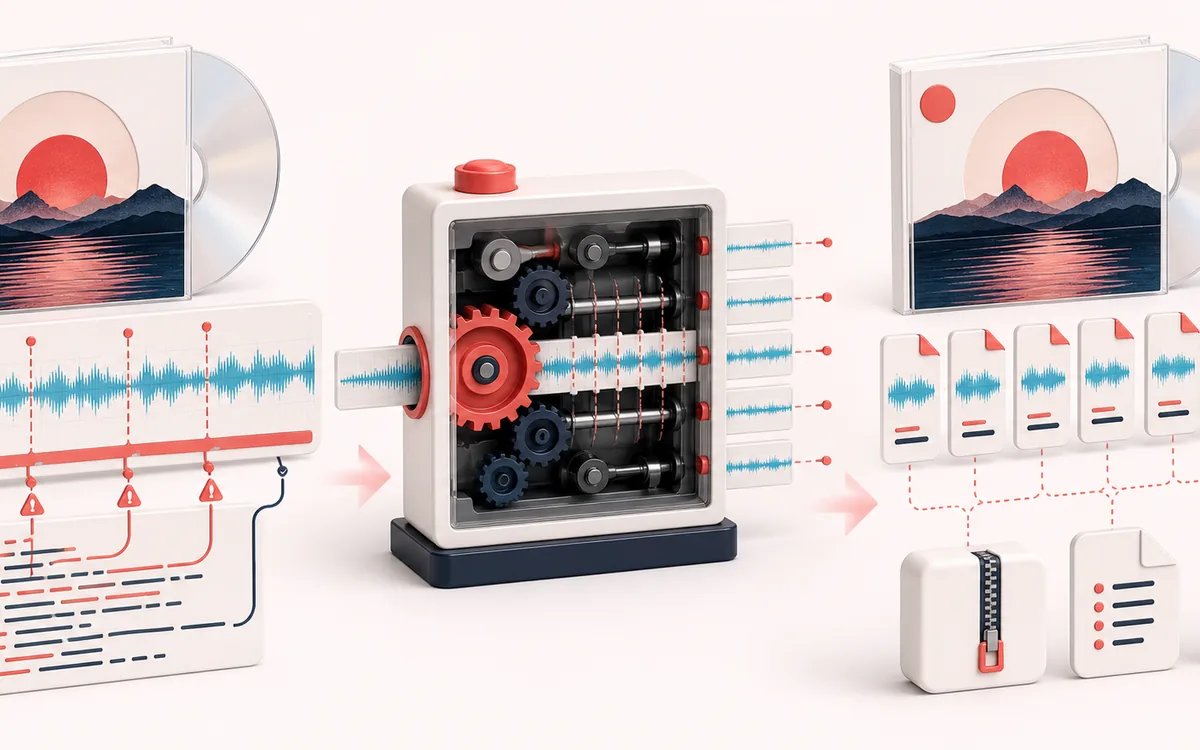
FILE STRUCTURE MAP
Album Cue Grid
Follow audio, metadata and delivery as separate layers. Container work is easier to trust when decoded audio, editable fields and the final export are shown as distinct stages with explicit preservation limits.
Open the full signal breakdownBest source, processing logic, limits and three-pass listening check
- Album file and CUE
Start with the right material
Restoring an archived album image, continuous mix or disc rip when exact track, index and pregap positions already exist in a matching CUE sheet.
- Resolve track frames
Understand the transformation
The parser reads quoted metadata plus 75 fps INDEX and PREGAP timing, validates ordered boundaries against the decoded source and applies the selected pregap ownership rule before cutting finite PCM ranges.
- Individual tracks
Verify the usable result
Previewable track boundaries, separate WAV downloads and a ZIP containing the tracks with M3U8 and JSON manifests.
Where this workflow stops
A CUE sheet cannot recover missing audio, repair a wrong rip or identify tracks by listening. Positions are quantized to 1/75 second, and compressed or mismatched source files can prevent sample-perfect correspondence.
Make the final decision by ear
- Keep the untouched original until the exported file is verified.
- Confirm sample rate, channels, duration and metadata independently.
- Test the delivery in the application or device that will consume it.
- Exact CUE clock
- MM:SS:FF positions are parsed on the 75-frames-per-second CUE clock and mapped to the decoded sample timeline.
- Explicit pregaps
- Choose whether INDEX 00 audio starts the following track file or remains attached to the previous file.
- Complete delivery
- Download any WAV separately or one ZIP containing every track plus matching M3U8 and JSON manifests.
How to split a continuous album with a CUE sheet
- Load the continuous audio image named by the CUE FILE command.
- Load a .cue file or paste its text, then parse the editable track table.
- Choose include or exclude pregap policy and inspect the waveform markers.
- Preview individual slices, download WAV files, or export the complete ZIP package.
Why INDEX 00 ownership matters
INDEX 01 marks the primary start of a track. INDEX 00 can mark a lead-in before it. In include mode the following track begins at INDEX 00; in exclude mode it begins at INDEX 01, so that lead-in stays at the end of the previous track. Both plans keep adjacent exported regions continuous after the first authored start.
More specific than a generic audio splitter
A generic splitter uses durations, equal chunks or manual markers. CUE Sheet Splitter understands album FILE, TRACK, TITLE, PERFORMER, PREGAP, INDEX 00 and INDEX 01 commands, validates the 75 fps timeline and preserves authored track metadata in its filenames and manifests.
Limits worth knowing
- Only one FILE audio image is supported; multi-file CUE projects are refused instead of being guessed.
- PREGAP without INDEX 00 describes generated or external silence that is not recoverable from the image, so it is reported but cannot move a slice boundary.
- Browser decoding can differ from bitstream-level extraction, especially for lossy source files. Export is finite 16-bit PCM WAV.
- Positions at sample rates not divisible by 75 are rounded to the nearest decoded sample and disclosed in JSON.
- A decoded-memory preflight refuses oversized jobs before ZIP construction.
Privacy: selected audio and CUE text stay in this browser. Normal page assets can still be requested at page load.
CUE Sheet Splitter: quick answer and technical limits
Quick answer: A frame-aware album-image cutter that reads CUE metadata and turns one continuous recording into individually named track WAV files.
- Best for
- Restoring an archived album image, continuous mix or disc rip when exact track, index and pregap positions already exist in a matching CUE sheet.
- How it works
- The parser reads quoted metadata plus 75 fps INDEX and PREGAP timing, validates ordered boundaries against the decoded source and applies the selected pregap ownership rule before cutting finite PCM ranges.
- What you get
- Previewable track boundaries, separate WAV downloads and a ZIP containing the tracks with M3U8 and JSON manifests.
Know before you use it: A CUE sheet cannot recover missing audio, repair a wrong rip or identify tracks by listening. Positions are quantized to 1/75 second, and compressed or mismatched source files can prevent sample-perfect correspondence.
Privacy: Selected audio is processed in this browser and is not uploaded to AudioWrench. Normal page assets can still be requested as described in the privacy notice. Privacy details →