Cue Sheet Maker
Author an ordered album master with track and disc metadata, frame-aligned pregaps and exact INDEX 01 timecodes, then export one WAV with matching CUE, M3U8 and JSON delivery files.
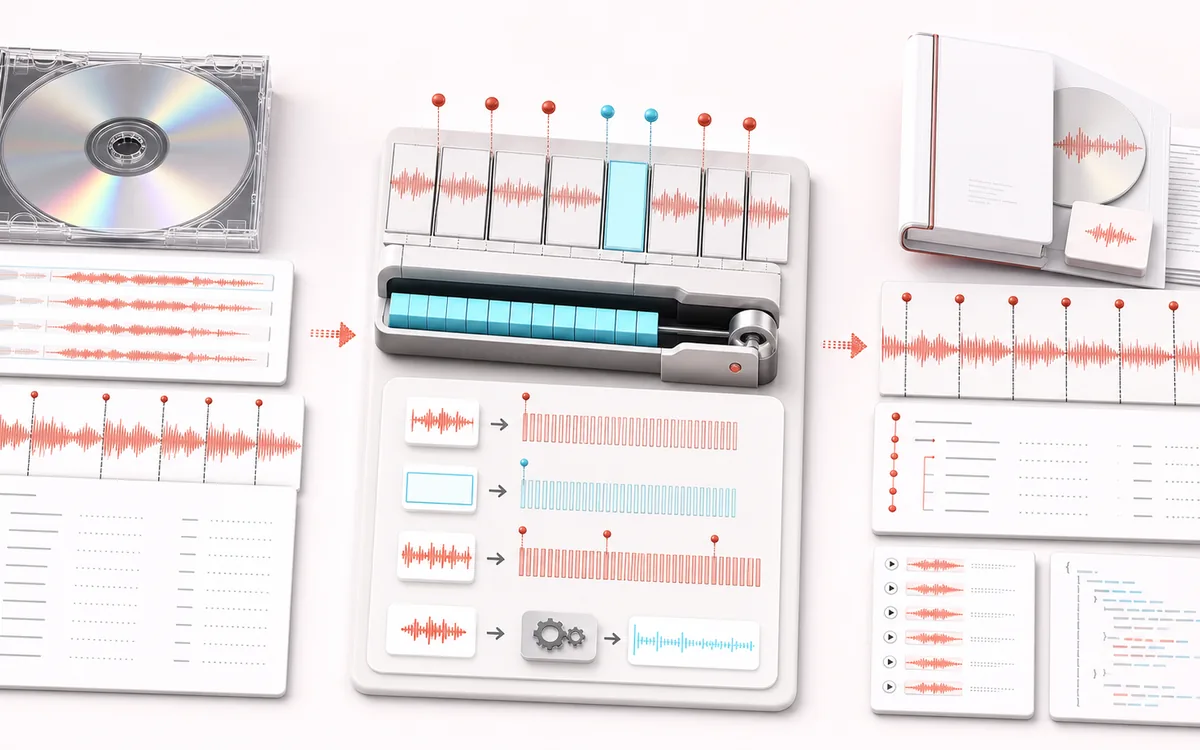
FILE STRUCTURE MAP
Continuous Album Layout
Follow audio, metadata and delivery as separate layers. Container work is easier to trust when decoded audio, editable fields and the final export are shown as distinct stages with explicit preservation limits.
Open the full signal breakdownBest source, processing logic, limits and three-pass listening check
- Ordered album tracks
Start with the right material
Preparing a gap-aware album master, archival continuous mix, CD-style image or review delivery with exact track start positions and editable performer and catalog fields.
- Arrange frames and gaps
Understand the transformation
Every queued track is decoded locally, reordered and normalized to one delivery format; authored pregap frames and PCM are concatenated while INDEX 01 offsets are quantized to the 75-frames-per-second CUE timeline.
- WAV and cue bundle
Verify the usable result
One auditionable continuous WAV plus a quoted Red Book-style CUE sheet, ordered M3U8 playlist and machine-readable project JSON.
Where this workflow stops
Browser output is a delivery asset, not a physical-disc burn or formal Red Book compliance certificate. Source sample-rate conversion and 75 fps rounding can shift sub-frame positions, and lossy source quality cannot be restored.
Make the final decision by ear
- Keep the untouched original until the exported file is verified.
- Confirm sample rate, channels, duration and metadata independently.
- Test the delivery in the application or device that will consume it.
- CD-frame timing
- The combined master runs at 44.1 kHz. Every generated index is aligned to a 588-sample frame, exactly 1/75 second.
- Album metadata
- Set album title, album performer, catalog, per-track titles and performers, authored order and pregaps.
- Delivery set
- Export one finite stereo WAV plus Red Book-style CUE, slice-aware M3U8 and a frame-accurate JSON manifest.
How to make an album cue sheet online
- Load album tracks in authored order or start with the three-track deterministic demo.
- Edit disc metadata and each track title, performer and pregap; use the visible up and down controls to reorder.
- Build the 44.1 kHz stereo master and audition any INDEX 01 slice from the shared player.
- Download the combined WAV and matching CUE, M3U8 and JSON files.
Exact 75 fps indexes
A CUE timestamp uses minutes, seconds and CD frames rather than milliseconds. At 44.1 kHz, one CD frame is exactly 588 audio samples. The builder quantizes pregaps to whole CD frames and adds only the minimum post-track alignment silence needed to keep the next INDEX position representable without approximation.
INDEX 00, INDEX 01 and pregaps
INDEX 01 is the audible start used for track navigation. When a track has a non-zero pregap, the combined asset contains that silence first and the CUE adds INDEX 00 at its beginning. INDEX 01 follows at the exact audible track start. The JSON manifest preserves both positions plus original audio length and any alignment padding.
Different from joining and sprite packing
This is not a generic concatenator and not an SFX sprite. Cue Sheet Maker owns album-level metadata, track numbering, catalog information, CD-frame timing and disc authoring exports. The M3U8 repeats the combined master with VLC-compatible start and stop options so each authored track remains addressable outside a CUE-aware player.
Limits worth knowing
- The WAV master is 44.1 kHz stereo PCM and CUE indexes are frame-exact for that asset.
- Linear browser resampling is practical for authoring previews; archival mastering may require a dedicated high-order resampler.
- Alignment padding can add up to 587 silent samples after a track so the next index lands on a CD frame.
- CATALOG is written as a standard CATALOG command only for 13 digits; other catalog identifiers are preserved as a quoted REM CATALOG line.
- The workspace refuses jobs that exceed its decoded-memory estimate before assembling the master.
Privacy: selected tracks are decoded, assembled and exported on this device. Audio payloads and generated authoring files are not uploaded. Normal page assets may still be requested at page load.
Cue Sheet Maker: quick answer and technical limits
Quick answer: An album-authoring workspace that combines ordered tracks and pregaps into one continuous audio image while writing matching CUE, M3U8 and JSON metadata.
- Best for
- Preparing a gap-aware album master, archival continuous mix, CD-style image or review delivery with exact track start positions and editable performer and catalog fields.
- How it works
- Every queued track is decoded locally, reordered and normalized to one delivery format; authored pregap frames and PCM are concatenated while INDEX 01 offsets are quantized to the 75-frames-per-second CUE timeline.
- What you get
- One auditionable continuous WAV plus a quoted Red Book-style CUE sheet, ordered M3U8 playlist and machine-readable project JSON.
Know before you use it: Browser output is a delivery asset, not a physical-disc burn or formal Red Book compliance certificate. Source sample-rate conversion and 75 fps rounding can shift sub-frame positions, and lossy source quality cannot be restored.
Privacy: Selected audio is processed in this browser and is not uploaded to AudioWrench. Normal page assets can still be requested as described in the privacy notice. Privacy details →