Auto Audio Ducker — Voiceover & Background Music
Mix narration over a music bed and automatically turn the background down while the voice is active. Set the threshold, duck depth, attack and release, preview the result and verify the actual reduction before exporting WAV or MP3.
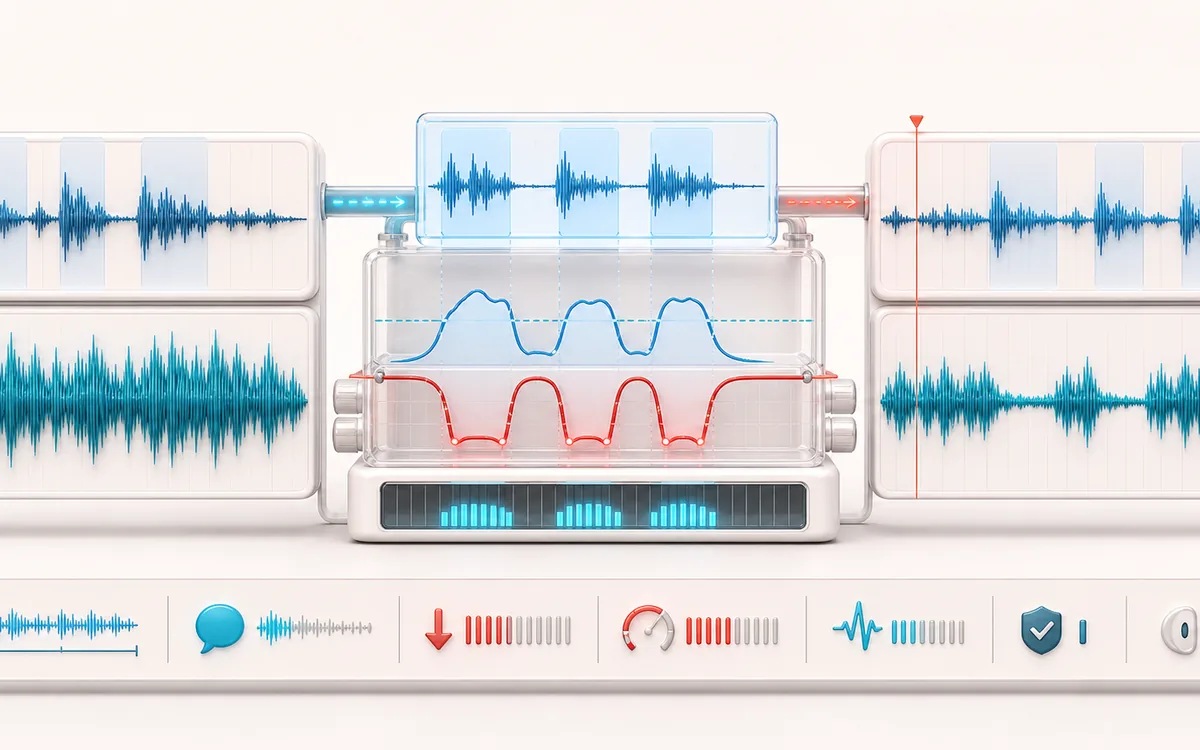
DYNAMICS MAP
Voice Ducking Envelope
Follow the level decision, not just the waveform. The important story is how the detector reacts, where gain starts moving and whether the result stays controlled without flattening the performance.
Open the full signal breakdownBest source, processing logic, limits and three-pass listening check
- Voiceover and music
Start with the right material
Podcast intros, explainers, tutorials, product videos and social clips where speech needs space over a continuous music bed.
- Follow speech level
Understand the transformation
The browser aligns decoded voice and music, measures a bounded voice envelope, builds an attack/release gain curve from the threshold and duck-depth settings, then mixes and renders the result locally.
- Ducked mix
Verify the usable result
A previewable WAV/MP3 mix plus a receipt for exact duration, active-voice share, maximum and average music reduction, output peak, clipping, sample rate and channels.
Where this workflow stops
This is envelope-based DSP, not AI dialogue understanding. Breaths, noise and quiet words can trigger differently; it does not replace a final mix, loudness pass or rights check.
Make the final decision by ear
- Compare at matched loudness so “louder” is not mistaken for “better”.
- Inspect the loudest transient and the quietest useful detail.
- Leave enough headroom for the next processing or delivery stage.
- Inputs
- One foreground voiceover or narration file and one background music file in formats your browser can decode.
- Ducking controls
- Voice threshold, maximum music reduction, attack and release timing, music level, and music-only intro/outro duration.
- Output
- A locally rendered voice-and-music mix, WAV or MP3 download and a receipt for measured ducking activity.
How to duck background music under voiceover online
- Select the clean voiceover or narration file that should control the mix.
- Select the background music file that should become quieter while the voice is active.
- Set the voice threshold and duck depth, then tune attack and release for natural transitions.
- Preview the mix, render it, inspect the measured receipt and download WAV or MP3.
Quick answer: Auto Audio Ducker uses the measured amplitude envelope of one local audio file to control the level of another. It is useful for voiceover and background music mixes where manual volume automation would be repetitive. It does not transcribe speech, understand words or use an AI model.
What threshold, duck depth, attack and release change
- Threshold
- Sets the voice-envelope level that activates ducking. A lower threshold reacts to quieter breaths and room noise; a higher threshold can miss soft words.
- Duck depth
- Sets the maximum background music reduction while the voice is active. Deeper reduction improves separation but can make the music pump or disappear.
- Attack
- Controls how quickly the music turns down after the voice passes the threshold. Short attack protects word beginnings; too short can sound abrupt.
- Release
- Controls how quickly the music returns after the voice falls below the threshold. A longer release sounds smoother; too long can hold the music down between phrases.
Start with a moderate duck depth, a fast but nonzero attack and a release long enough to bridge tiny gaps inside a sentence. Then listen to both quiet phrases and loud sections. The right settings depend on the recording, so a preset cannot guarantee a finished broadcast mix.
Measured ducking instead of a guessed result
The result receipt is designed to show what the render actually did, not just repeat the requested controls. It can report the resolved input durations and sample rate, the applied settings, how much of the timeline triggered ducking and the measured background gain reduction. Use the receipt alongside listening: a number can confirm processing activity, but it cannot decide whether the mix sounds natural.
Envelope-based, not AI: the detector responds to foreground signal level. Music, noise or breaths in the voiceover can also cross the threshold, while very quiet speech may not. Clean the controlling track first when false triggers are a problem.
Auto Audio Ducker versus Joiner, Compressor and BalanceDAW
- Auto Audio Ducker
- Mixes a foreground file and background file concurrently, then changes the music gain over time from the voiceover envelope.
- Audio Joiner
- Places files one after another. Use it for a sequence, not for narration playing over music.
- Audio Compressor
- Controls the dynamics of one signal from that signal itself. Use it to reduce its dynamic range rather than to make one file react to another.
- BalanceDAW
- Use the studio for multitrack timelines, detailed edits, manual automation, plugins or more than one voice-and-music pair.
Common voiceover and background music workflows
- Podcast narration: lower an intro bed or licensed underscore while the host speaks, then check loudness in the final episode workflow.
- Video explainers: make instruction or product narration easier to understand without manually drawing every music-level change.
- Tutorials and courses: preserve a consistent music bed beneath spoken steps while keeping words in front.
- Announcements and spoken intros: combine a finished voice file with a music cue when a full DAW session would be unnecessary.
Limits to check before publishing
- Two-file mix, not dialogue intelligence: this DSP follows level rather than detecting language. Noise, breaths and other foreground sounds can activate it.
- Timing and length: output duration is the voiceover plus the chosen music-only intro and outro. Music restarts from its beginning when it is too short and is trimmed when it is longer, so choose a loop-ready bed or listen for its restart seam.
- Browser decoding: input support varies by browser, and decoding can resample audio to the browser audio runtime rate. The export is a new render, not a lossless container edit.
- WAV versus MP3: WAV avoids another lossy encoding stage but can be much larger. MP3 is a lossy local re-encode and may soften transients or add codec artifacts.
- Device memory: both files are decoded to uncompressed audio in memory. Long, high-rate or multichannel sources can exceed the practical limit of a phone or low-memory browser.
- Rights still apply: use voice recordings, music and other material you created or are licensed to edit, mix and redistribute. Local processing does not grant copyright permission.
Privacy: the selected voiceover and background files are processed in this browser and are not uploaded to AudioWrench. Normal page assets and same-origin encoder code can still be requested as described in the privacy notice.
Auto Audio Ducker: quick answer and technical limits
Quick answer: A local voiceover and background-music mixer that lowers music when its envelope detector finds active narration, then restores it with adjustable timing.
- Best for
- Podcast intros, explainers, tutorials, product videos and social clips where speech needs space over a continuous music bed.
- How it works
- The browser aligns decoded voice and music, measures a bounded voice envelope, builds an attack/release gain curve from the threshold and duck-depth settings, then mixes and renders the result locally.
- What you get
- A previewable WAV/MP3 mix plus a receipt for exact duration, active-voice share, maximum and average music reduction, output peak, clipping, sample rate and channels.
Know before you use it: This is envelope-based DSP, not AI dialogue understanding. Breaths, noise and quiet words can trigger differently; it does not replace a final mix, loudness pass or rights check.
Privacy: Selected audio is processed in this browser and is not uploaded to AudioWrench. Normal page assets can still be requested as described in the privacy notice. Privacy details →